
YimMenu Lua Scripts
Advanced Lua scripts for YimMenu with enhanced protections, custom heist scripts, business management tools, and comprehensive anti-griefing features.
Quick Start Guide
1 Download Script Pack
Choose a script pack below (Pack 1, 2, or 3) and click the download button. Each pack contains multiple scripts.
2 Extract Files
Extract the downloaded .zip file. You'll find .lua script files inside.
3 Install Scripts
Press Win + R, type %appdata% and press Enter.
Navigate to: YimMenu/scripts
Copy all .lua files into this folder.
4 Load in Game
Launch GTA V and inject YimMenu
Open YimMenu → Go to Settings > Lua Scripts
Select your installed scripts from the list and enable them!
That's it! Your scripts are now ready to use. Scroll down to choose your pack.
15+
Premium Scripts
1.73
Game Version
Active
Working Scripts
Download YimMenu
Get the latest updated YimMenu before installing scripts below
Yim v1/v2 Menu
Updated YimMenu injector - Legacy (v1) and Enhanced (v2) support
1.73 Scripts
Scripts and packs updated for game version 1.73
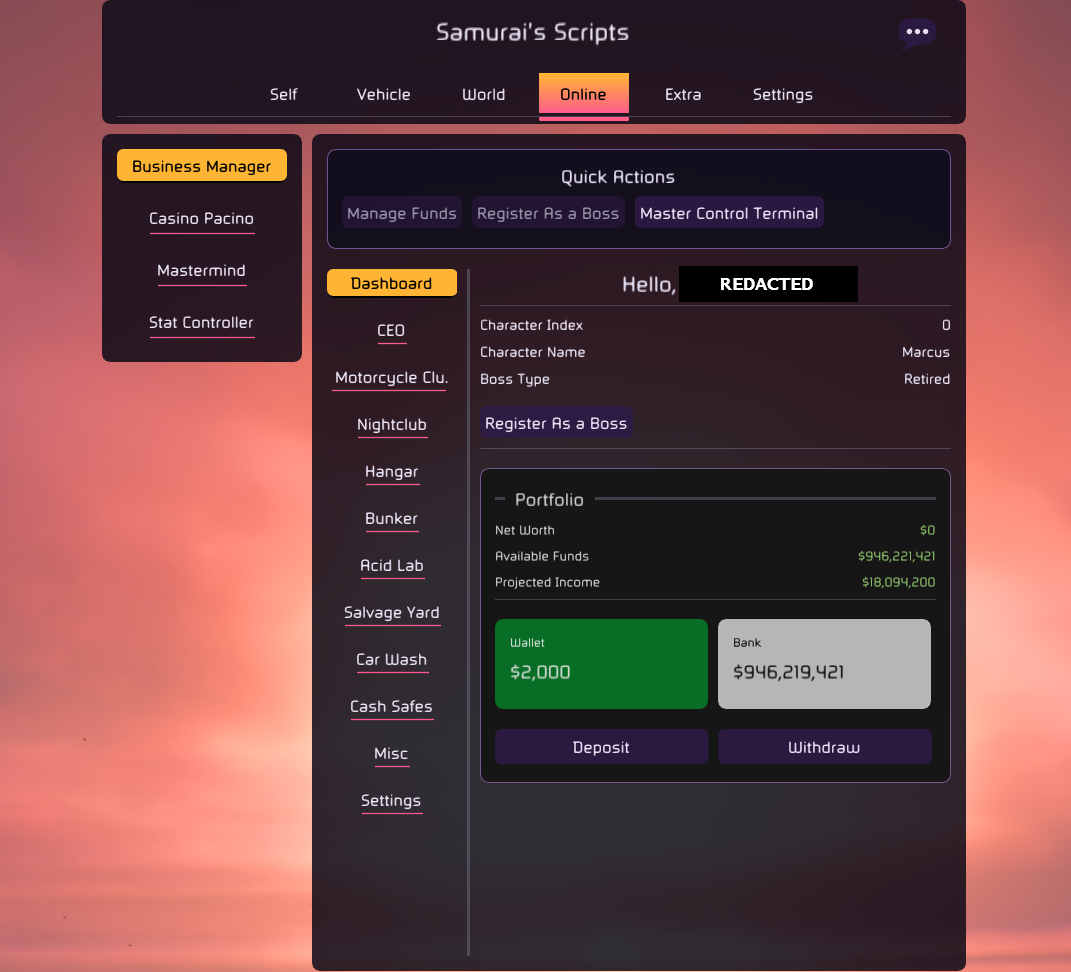
Samurai's Scripts
Feature-packed YimMenu Lua script collection with a wide range of tools

Silent Night Legacy
Comprehensive recovery and feature-packed YimMenu Lua script
Ultimate - Recovery/Heists Editor/Unlocks/More
Complete all-in-one script with recovery, heist editor, unlocks, and much more
Solo Missions
Play any heist fully solo — YimMenu V1
Solo Missions lets you launch and complete any heist entirely on your own, with no other players needed. Built for YimMenu V1.
Galaxy Script
Heist editor, unlocks, rank and more
Lua Packs
Complete bundled packs of YimMenu Lua scripts
Which Pack Should I Download?
Pack 1 (Essential): Perfect for beginners - includes recovery scripts, basic protections, and utility tools.
Pack 2 (Advanced): For experienced users - heist editors, business automation, and advanced features.
Pack 3 (Premium): Complete collection - fun features, vehicle customization, and special unlocks.
Pro Tip: You can download and use all three packs together for the ultimate YimMenu experience!
Lua Scripts Pack 1
Essential collection of YimMenu Lua scripts - recovery, protections, and utilities
Lua Scripts Pack 2
Advanced YimMenu scripts - heist editors, business tools, and custom features
Lua Scripts Pack 3
Premium YimMenu scripts - fun features, vehicle tools, and special unlocks
Old Scripts
Older scripts still working, but some features may be outdated

Pacino Lua (Money Recovery)
Rig blackjack, poker and more casino games for money

Pessi (1million Fast loop & 50k loop)
Multiple money options with fast and safe loops
Yim Nightclub Loop
Money recovery script using nightclub mechanics
Yim Ultimate Menu v1 LUA Script
Business helper and comprehensive management tools
Other Scripts
Additional functionality and utility scripts

YimMenu Script Installation
- Download YimMenu - Ensure you have the latest version from official sources
- Locate Scripts Folder - Find YimMenu > scripts folder in your installation directory
- Download Scripts - Save .lua files to the scripts folder
- Load in YimMenu - Use the Scripts tab in YimMenu to load and configure scripts
- Configure Settings - Adjust script settings and features as needed
- Test Carefully - Always test scripts on alternative accounts first
Safety Guidelines
Use Alt Accounts
Always test scripts on alternative accounts first to avoid main account bans.
Be Subtle
Don't make script usage obvious to other players. Avoid excessive displays.
Stay Updated
Keep scripts updated and check compatibility with latest game versions.
Trusted Sources
Only download scripts from trusted sources to avoid malicious code.