Nintendo DS & DSi Homebrew Apps, Games & Skins

Native DS and DSi apps, games, emulators and TWiLight Menu++ skins, with separate flashcart and SD setup, ready downloads and compatibility notes.

Nintendo DS & DSi Homebrew Apps, Games & Skins

Choose DS / DS Lite or DSi

Nintendo DS / DS Lite · flashcart artwork

Nintendo DS / DS Lite · flashcart

Use a supported flashcart and its microSD card. The TWiLight Menu++ Flashcard package is separate from the DSi and 3DS SD-card builds.

Nintendo DSi / DSi XL · SD card artwork

Nintendo DSi / DSi XL · SD card

Use the maintained DSi guide for an SD-card entry point, homebrew setup and a NAND backup. It also explains the optional Unlaunch bootcode installation and its risks.

For Nintendo 2DS, 3DS and New models, use the separate 2DS / 3DS page . Those systems have their own CFW setup and TWiLight Menu++ package.

Three ways to launch DS homebrew

Use the storage and package for your actual console
ConsoleReady setupStorage & launch path
DS / DS LiteA supported flashcart and its matching kernel. Use the Flashcard TWiLight package.The flashcart’s microSD root gets _nds/, roms/ and BOOT.NDS. CycloDSi/DSpico use the documented BOOT_ALT.NDS route. Keep the card-specific boot files.
DSi / DSi XLFollow DSi Guide’s entry-point selector for your firmware and region. The guide covers all DSi firmware versions; an individual app may need DSi mode.The console SD root gets _nds/, roms/ and BOOT.NDS from the DSi package. With Unlaunch already installed: hold A+B → OPTIONS → set a button / NO BUTTON to TWiLight’s BOOT.NDS.
2DS / 3DS familyRequires the separate 3DS CFW and TWiLight setup. The NDS apps below run through DS-mode homebrew, subject to each app’s requirements.Use the 3DS guide and 3DS-specific TWiLight package. A CIA is a 3DS installation component; it is not a native DS app file.

Find an app, game or skin

49 resources

30 native apps, games and emulators, plus 15 ready TWiLight skins. The four original setup tools stay below. Downloads show their actual format, exact published version and file hashes.

DS / DSi apps & homebrew tools

ftpd project banner

ftpd · Nintendo DS build

3.2.1NDSFTPWireless transfers

Transfer files over a local wireless network using an FTP client. Launch the NDS build through your compatible DS homebrew setup and connect to the address it displays.

Native apps & utilities

Homebrew Menu · hbmenu original DS menu icon

Homebrew Menu · hbmenu

  • v0.11.0
  • ZIP → NDS

devkitPro’s file browser and launcher for native DS homebrew.

Hardware: DS / DS Lite flashcart · DSi via supported homebrew route

Setup & prerequisites
  1. Extract the release and use BOOT.NDS with the bootstrap appropriate to your flashcart or existing homebrew route.
  2. Place additional homebrew in /nds/ and keep required app data in the paths its publisher specifies. Read the release README before choosing a flashcart boot file.

This is a launcher for an already supported entry point, not a DSi exploit or a 3DS CIA installer. Bootstrap selection depends on the flashcart.

The original ready bundle also includes bootstrap.cia for a separate 3DS route. On DS/DSi use BOOT.NDS and the relevant flashcart bootstrap; do not install the CIA.

Files, sizes & SHA-256
hbmenu-0.11.0.zip
v0.11.0 · 1,639,323 bytes · ZIP → NDS
SHA-256
8e1bd3eabb766383728847d1a66a7551c207102ce86d2c9b20cc98402b47ebc2
Original ready file
Publisher download
Native executables checked
hbmenu/akmenu4.nds, hbmenu/BOOT.NDS, hbmenu/nds/argvTest.nds, hbmenu/nds/dslink.nds, hbmenu/nds/ftpd.nds, hbmenu/_BOOT_MP.NDS

devkitPro · original BOOT.NDS menu icon from the hbmenu ready release

CG NDS Input Test original DS menu icon

CG NDS Input Test

  • 1.0.0
  • NDS

A native diagnostic for buttons, touchscreen, microphone and battery status.

Hardware: DS / DS Lite flashcart · DSi / XL · 3DS DS mode

Setup & prerequisites
  1. Copy cg-input-test.nds to your flashcart microSD or prepared console SD, then launch it as native NDS homebrew.
  2. No separate data folder is required. /roms/nds/homebrew/ is an optional organizational folder.

Battery information depends on hardware and launch mode; original DS hardware only exposes a high/low battery state.

Files, sizes & SHA-256
cg-input-test.nds
1.0.0 · 312,320 bytes · NDS
SHA-256
f5893193d81138aed6354bd802288cea3d2a1b38e503f149d4906d464c470454
Original ready file
Publisher download
Native executables checked
cg-input-test.nds

CG NDS Input Test authors · original packaged Nintendo DS banner icon

Cereal Box Snow original DS menu icon

Cereal Box Snow

  • v1.2.0
  • NDS

A creative particle simulator with snow, fire, rain, birds and fireflies.

Hardware: Nintendo DS homebrew

Setup & prerequisites
  1. Copy CerealBoxSnowNds1.2.0.nds to your homebrew storage, for example /roms/nds/homebrew/, then open it in a compatible homebrew launcher. This folder is a library suggestion, not a fixed app requirement.
  2. Use the touchscreen and on-screen controls. In the NDS build, X or Up switches between attracting and pushing particles.

Select this Nintendo DS executable. The Windows and Linux releases are separate desktop apps and are not included in the console download.

Files, sizes & SHA-256
CerealBoxSnowNds1.2.0.nds
v1.2.0 · 465,920 bytes · NDS
SHA-256
17de6ca80a8947947d06fb7f78fe5ca389108019aff479f4d99bb148c8c7b5d4
Original ready file
Publisher download
Native executables checked
CerealBoxSnowNds1.2.0.nds

Cereal Box Snow authors · original packaged Nintendo DS banner icon

NitrousTracker · music studio original DS menu icon

NitrousTracker · music studio

  • release/0.6.5
  • ZIP → NDS

A stylus-operated XM music tracker and sampler, with pattern editing and microphone recording.

Hardware: DS / DS Lite flashcart · DSi via compatible homebrew launcher

Setup & prerequisites
  1. Extract the ready ZIP. Copy nitroustracker.nds and the supplied songs/ and themes/ folders to your SD card. Launch nitroustracker.nds; debug and MIDI variants remain preserved in the original ZIP.
  2. Use the app’s file browser to load or save .xm songs and .wav samples in folders of your choice. Keep copies of your songs before upgrading the app.

This pins the ready 0.6.5 GitHub release. Later builds, including native 3DS and beta releases, have separate packages; they are not substituted for this DS build.

Samples must be uncompressed 8-bit or 16-bit WAV. Memory available for samples is smaller in DS mode than in DSi mode.

Files, sizes & SHA-256
NitrousTracker-0.6.5.zip
release/0.6.5 · 2,499,709 bytes · ZIP → NDS
SHA-256
a9f8a3efc2eaa7dbe9187115f19e30d1648a17d551285d5fb6b2dfe5c14e731c
Original ready file
Publisher download
Native executables checked
nitroustracker.debug.nds, nitroustracker.midi.nds, nitroustracker.nds

NitrousTracker · music studio authors · original packaged Nintendo DS banner icon

dsidl · DSi QR downloader original DS menu icon

dsidl · DSi QR downloader

  • v0.1.1
  • DSi

A DSi-camera utility for downloading a file from a URL encoded in a QR code.

Hardware: DSi / DSi XL · DSi mode only

Setup & prerequisites
  1. Copy dsidl.dsi to the DSi SD card and open it with a DSi-mode homebrew launcher. A DS / DS Lite flashcart cannot provide its required camera and DSi Wi-Fi functions.
  2. Configure Wi-Fi through System Settings → Advanced Settings. Scan a QR containing a URL, then choose the SD destination folder and filename in dsidl.

The publisher labels v0.1.1 as a prerelease. Requires a working DSi camera, SD access and a compatible router. Its dsiwifi library has router limitations; the author says WEP/open networks may not work. Hold SELECT at launch for connection logs.

Files, sizes & SHA-256
dsidl.dsi
v0.1.1 · 1,217,472 bytes · DSi
SHA-256
23f56f0c6b9d0780f6b8306b25879c0ae2c1cc87fbb020d0fa4a1cd1897db30b
Original ready file
Publisher download
Native executables checked
dsidl.dsi

dsidl · DSi QR downloader authors · original packaged Nintendo DS banner icon
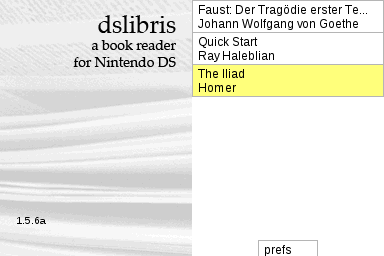
dslibris · EPUB reader official project artwork

dslibris · EPUB reader

  • v1.5.2-2
  • ZIP → NDS

A two-screen ebook reader for DS, DSi and DSi XL, with bookmarks and configurable TrueType fonts.

Hardware: DS / DS Lite flashcart · DSi / DSi XL

Setup & prerequisites
  1. Extract dslibris.nds, Font/ and Book/ to the storage root, keeping that exact layout. Do not put them inside a new app subfolder.
  2. Place your EPUB books in /Book/ and optional .ttf fonts in /Font/. Launch dslibris.nds from the homebrew menu.

Some flashcarts need the matching DLDI patch. This is the published v1.5.2-2 release; the separate v1.6.0 prerelease is not substituted. The upstream repository is archived.

Files, sizes & SHA-256
dslibris-1.5.2-2.zip
v1.5.2-2 · 1,242,044 bytes · ZIP → NDS
SHA-256
95e24563fb93736e65f3d0f45ba22d704e5b93054572196f6a8f58eef2a63a17
Original ready file
Publisher download
Native executables checked
dslibris.nds

Ray Haleblian · official dslibris book-browser screenshot

DSi camera test original DS menu icon

DSi camera test

  • v1.1.0
  • NDS

A small camera utility that previews the DSi’s cameras and saves 640×480 PNG photos.

Hardware: DSi / DSi XL · DSi mode only

Setup & prerequisites
  1. Copy dsi-camera.nds onto the DSi SD card and open it with a launcher that provides DSi-mode camera and SD access.
  2. Saved photos use /DCIM/100DSI00/IMG_####.PNG. Keep existing photos and available space on the card.

The .nds extension does not make this a DS / DS Lite camera app: it requires the DSi hardware cameras. The publisher supplies a separate CIA asset for another installation route; it is not included here.

Files, sizes & SHA-256
dsi-camera.nds
v1.1.0 · 287,744 bytes · NDS
SHA-256
dcce9b1c537f0fbfdb09a97c5992f2a6d75a6137c3787cebf21987a79aea828a
Original ready file
Publisher download
Native executables checked
dsi-camera.nds

DSi camera test authors · original packaged Nintendo DS banner icon

IkuReader · modern build original DS menu icon

IkuReader · modern build

  • 6.5_modern
  • ZIP → required reader data
  • NDS
  • DSi

An updated ebook reader for EPUB, FB2 and text books, with fonts, encodings and bookmarks.

Hardware: DS / DS Lite flashcart · DSi / XL direct boot or hiyaCFW

Setup & prerequisites
  1. Extract sdcard-root.zip into the SD root, retaining /books/ and /data/ikureader/ with its fonts, encodings and translations.
  2. Use IkuReader.nds for DS flashcarts, or IkuReader.dsi for the publisher’s DSi direct-boot/hiyaCFW route. Keep your books and /data/ikureader/bookmarks/ when updating.

The data ZIP is required alongside the selected executable. Preserve the supplied fonts and encoding tables; this page keeps both original console variants separately.

Files, sizes & SHA-256
sdcard-root.zip
6.5_modern · 379,282 bytes · ZIP → required reader data
SHA-256
95a01f2872e4c0c3e2b52bf15184a4b55c51e90a4dbc30a577a6c5cec829a803
Original ready file
Publisher download
IkuReader.nds
6.5_modern · 967,168 bytes · NDS
SHA-256
63c2febdb96db89343373291a5f96111248e5b0afe6f6f7cffb2e5624858c3d0
Original ready file
Publisher download
Native executables checked
IkuReader.nds
IkuReader.dsi
6.5_modern · 967,168 bytes · DSi
SHA-256
d7b0627e240b3e23461efdd6f0eb2a746594717a9017172e0f7805b6deb5800c
Original ready file
Publisher download
Native executables checked
IkuReader.dsi

IkuReader · modern build authors · original packaged Nintendo DS banner icon

Native games & ports

Wordle DS original DS menu icon

Wordle DS

  • v3.2.3
  • NDS

A native dual-screen word puzzle with daily words, statistics, mods and shareable results.

Hardware: DS / DS Lite flashcart · DSi / XL · 3DS DS mode

Setup & prerequisites
  1. Copy WordleDS.nds to /roms/nds/homebrew/ (a suggested library folder), then open it in your homebrew launcher.
  2. The game stores a completed result at /_nds/WordleDS/Wordle DS/share.txt; its statistics screen can show a QR result.

Use the NDS asset on flashcarts. The upstream .dsi asset carries a title ID for NTM; the CIA asset belongs to a separate 3DS install route. Neither is needed for the NDS download here.

Files, sizes & SHA-256
WordleDS.nds
v3.2.3 · 978,880 bytes · NDS
SHA-256
cdbf18af105abfb00c699cff1b95de48d781468a3b52aeb3bb5a431e603b7075
Original ready file
Publisher download
Native executables checked
WordleDS.nds

Wordle DS authors · original packaged Nintendo DS banner icon

Aperture Science DS · portalDS original DS menu icon

Aperture Science DS · portalDS

  • r1
  • ZIP → NDS

A native Portal-inspired puzzle adaptation by smea, with graphics by Lobo. This is the original r1 release.

Hardware: DS / DS Lite flashcart · DSi via compatible DS-mode launcher

Setup & prerequisites
  1. Extract the ready ZIP. Keep asds/ beside portalDS.nds; custom .map files go in asds/maps/ and controls are configured in asds/config.ini.
  2. Use a NitroFS-capable launcher, such as hbmenu if the flashcart menu lacks support. This is a standalone adaptation, not the full PC game.

The author describes this legacy final version as buggy and incomplete. Modern launcher compatibility has not been hardware-tested here.

Files, sizes & SHA-256
ASDS_r1.zip
r1 · 1,397,420 bytes · ZIP → NDS
SHA-256
91db9b5c1b1932fd454571de3da73fe56c369ce0423d515dd81a882cc63da4e9
Original ready file
Publisher download
Native executables checked
portalDS.nds

Aperture Science DS · portalDS authors · original packaged Nintendo DS banner icon
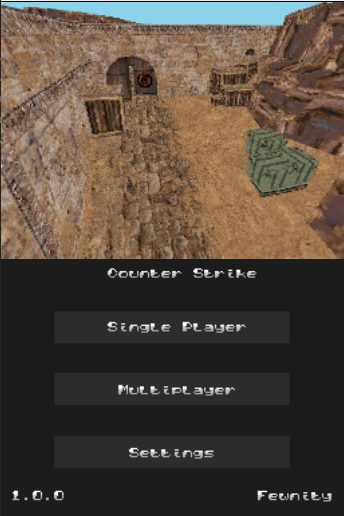
Counter Strike DS official project artwork

Counter Strike DS

  • 1.0.0
  • ZIP → NDS

A native Counter-Strike demake. Single-player remains usable; the original multiplayer server is closed.

Hardware: DS / DS Lite flashcart · DSi / XL · DS mode · 3DS · DS mode

Setup & prerequisites
  1. Extract the hardware ZIP. Put its .nds on your card and soundbank.bin plus counter_strike_music.raw at the storage root.
  2. On a DSi/3DS SD setup, highlight the game in TWiLight Menu++, press Y, then set Run in to DS mode.

Download the hardware archive, rather than the separate emulator package. Ad-hoc Ni-Fi multiplayer is unsupported; the publisher reports that the online server is closed.

Files, sizes & SHA-256
Counter.Strike.DS.1.0.0.zip
1.0.0 · 3,133,189 bytes · ZIP → NDS
SHA-256
fcd8cc7930b30ca72d05e94def573a4cf0d94f68646f79d8bc578bc40f0b3837
Original ready file
Publisher download
Native executables checked
counter_strike.nds

Counter Strike DS screenshot published by Fewnity

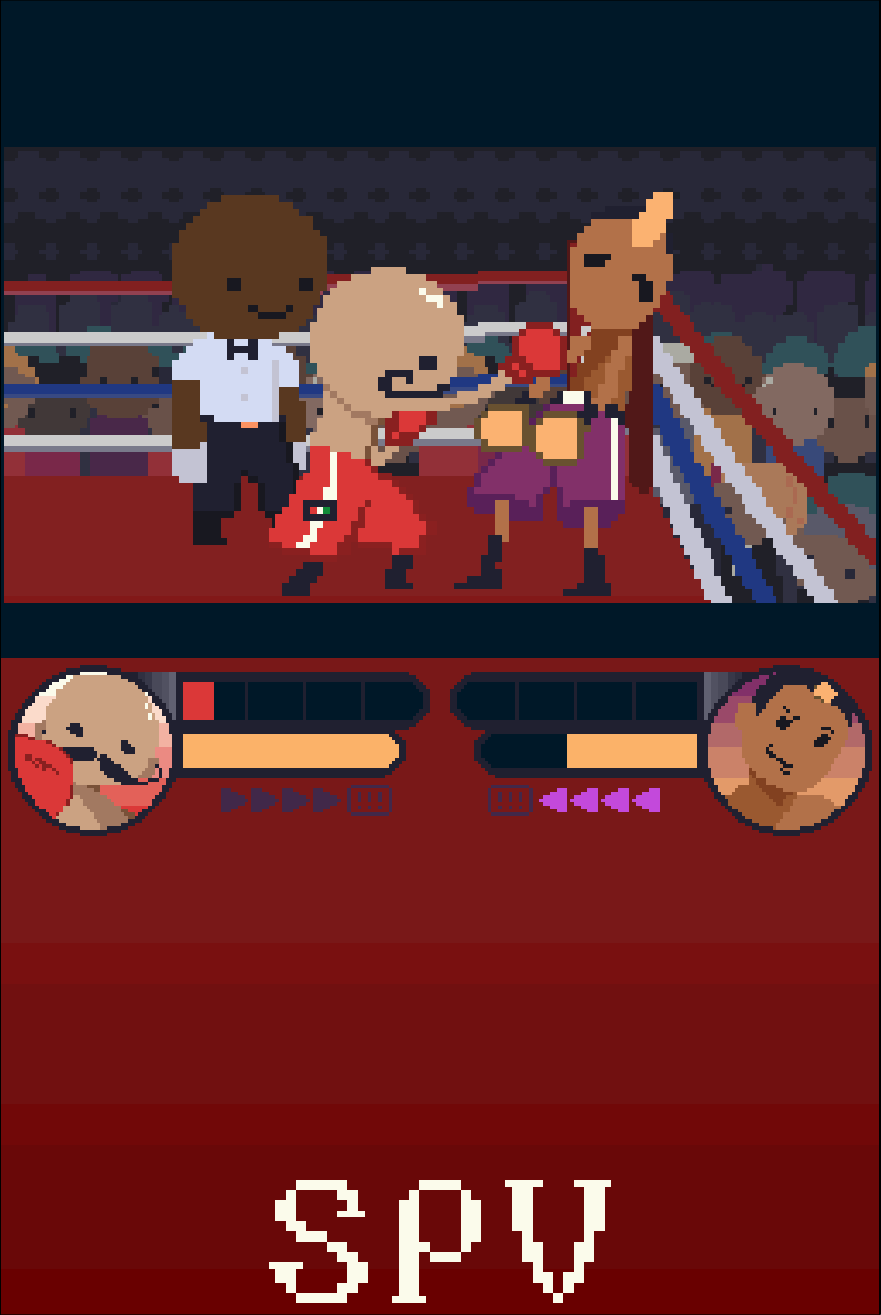
PUNCH-A-ROONEY! official project artwork

PUNCH-A-ROONEY!

  • 1.0.1
  • NDS

A native homebrew boxing game with a single-player championship and local multiplayer.

Hardware: DS / DS Lite flashcart · DSi / XL via TWiLight · 3DS DS mode via TWiLight

Setup & prerequisites
  1. Copy Punch-A-Rooney.nds onto your flashcart microSD or prepared console SD, for example /roms/nds/homebrew/.
  2. Launch it from the flashcart menu or TWiLight Menu++. Open Guide in the game for its controls.

Local multiplayer needs two compatible consoles running the game. The author notes that unexpected latency can occur.

Files, sizes & SHA-256
Punch-A-Rooney.nds
1.0.1 · 13,714,432 bytes · NDS
SHA-256
7ea804a7ee2097089046fefa47aad65d466dc79df8aaa33bfe76840251d9a3b7
Original ready file
Publisher download
Native executables checked
Punch-A-Rooney.nds

Sean David / Punch-A-Rooney · CC BY-NC-SA 4.0

SpelunkyDS original DS menu icon

SpelunkyDS

  • 1.13DSi++
  • NDS

A native Spelunky remake focused on the cave levels, with generated layouts, traps and equipment.

Hardware: DS / DS Lite flashcart · DSi via compatible DS-mode launcher · 3DS via DS-mode launcher

Setup & prerequisites
  1. Copy spelunkyds.nds to your homebrew storage, for example /roms/nds/homebrew/, then open it in a compatible homebrew launcher. This folder is a library suggestion, not a fixed app requirement.
  2. Use the publisher’s 1.13DSi++ ready executable. The older README calls the launcher DSiMenu++; its successor is TWiLight Menu++.

This is an incomplete remake rather than the full commercial game. The project documents collision, item and crash issues; the release notes report stability improvements without guaranteeing crash-free play.

Files, sizes & SHA-256
spelunkyds.nds
1.13DSi++ · 3,170,816 bytes · NDS
SHA-256
1020d008765fbd7e21bc1122a8fd01187b2090f220e885c1869fa3f37fd9c430
Original ready file
Publisher download
Native executables checked
spelunkyds.nds

SpelunkyDS authors · original packaged Nintendo DS banner icon
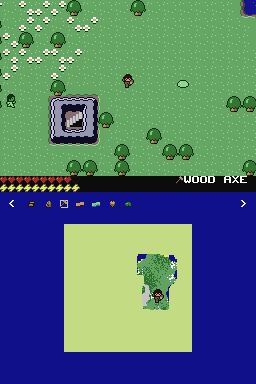
Minicraft DS Edition official project artwork

Minicraft DS Edition

  • v1.0.0-beta.3
  • NDS

A fan port of Minicraft with a lower-screen map, touchscreen inventory management and NBT saves.

Hardware: DS / DS Lite flashcart · DSi via compatible DS-mode launcher

Setup & prerequisites
  1. Copy Minicraft-DS-Edition.nds to your homebrew storage, for example /roms/nds/homebrew/, then open it in a compatible homebrew launcher. This folder is a library suggestion, not a fixed app requirement.
  2. Use writable SD storage for the game’s saves, and keep existing save files when replacing the executable.

This exact v1.0.0-beta.3 build is a beta. The original project lists unfinished features and interface work. No additional commercial Minecraft files are required.

Files, sizes & SHA-256
Minicraft-DS-Edition.nds
v1.0.0-beta.3 · 1,214,976 bytes · NDS
SHA-256
d47b57e1dcb1bbac3a6e11d44afd9e444a0aff2fb306e67159a950d485731819
Original ready file
Publisher download
Native executables checked
Minicraft-DS-Edition.nds

ArthurCose · official Minicraft DS Edition overworld screenshot

2048 NDS original DS menu icon

2048 NDS

  • v1.0.2
  • NDS

A native 2048 number puzzle with a Professor Layton-inspired presentation.

Hardware: DS / DS Lite flashcart · DSi via compatible DS-mode launcher

Setup & prerequisites
  1. Copy 2048-nds.nds to your homebrew storage, for example /roms/nds/homebrew/, then open it in a compatible homebrew launcher. This folder is a library suggestion, not a fixed app requirement.
  2. Open the game to merge tiles and work toward 2048; no separate data archive is supplied with this release.

The author credits the presentation to Professor Layton assets. This is an independent homebrew puzzle; use the NDS release rather than a PC build.

Files, sizes & SHA-256
2048-nds.nds
v1.0.2 · 923,648 bytes · NDS
SHA-256
dc81c7cfc8919328ef5d5b5a7c1d61bd6b1f4b9d6ef988f2440999c3ff8d2314
Original ready file
Publisher download
Native executables checked
2048-nds.nds

2048 NDS authors · original packaged Nintendo DS banner icon

RaptorDS · Call of the Shadows original DS menu icon

RaptorDS · Call of the Shadows

  • MultiSys-V1.0.4
  • ZIP → NDS

A native DS port of the classic vertical shooter. The publisher’s ready package includes the DOS v1.2 shareware data.

Hardware: DS / DS Lite flashcart · DSi / XL via homebrew launcher

Setup & prerequisites
  1. Extract RAPTOR-NDS-V1.1.0.nds and copy it to your homebrew library, for example /roms/nds/homebrew/. Open that NDS file with a compatible launcher.
  2. This exact NDS build embeds FILE0000.GLB, FILE0001.GLB and SETUP.INI in NitroFS: no external game-data folder is needed for the included shareware. Full-game data uses the publisher’s separate DOS v1.2 asset procedure.

The game build is RaptorDS v1.1.0 within the publisher’s MultiSys-V1.0.4 release. Other DOS revisions are incompatible; 3DS, Switch and Xbox packages are separate and excluded here.

Files, sizes & SHA-256
RAPTOR-NDS-V1.1.0.zip
MultiSys-V1.0.4 · 1,866,951 bytes · ZIP → NDS
SHA-256
e0dcc3910e998d90f1c03db2f1363bcd5748ac246b1148ec483a99b52053fefd
Original ready file
Publisher download
Native executables checked
RAPTOR-NDS-V1.1.0.nds

RaptorDS · Call of the Shadows authors · original packaged Nintendo DS banner icon

3D Maze · Windows 9x port original DS menu icon

3D Maze · Windows 9x port

  • v1.0.0
  • ZIP → NDS

A DS port of the Windows 9x maze screensaver with a playable exploration mode.

Hardware: DS / DS Lite flashcart · DSi via compatible DS-mode launcher

Setup & prerequisites
  1. Extract the FAT release and copy its data/ folder to the SD root. Place its NDS executable in your homebrew library.
  2. Press START in the program to switch between automatic movement and player control.

The selected FAT build needs SD storage and keeps textures in external data files. The publisher also supplies a separate NitroFS package; this catalogue pins the FAT variant for customizable textures.

Files, sizes & SHA-256
3dmaze-nds-fat.zip
v1.0.0 · 562,521 bytes · ZIP → NDS
SHA-256
f489f877e45213e24065c6a5ef42e386f2ad5c93dca6dcc3c8ab6682dfe5487f
Original ready file
Publisher download
Native executables checked
3dmaze.nds

3D Maze · Windows 9x port authors · original packaged Nintendo DS banner icon

3D Pinball · Space Cadet DS original DS menu icon

3D Pinball · Space Cadet DS

  • v0.5
  • NDS

A native Space Cadet Pinball engine port with standard and rotated screen modes. Bring your own game data.

Hardware: DS / DS Lite flashcart · DSi via compatible DS-mode launcher

Setup & prerequisites
  1. Copy 3dpinball-nds.nds to your homebrew library. Put your own Windows 95 Plus / Windows XP Space Cadet game data in /data/SpaceCadetPinball/.
  2. The v0.5 release adds Inverted rotation, using ABXY for the flippers. Keep the external data folder intact when updating the executable.

Full Tilt! Pinball’s CADET.DAT is not compatible with this port. Some table lights are incorrect in DS mode because images are downscaled; the author says this issue is absent in DSi mode. The download contains the engine, not the commercial data.

Files, sizes & SHA-256
3dpinball-nds.nds
v0.5 · 1,266,176 bytes · NDS
SHA-256
9effee17c9024d9dbd4f3510c888c9e6a035e0232b3385d94f386b9b13edaca2
Original ready file
Publisher download
Native executables checked
3dpinball-nds.nds

3D Pinball · Space Cadet DS authors · original packaged Nintendo DS banner icon
TerrariaDS

  • 0.2
  • NDS

A work-in-progress Terraria-inspired remake with generated worlds, crafting and touchscreen interaction.

Hardware: DSi / XL via TWiLight Menu++ · 3DS family via TWiLight Menu++ · DS / DS Lite flashcarts · publisher untested

Setup & prerequisites
  1. Copy TerrariaDS.nds to a folder such as /roms/nds/homebrew/ on your homebrew storage and open it in a compatible launcher. This is a suggested library folder, not an app-specific fixed path.
  2. Use TWiLight Menu++ with the launcher set to Default as the publisher directs. Use writable SD storage and keep the generated world and character saves.

This v0.2 fan remake has a limited content set; it is not the complete Terraria game. The author reports DSi and 3DS TWiLight testing, while flashcart support remains untested and may need DLDI patching.

Files, sizes & SHA-256
TerrariaDS.nds
0.2 · 16,017,408 bytes · NDS
SHA-256
81f07f546c2e6f1822c5214a0142258babbb6ae78bc18459e79b6931f39c03e8
Original ready file
Publisher download
Native executables checked
TerrariaDS.nds

AzizBgBoss · official TerrariaDS project logo

Derailed! original DS menu icon

Derailed!

  • 1.1alpha
  • NDS

An Unrailed-inspired train-building game with an optional robot assistant.

Hardware: DS / DS Lite flashcart · DSi via compatible DS-mode launcher

Setup & prerequisites
  1. Copy derailed.nds to a folder such as /roms/nds/homebrew/ on your homebrew storage and open it in a compatible launcher. This is a suggested library folder, not an app-specific fixed path.
  2. Start with single-player and the game’s tutorial. The included local multiplayer implementation is experimental.

The selected release is explicitly 1.1alpha. The author lists multiplayer bugs and further UI work; online multiplayer is a planned feature, not a supported feature of this build.

Files, sizes & SHA-256
derailed.nds
1.1alpha · 697,344 bytes · NDS
SHA-256
2d694c497524df4ba06cf777c5480686ca8714b4729d5945ceb922f52b6e2879
Original ready file
Publisher download
Native executables checked
derailed.nds

Derailed! authors · original packaged Nintendo DS banner icon

MicroCityNDS original DS menu icon

MicroCityNDS

  • v1.0
  • NDS

A miniature city-building game ported from jhhoward’s Arduboy MicroCity, with an enlarged DS display.

Hardware: DS / DS Lite flashcart · DSi via compatible DS-mode launcher

Setup & prerequisites
  1. Copy MicroCityNDS.nds to a folder such as /roms/nds/homebrew/ on your homebrew storage and open it in a compatible launcher. This is a suggested library folder, not an app-specific fixed path.
  2. The DS port swaps the original A/B button mapping. Follow the game’s interface to build and manage your city.

The publisher’s v1.0 notes say this port has no audio. No external commercial game data is listed for the ready NDS release.

Files, sizes & SHA-256
MicroCityNDS.nds
v1.0 · 224,256 bytes · NDS
SHA-256
c3a7910ae2d2200a7a47f9b40aa32d8d4b34e844abcd003dbc1a168bb4d377af
Original ready file
Publisher download
Native executables checked
MicroCityNDS.nds

MicroCityNDS authors · original packaged Nintendo DS banner icon

Monty Hall DS original DS menu icon

Monty Hall DS

  • v2.0
  • ZIP → NDS

A probability puzzle with an interactive door-choice game and a 2,000-game simulation mode.

Hardware: DS / DS Lite flashcart · DSi via compatible DS-mode launcher

Setup & prerequisites
  1. Extract MontyHallDS.nds and Readme.txt from the ready ZIP. Put MontyHallDS.nds in your homebrew library; this exact release has no external data folder.
  2. Launch the NDS file from your homebrew menu; choose normal play or the simulation to compare the outcomes of staying and switching.

Version 2.0 fixes the simulation and adds sound effects. The bundled Readme.txt explains its controls and game modes.

Files, sizes & SHA-256
Monty.Hall.DS.v2.0.zip
v2.0 · 480,680 bytes · ZIP → NDS
SHA-256
6161db175ba98fd62be5d10cdaff3ad4138378acc729d63eb6fadd07e9409291
Original ready file
Publisher download
Native executables checked
MontyHallDS.nds

Monty Hall DS authors · original packaged Nintendo DS banner icon

Spirited DS original DS menu icon

Spirited DS

  • Version1.0
  • NDS

A Top Trumps-style card game with characters from the television series Spirited.

Hardware: DS flashcart · DSi via compatible launcher · 3DS DS-mode homebrew

Setup & prerequisites
  1. Copy spirited_ds.nds to a folder such as /roms/nds/homebrew/ on your homebrew storage and open it in a compatible launcher. This is a suggested library folder, not an app-specific fixed path.
  2. Choose one of the five qualities on your card. Winning a comparison takes both cards; play continues until one side has none.

The author describes a minimal independent fan game and explicitly notes that this release has no sound.

Files, sizes & SHA-256
spirited_ds.nds
Version1.0 · 1,821,696 bytes · NDS
SHA-256
973d12bd1942888cce975e5e450fa483cca8bf43e379640c45a9f8bbc80ced6f
Original ready file
Publisher download
Native executables checked
spirited_ds.nds

Spirited DS authors · original packaged Nintendo DS banner icon

Ikachan DS original DS menu icon

Ikachan DS

  • 0.2.1
  • NDS
  • DSi

A Nintendo DS adaptation of Pixel’s underwater adventure, following a squid exploring a cave.

Hardware: DS / DS Lite flashcart · DSi / XL homebrew

Setup & prerequisites
  1. Use IkachanDS.nds for a DS flashcart or compatible NDS launcher. Place it in your homebrew library, such as /roms/nds/homebrew/.
  2. IkachanDS.dsi is the separate title-identified DSi variant for a compatible direct-boot or hiyaCFW/NTM route; use the installation method documented for that setup.

The release tag is 0.2.1; the README’s “Ikachan 1.5.2” refers to the underlying game, not this DS port release. The original NDS and DSi files are kept separately.

Files, sizes & SHA-256
IkachanDS.nds
0.2.1 · 1,117,696 bytes · NDS
SHA-256
fcc9333f5fd018cc31461f65de7e4e43c5995d74883991af29bf3d1a230ad152
Original ready file
Publisher download
Native executables checked
IkachanDS.nds
IkachanDS.dsi
0.2.1 · 1,117,696 bytes · DSi
SHA-256
af43aa7a8930b1eca4c90378b5654dfe8d0c154cb12829a3df3399424054fb59
Original ready file
Publisher download
Native executables checked
IkachanDS.dsi

Ikachan DS authors · original packaged Nintendo DS banner icon

Emulators running on the DS

nesDS original DS menu icon

nesDS

  • v2.1
  • NDS
  • DSi

NES / Famicom emulator with a dedicated DSi build and TWiLight Menu++ integration.

Hardware: DS / DS Lite flashcart · DSi / XL · 3DS DS mode

Setup & prerequisites
  1. For TWiLight integration, install its Virtual Console add-on, then copy nesDS.nds to /_nds/TWiLightMenu/emulators/.
  2. Keep your own NES/FDS games separately; back up the existing emulator before replacing it.

Use the flashcart-compatible .nds asset for flashcarts. The .dsi variant adds a DSi title identity for compatible DSi launch/install routes. The extension alone does not set the CPU mode. The CIA asset belongs to a separate 3DS installation format and is excluded here.

Famicom Disk System games additionally require your own disksys.rom BIOS at the SD root.

Files, sizes & SHA-256
nesDS.nds
v2.1 · 457,728 bytes · NDS
SHA-256
746bd85d0cd040e37e44438f06f9027a3221c57df0f8135abd46e6e2a6864da8
Original ready file
Publisher download
Native executables checked
nesDS.nds
nesDS.dsi
v2.1 · 457,728 bytes · DSi
SHA-256
2fcd285d0e3a32e1b21d1dd8f661a3404c8492ef33cb43cf7316a4670b7c8fbe
Original ready file
Publisher download
Native executables checked
nesDS.dsi

nesDS authors · original packaged Nintendo DS banner icon

GameYob · mavica build original DS menu icon

GameYob · mavica build

  • v0.5.3b-mavica
  • NDS

Game Boy / Game Boy Color emulator, including Super Game Boy enhancements and scaling options.

Hardware: DS / DS Lite flashcart · DSi / XL

Setup & prerequisites
  1. Place gameyob.nds in a folder such as /roms/nds/homebrew/. Choose gameyob_dsi.nds only for a launcher with DSi-mode support.
  2. Create /_nds/ at the storage root; this release saves its settings there. Select your own GB/GBC games in the emulator.

Use a launcher with working DLDI/storage access. The release notes acknowledge remaining Super Game Boy palette issues.

Files, sizes & SHA-256
gameyob.nds
v0.5.3b-mavica · 508,992 bytes · NDS
SHA-256
172652cdde450e8dc50c28dff1bbd3f9bdd9a3784014116c2cdd2e438ebacebd
Original ready file
Publisher download
Native executables checked
gameyob.nds
gameyob_dsi.nds
v0.5.3b-mavica · 531,968 bytes · NDS
SHA-256
ea113d2710d4c9b219289fc10cff7629162f368af72e8653808f8ab848bf7392
Original ready file
Publisher download
Native executables checked
gameyob_dsi.nds

GameYob · mavica build authors · original packaged Nintendo DS banner icon

NitroGrafx

  • v0.9.1
  • ZIP → NDS

PC Engine / TurboGrafx-16 emulator with support for some CD-ROM², Super CD-ROM² and Arcade Card software.

Hardware: DS / DS Lite flashcart · DSi / XL · 3DS DS mode

Setup & prerequisites
  1. Extract NitroGrafx.nds and launch it through your homebrew menu. Create /NitroGrafx/ or /data/NitroGrafx/ for settings and saves.
  2. Keep your games in a folder of your choice. For CD titles, select your own System Card BIOS in Options → Machine → Select Bios and follow CDROM_readme.txt.

Some flashcarts need DLDI patching. No SuperGrafx emulation; game and CD compatibility varies. Published build is 0.9.1 even though the main-branch README says 0.9.2.

Files, sizes & SHA-256
NitroGrafx0_9_1.zip
v0.9.1 · 124,147 bytes · ZIP → NDS
SHA-256
32b2969e657a59b8c42fd79ec5ad0aa83b74803549d5a3954d626f6260e3fd64

Original ready file
Publisher download
Native executables checked
NitroGrafx.nds

PC Engine logo supplied by FluBBaOfWard/NitroGrafx

S8DS

  • v1.1.8
  • ZIP → NDS

Sega 8-bit emulator for Master System, Game Gear, SG-1000 and related machines.

Hardware: DS / DS Lite flashcart · DSi / XL · 3DS DS mode

Setup & prerequisites
  1. Extract S8DS.nds. Create /S8DS/ or /data/S8DS/ for settings and saves.
  2. Place your own games and any system-specific BIOS files in a folder of your choice, then select them in the emulator.

Storage access may require DLDI patching on older flashcarts. Some emulated systems require a BIOS; compatibility varies. This is release 1.1.8, rather than the newer README version.

Files, sizes & SHA-256
S8DS.zip
v1.1.8 · 188,182 bytes · ZIP → NDS
SHA-256
01e5312f2af0685c5e64fd8d4fc5e4d460df9de03b8f97b1df6eaa76c2d702f6
Original ready file
Publisher download
Native executables checked
S8DS.nds

S8DS project logo supplied by FluBBaOfWard

A7800DS original DS menu icon

A7800DS

  • 5.2c
  • NDS

Atari 7800 ProSystem emulator with per-game configuration and high-score support.

Hardware: DS / DS Lite flashcart · DSi / XL · 3DS DS mode

Setup & prerequisites
  1. Copy A7800DS.nds to your card and launch with TWiLight Menu++ or Unlaunch on DSi, or a homebrew-capable flashcart.
  2. Optional game folders: /roms/a7800/ or /roms/a78/. An optional 4 KiB BIOS named 7800.rom goes in /roms/bios/, /data/bios/ or beside the emulator.

Use your own .a78/.bin games. The published build supports NTSC; PAL is unsupported. DS/DS Lite has less CPU headroom than DSi; do not assume identical performance.

Files, sizes & SHA-256
A7800DS.nds
5.2c · 673,792 bytes · NDS
SHA-256
dbe7706bfafeffb283c1435cfd46a1c4e492dfc8e699684da8fcf32d33599bef
Original ready file
Publisher download
Native executables checked
A7800DS.nds

A7800DS authors · original packaged Nintendo DS banner icon

StellaDS original DS menu icon

StellaDS

  • 8.4a
  • NDS

Atari 2600 VCS emulator with touchscreen cartridge selection, per-game settings and ARM-assisted cartridge support.

Hardware: DS / DS Lite flashcart · DSi / XL · 3DS via TWiLight (DSi mode for ARM games)

Setup & prerequisites
  1. Copy StellaDS.nds to your flashcart microSD or console SD and launch it. Tap the cartridge slot to select your own .bin/.a26 game.
  2. Configuration and save data are created under /data/. Keep those files when updating.

Advanced DPC+/CDF cartridge types need DSi-class hardware running at 134 MHz for the intended experience. A flashcart normally runs in 67 MHz DS mode, including on a DSi/3DS. Older launchers may need DLDI patching.

Files, sizes & SHA-256
StellaDS.nds
8.4a · 1,699,328 bytes · NDS
SHA-256
a5bea4e4e3af79fe940d2229767664a2a7cbf8096916bc94aea302c7da3cec1b
Original ready file
Publisher download
Native executables checked
StellaDS.nds

StellaDS authors · original packaged Nintendo DS banner icon

TWiLight Menu++ skins

These customize the launcher. DSi and 3DS identify its interface, and do not restrict the skin to that console.
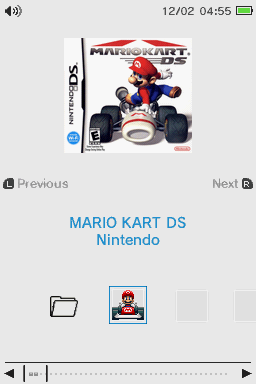
Switch - Basic Light official project artwork

Switch - Basic Light

  • v1.1.2
  • 7z → theme
  • DSi interface

A Nintendo Switch-inspired custom theme for TWiLight Menu++’s DSi interface.

Hardware: DS / DS Lite flashcart · DSi / XL · 3DS DS-mode launcher

Setup & prerequisites
  1. Extract the theme directory into /_nds/TWiLightMenu/dsimenu/themes/ on the storage used by TWiLight Menu++.
  2. Hold SELECT while starting TWiLight Menu++, choose the DSi interface in GUI Settings, select the custom theme and press B to apply.

Requires a working TWiLight Menu++ installation. “DSi” describes the menu interface, not an exclusive console model. Preserve any existing themes when copying.

Files, sizes & SHA-256
Switch - Basic Light.7z
v1.1.2 · 8,289 bytes · 7z → theme
SHA-256
7c0b623d8e8c64a8fb7a664750e03f21be9d12eaa59bee590ef113c2646dd22e
Original ready file
Publisher download

Switch - Basic Light preview · Pk11 / DS-Homebrew skins

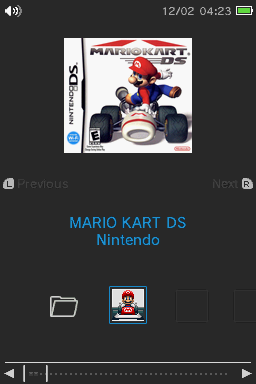
Switch - Basic Dark official project artwork

Switch - Basic Dark

  • v1.1.2
  • 7z → theme
  • DSi interface

A Nintendo Switch-inspired custom theme for TWiLight Menu++’s DSi interface.

Hardware: DS / DS Lite flashcart · DSi / XL · 3DS DS-mode launcher

Setup & prerequisites
  1. Extract the theme directory into /_nds/TWiLightMenu/dsimenu/themes/ on the storage used by TWiLight Menu++.
  2. Hold SELECT while starting TWiLight Menu++, choose the DSi interface in GUI Settings, select the custom theme and press B to apply.

Requires a working TWiLight Menu++ installation. “DSi” describes the menu interface, not an exclusive console model. Preserve any existing themes when copying.

Files, sizes & SHA-256
Switch - Basic Dark.7z
v1.1.2 · 8,370 bytes · 7z → theme
SHA-256
9f17e21adb3fc98f69824d1f7bdfcc991cad1527ec63c6dfe878f85f8af82214
Original ready file
Publisher download

Switch - Basic Dark preview · Pk11 / DS-Homebrew skins

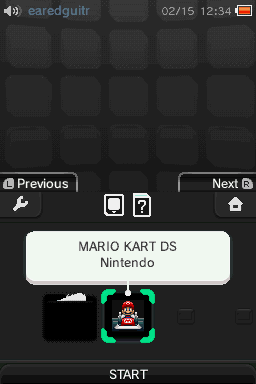
3DarkS official project artwork

3DarkS

  • v1.1.2
  • 7z → theme
  • 3DS interface

A dark, restrained custom theme for TWiLight Menu++’s 3DS interface.

Hardware: DS / DS Lite flashcart · DSi / XL · 3DS DS-mode launcher

Setup & prerequisites
  1. Extract the theme directory into /_nds/TWiLightMenu/3dsmenu/themes/ on the storage used by TWiLight Menu++.
  2. Hold SELECT while starting TWiLight Menu++, choose the 3DS interface in GUI Settings, select the custom theme and press B to apply.

Requires a working TWiLight Menu++ installation. “3DS” describes the menu interface, not an exclusive console model. Preserve any existing themes when copying.

Files, sizes & SHA-256
3DarkS.7z
v1.1.2 · 1,027,123 bytes · 7z → theme
SHA-256
ebcd15388d73803866c7e8da3e9fbbbe7af16f771d3d6c848383b20ff437cd92
Original ready file
Publisher download

3DarkS preview · earedguitr, Void / DS-Homebrew skins

Sky

  • v0.7
  • 7z → theme
  • DSi interface

A sky-themed menu designed for the blue DSi profile colour.

Hardware: DS / DS Lite flashcart · DSi / XL · 3DS via TWiLight

Setup & prerequisites
  1. Extract the ready archive into /_nds/TWiLightMenu/dsimenu/themes/ on the storage used by TWiLight. Retain the skin’s own folder and original directory name.
  2. Hold SELECT while launching TWiLight Menu++, choose the DSi user interface in GUI Settings, select this Custom Theme and press B to apply.

A working TWiLight Menu++ installation is required. DSi identifies the launcher interface, not a restriction to DSi hardware. Preserve other theme folders when copying.

Files, sizes & SHA-256
Sky.7z
v0.7 · 3,299,535 bytes · 7z → theme
SHA-256
a8560f813515ce6ae0e0ea5b0676330d713286b0f582eedc126454f82710c1bf
Original ready file
Publisher download

kool_duck · official Sky theme preview via DS-Homebrew

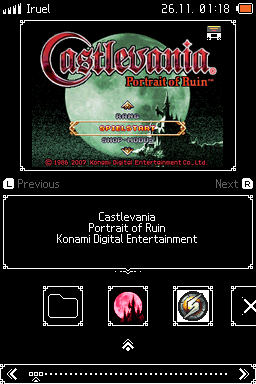
Sharp - White on Black official project artwork

Sharp - White on Black

  • v1.0.1
  • 7z → theme
  • DSi interface

A monochrome theme with a 208×143 box-art frame and restrained interface details.

Hardware: DS / DS Lite flashcart · DSi / XL · 3DS via TWiLight

Setup & prerequisites
  1. Extract the ready archive into /_nds/TWiLightMenu/dsimenu/themes/ on the storage used by TWiLight. Retain the skin’s own folder and original directory name.
  2. Hold SELECT while launching TWiLight Menu++, choose the DSi user interface in GUI Settings, select this Custom Theme and press B to apply.

A working TWiLight Menu++ installation is required. DSi identifies the launcher interface, not a restriction to DSi hardware. Preserve other theme folders when copying.

Files, sizes & SHA-256
Sharp - White on Black.7z
v1.0.1 · 18,239 bytes · 7z → theme
SHA-256
4e4b6b6cf546d5527ce69366e5b4cb39daa7ce05832d6db495a1027f4e3f2d1a
Original ready file
Publisher download

Iruel · official Sharp - White on Black theme preview via DS-Homebrew
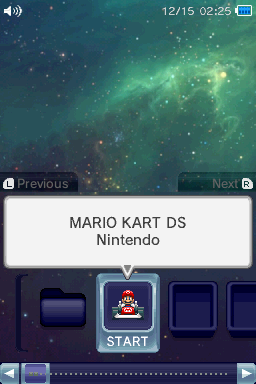
Relaxing Space official project artwork

Relaxing Space

  • v1.2.1
  • 7z → theme
  • DSi interface

A deep-space menu with soothing background music, adapted from an earlier 3DS theme.

Hardware: DS / DS Lite flashcart · DSi / XL · 3DS via TWiLight

Setup & prerequisites
  1. Extract the ready archive into /_nds/TWiLightMenu/dsimenu/themes/ on the storage used by TWiLight. Retain the skin’s own folder and original directory name.
  2. Hold SELECT while launching TWiLight Menu++, choose the DSi user interface in GUI Settings, select this Custom Theme and press B to apply.

A working TWiLight Menu++ installation is required. DSi identifies the launcher interface, not a restriction to DSi hardware. Preserve other theme folders when copying.

Files, sizes & SHA-256
Relaxing Space.7z
v1.2.1 · 1,461,625 bytes · 7z → theme
SHA-256
8831545a51211bfbf4be6d3bc1ac407ac2b0a825483eb1f7d6481c3b42a3c0c0
Original ready file
Publisher download

BlakCake, DVDo · official Relaxing Space theme preview via DS-Homebrew
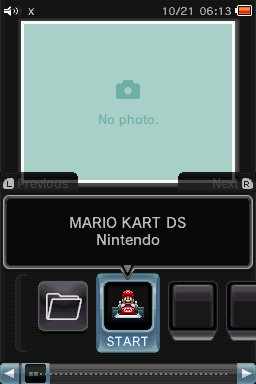
Darker official project artwork

Darker

  • v1.0.2
  • 7z → theme
  • DSi interface

A darker variation of the default TWiLight DSi interface.

Hardware: DS / DS Lite flashcart · DSi / XL · 3DS via TWiLight

Setup & prerequisites
  1. Extract the ready archive into /_nds/TWiLightMenu/dsimenu/themes/ on the storage used by TWiLight. Retain the skin’s own folder and original directory name.
  2. Hold SELECT while launching TWiLight Menu++, choose the DSi user interface in GUI Settings, select this Custom Theme and press B to apply.

A working TWiLight Menu++ installation is required. DSi identifies the launcher interface, not a restriction to DSi hardware. Preserve other theme folders when copying.

Files, sizes & SHA-256
darker.7z
v1.0.2 · 17,699 bytes · 7z → theme
SHA-256
671fc64b035062386e2772a69aa3b71331d3c884a121f923c875f72ad01dcc34
Original ready file
Publisher download

RocketRobz, spellboundtriangle · official Darker theme preview via DS-Homebrew
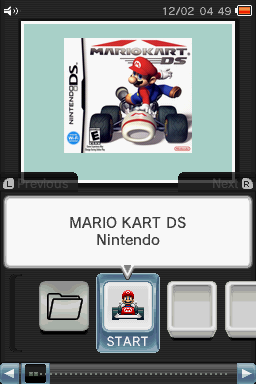
Default Dark official project artwork

Default Dark

  • v1.0.4
  • 7z → theme
  • DSi interface

The default TWiLight DSi layout in black, useful for restoring a familiar dark interface.

Hardware: DS / DS Lite flashcart · DSi / XL · 3DS via TWiLight

Setup & prerequisites
  1. Extract the ready archive into /_nds/TWiLightMenu/dsimenu/themes/ on the storage used by TWiLight. Retain the skin’s own folder and original directory name.
  2. Hold SELECT while launching TWiLight Menu++, choose the DSi user interface in GUI Settings, select this Custom Theme and press B to apply.

A working TWiLight Menu++ installation is required. DSi identifies the launcher interface, not a restriction to DSi hardware. Preserve other theme folders when copying.

Files, sizes & SHA-256
dark.7z
v1.0.4 · 17,111 bytes · 7z → theme
SHA-256
eaca4b88cfb315be7000b7e937661d89072869a27e0961892367b111491063fd
Original ready file
Publisher download

RocketRobz · official Default Dark theme preview via DS-Homebrew
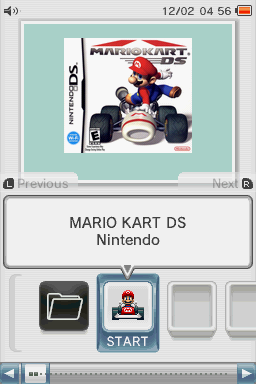
Default White official project artwork

Default White

  • v1.0.4
  • 7z → theme
  • DSi interface

The default TWiLight DSi layout in white, useful for restoring the familiar light interface.

Hardware: DS / DS Lite flashcart · DSi / XL · 3DS via TWiLight

Setup & prerequisites
  1. Extract the ready archive into /_nds/TWiLightMenu/dsimenu/themes/ on the storage used by TWiLight. Retain the skin’s own folder and original directory name.
  2. Hold SELECT while launching TWiLight Menu++, choose the DSi user interface in GUI Settings, select this Custom Theme and press B to apply.

A working TWiLight Menu++ installation is required. DSi identifies the launcher interface, not a restriction to DSi hardware. Preserve other theme folders when copying.

Files, sizes & SHA-256
white.7z
v1.0.4 · 17,246 bytes · 7z → theme
SHA-256
64b7f6f75015f0510fda2387bfee7fedcef5de2f328bb8b4e00a3f0f12167c55
Original ready file
Publisher download

RocketRobz · official Default White theme preview via DS-Homebrew
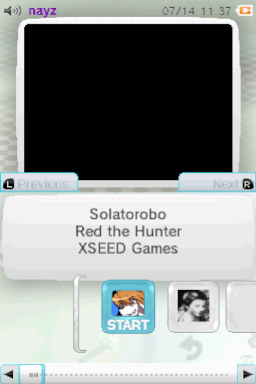
Wii U official project artwork

Wii U

  • v1.0.0
  • 7z → theme
  • 3DS interface

A Wii U HOME Menu-inspired TWiLight skin with matching sound and music.

Hardware: DS / DS Lite flashcart · DSi / XL · 3DS via TWiLight

Setup & prerequisites
  1. Extract the theme’s own directory into /_nds/TWiLightMenu/3dsmenu/themes/ on the storage used by TWiLight Menu++. Retain the original theme directory name.
  2. Hold SELECT while starting TWiLight, choose the 3DS user interface under GUI Settings, then select this Custom Theme and press B to apply.

Requires a working TWiLight Menu++ installation. “3DS” identifies its interface rather than an exclusive console model. This is launcher artwork and settings; it does not install system firmware.

Files, sizes & SHA-256
Wii U.7z
v1.0.0 · 6,061,847 bytes · 7z → theme
SHA-256
f8026fcbfa6252cb51a0e99f9b29c36df0145588c2e88f7d2c3a4feed49ffd98
Original ready file
Publisher download

nayz · official Wii U preview via DS-Homebrew

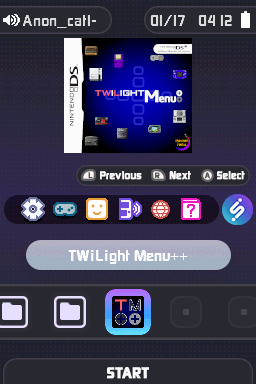
RetroV1

  • v1.0.0
  • 7z → theme
  • 3DS interface

A retro-styled custom skin for the TWiLight 3DS interface.

Hardware: DS / DS Lite flashcart · DSi / XL · 3DS via TWiLight

Setup & prerequisites
  1. Extract the theme’s own directory into /_nds/TWiLightMenu/3dsmenu/themes/ on the storage used by TWiLight Menu++. Retain the original theme directory name.
  2. Hold SELECT while starting TWiLight, choose the 3DS user interface under GUI Settings, then select this Custom Theme and press B to apply.

Requires a working TWiLight Menu++ installation. “3DS” identifies its interface rather than an exclusive console model. This is launcher artwork and settings; it does not install system firmware.

Files, sizes & SHA-256
RetroV1.7z
v1.0.0 · 6,778,193 bytes · 7z → theme
SHA-256
4dde1b4d9da89d9c94542ee52cc851e927783908af3f9f63698af19f132ba2a4
Original ready file
Publisher download

CJ1899 · official RetroV1 preview via DS-Homebrew

DiiSU Dark official project artwork

DiiSU Dark

  • v1.0.0
  • 7z → theme
  • 3DS interface

An iiSU-inspired dark menu with custom icons for retro console platforms.

Hardware: DS / DS Lite flashcart · DSi / XL · 3DS via TWiLight

Setup & prerequisites
  1. Extract the theme’s own directory into /_nds/TWiLightMenu/3dsmenu/themes/ on the storage used by TWiLight Menu++. Retain the original theme directory name.
  2. Hold SELECT while starting TWiLight, choose the 3DS user interface under GUI Settings, then select this Custom Theme and press B to apply.

Requires a working TWiLight Menu++ installation. “3DS” identifies its interface rather than an exclusive console model. This is launcher artwork and settings; it does not install system firmware.

Files, sizes & SHA-256
DiiSU Dark.7z
v1.0.0 · 8,684,492 bytes · 7z → theme
SHA-256
255dc65094c942913cd6d2803a2781f529b0d51b14fe42264289ba9e36101238
Original ready file
Publisher download

Anonymous_cat1 · official DiiSU Dark preview via DS-Homebrew
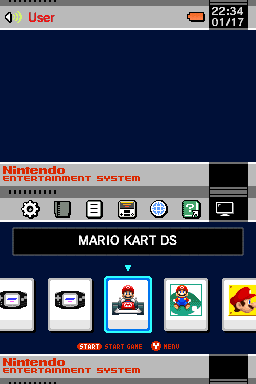
NES Classic official project artwork

NES Classic

  • v1.01
  • 7z → theme
  • 3DS interface

A NES Classic-inspired launcher presentation with custom sounds and music.

Hardware: DS / DS Lite flashcart · DSi / XL · 3DS via TWiLight

Setup & prerequisites
  1. Extract the theme’s own directory into /_nds/TWiLightMenu/3dsmenu/themes/ on the storage used by TWiLight Menu++. Retain the original theme directory name.
  2. Hold SELECT while starting TWiLight, choose the 3DS user interface under GUI Settings, then select this Custom Theme and press B to apply.

Requires a working TWiLight Menu++ installation. “3DS” identifies its interface rather than an exclusive console model. This is launcher artwork and settings; it does not install system firmware.

Files, sizes & SHA-256
NES Classic.7z
v1.01 · 2,186,351 bytes · 7z → theme
SHA-256
f7675cfc7cd4ea10b738f9ef37f9891d2124b91fee0e4346b8b652b8a6b3cc58
Original ready file
Publisher download

LetsGoAway · official NES Classic preview via DS-Homebrew

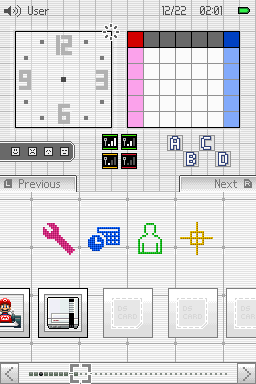
Atmosphère

  • v1.0.0
  • 7z → theme
  • DSi interface

A DSi-interface skin inspired by Atmosphère’s visual design.

Hardware: DS / DS Lite flashcart · DSi / XL · 3DS via TWiLight

Setup & prerequisites
  1. Extract the theme’s own directory into /_nds/TWiLightMenu/dsimenu/themes/ on the storage used by TWiLight Menu++. Retain the original theme directory name.
  2. Hold SELECT while starting TWiLight, choose the DSi user interface under GUI Settings, then select this Custom Theme and press B to apply.

Requires a working TWiLight Menu++ installation. “DSi” identifies its interface rather than an exclusive console model. This is launcher artwork and settings; it does not install system firmware.

Files, sizes & SHA-256
atmosphere.7z
v1.0.0 · 57,796 bytes · 7z → theme
SHA-256
fb24106df29eb64f378ad7318e3652216f2627913924c503d1a9e8c89766c9d9
Original ready file
Publisher download

KNBnoob1 · official Atmosphère preview via DS-Homebrew

Classic DS Menu official project artwork

Classic DS Menu

  • v1.0.0
  • 7z → theme
  • DSi interface

An original Nintendo DS-menu-inspired skin adapted to TWiLight’s DSi interface.

Hardware: DS / DS Lite flashcart · DSi / XL · 3DS via TWiLight

Setup & prerequisites
  1. Extract the theme’s own directory into /_nds/TWiLightMenu/dsimenu/themes/ on the storage used by TWiLight Menu++. Retain the original theme directory name.
  2. Hold SELECT while starting TWiLight, choose the DSi user interface under GUI Settings, then select this Custom Theme and press B to apply.

Requires a working TWiLight Menu++ installation. “DSi” identifies its interface rather than an exclusive console model. This is launcher artwork and settings; it does not install system firmware.

Files, sizes & SHA-256
classic DS Menu.7z
v1.0.0 · 1,388,146 bytes · 7z → theme
SHA-256
ce9d6869f1f28b0a8c7bd3fe748d1b60ff75b622c293a4bad51d34db068e7c04
Original ready file
Publisher download

Gemdation · official Classic DS Menu preview via DS-Homebrew · original DS sprites credited to CathodeRayKobold / The Spriters Resource

Install a TWiLight skin

  1. Extract the themeOpen the ready 7z archive on your computer or phone. Copy its theme folder, rather than the unopened archive, to the storage used by TWiLight.
  2. Match the interface pathDSi-interface themes go under /_nds/TWiLightMenu/dsimenu/themes/. 3DS-interface themes go under /_nds/TWiLightMenu/3dsmenu/themes/. Each skin’s card names the correct one.
  3. Choose it in settingsHold SELECT when starting TWiLight Menu++, select the corresponding interface under GUI Settings, choose its custom theme and press B to apply. Keep other theme folders intact.

Prepare and launch DS homebrew

  1. Choose the right packageA DS / DS Lite uses the Flashcard TWiLight package with a compatible flashcart. A DSi SD-card setup uses the DSi package and its documented entry point.
  2. Keep the supplied folder layoutExtract the package and follow the matching installation page. For the Flashcard package, its _nds folder, roms folder and documented boot NDS file go at the flashcart microSD root.
  3. Use the correct app formatOpen the NDS or DSi build through the launcher specified by the project. GodMode9i’s cartridge functions have additional model-specific access requirements.
  4. Keep a backup before changesCopy your existing saves and SD files before replacing a setup. On DSi, follow the NAND-backup instructions before choosing whether to install Unlaunch.

More DS / DSi homebrew

Browse the maintained DS-Homebrew documentation for compatibility and usage, or Universal-DB for additional homebrew projects. Check each app’s supported launch mode before copying it to your console.

Sources & file verification

Reviewed 2 November 2026 against official releases, project documentation and DS-Homebrew’s skin catalogue. Each new file has a local download, original source, exact version, byte count and SHA-256. Artwork comes from official project previews or the original menu icons embedded in the ready NDS build.

Archive checks validate container integrity and native executable header bounds. They do not establish hardware compatibility. No physical console installation, gameplay or performance testing was performed. No downloaded executable was run.