Nintendo Switch Game Mods

Mario Kart, Smash Ultimate, Odyssey multiplayer, Sonic CrossWorlds, Pokémon and more Switch game mods, with ready downloads, exact build requirements and setup guides.

Nintendo Switch Game Mods

Choose the game you are modding

Mod systemConsole location
LayeredFS file replacementsd:/atmosphere/contents/<title-id>/romfs/
Smash ARCropolis modssd:/ultimate/mods/<mod-name>/
Smash Skyline pluginssd:/atmosphere/contents/01006A800016E000/romfs/skyline/plugins/
Build-specific IPS patchsd:/atmosphere/exefs_patches/<patch-folder>/<build-id>.ips

Mods, packs & required tools

Console builds are linked separately from source code and desktop helpers. Complete ZIPs retain the supplied mod resources and folder layout. Large packs remain available from their original publishers.

31 resources

Mario Kart 8 Deluxe mods

Match each mod’s game version, executable build and installation requirements.

Illustration for Mario Kart 8 Deluxe

CTGP Deluxe

Custom tracks & gameplay · 1.1.1

A community Mario Kart expansion with custom courses, cups and its own settings, including local wireless and LAN modes.

Game compatibility

Mario Kart 8 Deluxe 3.0.3 only. The publisher explicitly says 1.1.1 does not support other game updates. Players using wireless/LAN must use the matching CTGP version.

Requires

An existing modded Switch and the supported game update. The publisher recommends emuMMC. Download is about 3.86 GB and unpacks to about 4.52 GB; allow room for both on your computer.

  • custom tracks
  • cups
  • LAN
  • 3.0.3
  • CTGP
Setup & file details

Back up and move other MK8 Deluxe mods out of the active SD layout first. Extract the entire publisher ZIP to the microSD root, keeping all supplied folders. Start the supported 3.0.3 game in Atmosphère. Follow the publisher's setup notes for the complete package.

Console path

SD root; retain the supplied complete folder layout

CTGPDX-v1.1.1.zip
3.86 GiB

SHA-256: afa383df7a616ecb10f3ffdb1bdb3a306d2b17c0cd3a5d746c1f3eb125209841

ZIP central directory listed with installed 7-Zip without extracting or executing the contents.
Mario Kart 8 Deluxe official game artwork

Nextendo country flag · GB · 3.0.5

Cosmetic code patch · Pinned author snapshot

Show the United Kingdom country code in compatible Nextendo rooms. This is the author's Atmosphère IPS patch, without emulator files or game data.

Game compatibility

MK8 Deluxe 3.0.5, build ID FE941ED5BA14BE5D505698DA1BBF4FE7 only. Title ID 0100152000022000. The author reports real-Atmosphère testing for Spain on 3.0.5; this GB variant is not separately hardware-tested here.

Requires

Atmosphère and a compatible Nextendo setup. Install exactly one country patch. This changes country presentation, not race behaviour or matchmaking.

  • IPS
  • country flag
  • GB
  • 3.0.5
  • Nextendo
Setup & file details

Create the exact Nextendo Country GB folder under /atmosphere/exefs_patches/ and save the IPS there using its original build-ID filename. Move any other active Nextendo country patch out first. Keep the 3.0.5 and 4.0.0 files separate.

Console path

sd:/atmosphere/exefs_patches/Nextendo Country GB/FE941ED5BA14BE5D505698DA1BBF4FE7.ips

FE941ED5BA14BE5D505698DA1BBF4FE7.ips
103 bytes

SHA-256: 7b1685a490ae5321d87fb24909e60d3f4616aed8d753f8ef357f2c69559dfb84
Mario Kart 8 Deluxe official game artwork

Nextendo country flag · GB · 4.0.0

Cosmetic code patch · Pinned author snapshot

A separate GB country patch for the 4.0.0 game build. It stays separate from the earlier 3.0.5 patch and the CTGP pack.

Game compatibility

MK8 Deluxe 4.0.0, build ID 2C336A9BCF79C3040CE506CDD391B578 only. Title ID 0100152000022000. The author lists Atmosphère support, with the documented 4.0.0 test performed on Ryujinx.

Requires

Atmosphère and a compatible Nextendo setup. Install one country patch and match the game build ID exactly. This does not make CTGP Deluxe compatible with 4.0.0.

  • IPS
  • country flag
  • GB
  • 4.0.0
  • Nextendo
Setup & file details

Create the exact Nextendo Country GB (MK8D 4.0.0) folder under /atmosphere/exefs_patches/ and save the IPS there using its original filename. Move the older country-patch folder out before switching versions.

Console path

sd:/atmosphere/exefs_patches/Nextendo Country GB (MK8D 4.0.0)/2C336A9BCF79C3040CE506CDD391B578.ips

2C336A9BCF79C3040CE506CDD391B578.ips
119 bytes

SHA-256: 7ffa217b87829ffd8fcdb20e6372de2efdf39e0aadf45c7bf1f1d9db693b434c
Illustration for Mario Kart 8 Deluxe

Item Rain

Custom race mode · v1.1

fishguy6564’s custom mode drops items around racers. Designed for racing, not Battle mode; the author lists crash and item-handling bugs.

Game compatibility

Mario Kart 8 Deluxe 3.0.1 only; mod v1.1. All participating players must use this mod. The author recommends private/LAN play.

Requires

Compatible Atmosphère and the matching game build. Do not combine with the standalone speedometer or other Skyline-based Mario Kart mods.

  • Item Rain
  • 3.0.1
  • LAN
  • fishguy6564
  • Original publisher download
  • Archived original
Setup & file details

Back up existing game-mod folders. Extract the complete author ZIP at the SD root and preserve its folder structure. Use a separate mod set from CTGP and other Skyline game patches. Fully restart the game. To roll back, move only this package’s files out of the active SD paths.

Console path

sd:/atmosphere/contents/0100152000022000/

item_rain_3011.zip
53 KiB

SHA-256: 59507ac1432965bc723d385123026391bca518a8556b51efc65f59ea9374dcde

Ready original files archived; ZIP CRC/path/NRO checks or exact IPS Git-blob check; no execution.
Illustration for Mario Kart 8 Deluxe

N64 Rainbow Road · three complete laps

Course gameplay edit · file-1479173

LukeYapsTV’s course edit changes N64 Rainbow Road to three full laps instead of one segmented lap.

Game compatibility

Mario Kart 8 Deluxe. The source does not specify an exact game-update range; do not assume it matches a custom-track pack.

Requires

Compatible Atmosphère LayeredFS. Use a separate course-mod set and back up any replacement for the same track.

  • N64 Rainbow Road
  • Three laps
  • Course edit
  • LukeYapsTV
  • Original publisher download
  • Archived original
Setup & file details

Extract the ZIP. Inside N64 Rainbow Road (3 LAPS FOR REAL), copy the romfs folder into atmosphere/contents/0100152000022000/ so Course/G64_RainbowRoad/course_muunt.byaml lands beneath the game’s romfs folder. Back up any earlier replacement for this track. Fully close and reopen the game, then test locally. Move this replacement off the SD card and restore the backup to undo.

Console path

sd:/atmosphere/contents/0100152000022000/romfs/Course/G64_RainbowRoad/course_muunt.byaml

n64_rainbow_road_3_laps_for_real_.zip
148 KiB

SHA-256: cb9817614812f04800d590f2f721a5901e32f083b2053d2310a60d39c191a455

Ready original files archived; ZIP CRC/path/NRO checks or exact IPS Git-blob check; no execution.

Illustration for Mario Kart 8 Deluxe

Kill BGM.bars · game 3.0.3

Custom-music support patch · file-1340103

SitBar’s standalone conversion of fishguy6564’s patch bypasses BGM.bars prefetch handling for compatible custom music. It does not include a music pack.

Game compatibility

Mario Kart 8 Deluxe 3.0.3 only. Select this original ZIP for that exact update; preserve the included IPS filenames.

Requires

Compatible Atmosphère and your separately obtained custom audio. The author requires permission before bundling this patch in another public mod pack; this page links the original publisher file.

  • Custom music
  • 3.0.3
  • IPS
  • SitBar
  • fishguy6564
  • Original publisher download
  • Archived original
Setup & file details

Open the author ZIP and copy its IPS files into atmosphere/exefs_patches/KillBGM.bars/. Install only the version matching your game. Keep other custom-music changes separate and back up BGM files. Remove this patch folder and restart the game to undo.

Console path

sd:/atmosphere/exefs_patches/KillBGM.bars/

kill_bgmbars_patch_303.zip
3 KiB

SHA-256: 84cd763a6bb3b88c52646d97c5125321cbf7036893575a213e3f2f286cfc03d2

Ready original files archived; ZIP CRC/path/NRO checks or exact IPS Git-blob check; no execution.

Illustration for Mario Kart 8 Deluxe

Kill BGM.bars · game 4.0.0

Custom-music support patch · file-1818309

SitBar’s standalone conversion of fishguy6564’s patch bypasses BGM.bars prefetch handling for compatible custom music. It does not include a music pack.

Game compatibility

Mario Kart 8 Deluxe 4.0.0 only. Select this original ZIP for that exact update; preserve the included IPS filenames.

Requires

Compatible Atmosphère and your separately obtained custom audio. The author requires permission before bundling this patch in another public mod pack; this page links the original publisher file.

  • Custom music
  • 4.0.0
  • IPS
  • SitBar
  • fishguy6564
  • Original publisher download
  • Archived original
Setup & file details

Open the author ZIP and copy its IPS files into atmosphere/exefs_patches/KillBGM.bars/. Install only the version matching your game. Keep other custom-music changes separate and back up BGM files. Remove this patch folder and restart the game to undo.

Console path

sd:/atmosphere/exefs_patches/KillBGM.bars/

kill_bgmbars_patch_400.zip
429 bytes

SHA-256: 88c52c263b13edf7c812f094653a01939e8b0328359ce84c045608af4802a559

Ready original files archived; ZIP CRC/path/NRO checks or exact IPS Git-blob check; no execution.

Super Smash Bros. Ultimate mods

Match each mod’s game version, executable build and installation requirements.

Illustration for Super Smash Bros. Ultimate

Ultimate Training Modpack

Training tools · 7.1.1

Improve practice with configurable CPU responses, positional save states, training information and input-delay options.

Game compatibility

Switch build for Smash Ultimate with Atmosphère and Skyline. The selected release does not enumerate an exact game-version range; check current project notes before changing your game update.

Requires

Skyline runtime. Its complete ZIP includes the mod's support files. The project lists Minecraft Skins as a known conflict and does not support placing this pack in /ultimate/mods/ as a chainloaded mod.

  • practice
  • CPU
  • save states
  • training
  • Skyline
Setup & file details

Extract the complete TrainingModpack ZIP to the SD root so its atmosphere folder merges into the existing one. Put Skyline's exefs folder inside the Smash title directory. In Training mode, open the menu with SPECIAL + UP TAUNT (normally B + D-pad Up).

Console path

sd:/atmosphere/contents/01006A800016E000/romfs/skyline/plugins/

TrainingModpack.zip
1.1 MiB

SHA-256: edf1ca8fdf479feb801e6afacc3abf440e05263af9f5d872d0d16978fb6590d9

ZIP member paths, expanded sizes, CRC and NRO headers checked without execution.
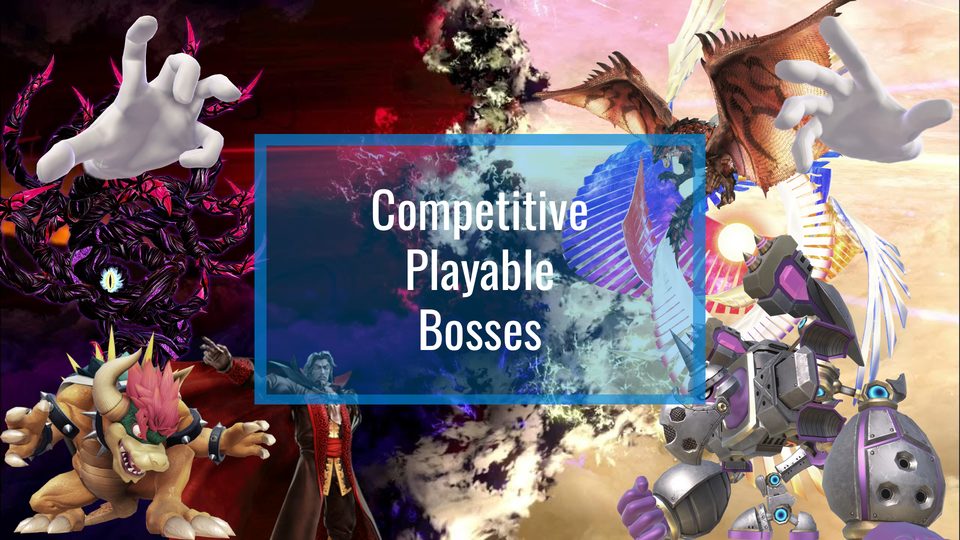
Competitive Playable Bosses original project artwork

Competitive Playable Bosses

Gameplay mod · 3.1.6

Play as supported bosses with custom controls and boss-specific behaviour. Includes fixes for the hands, Spirit Board and World of Light.

Game compatibility

The current author documentation lists Smash Ultimate 13.0.2, 13.0.3, 13.0.4 and 13.0.5. Do not infer support for another update from that list.

Requires

Atmosphère, ARCropolis, Skyline, NRO Hook and the matching Smashline runtime. Smashline 2.0.0 changed APIs after this mod release; read the migration notes and match the version required by the mod. Announcer-voice mods can conflict.

  • bosses
  • World of Light
  • 13.0.5
  • ARCropolis
  • Smashline
Setup & file details

Extract the full ZIP and copy its atmosphere and ultimate folders to the SD root. Preserve its Bosses resource folder and install the required runtime plugins. Start with this mod alone; local/multiplayer partners need the same mod setup.

Console path

sd:/ultimate/mods/Bosses/ plus the bundled atmosphere/ files

Competitive_Playable_Bosses_3.1.6.zip
21.7 MiB

SHA-256: 05c3785ab2787f8447d7475c7c077f918157e9dc60ab92788e4fdec1a632f2ba

ZIP member paths, expanded sizes, CRC and NRO headers checked without execution.
Super Smash Bros. Ultimate official game artwork

HewDraw Remix · complete Switch pack

Gameplay overhaul · 0.49.11

A large gameplay overhaul with its own moveset changes, stages, music, menus and launcher. Use the official complete Switch package for a first installation.

Game compatibility

Requires the project-supported Smash Ultimate revision and Atmosphère. The selected release page does not provide an exact supported game-version table; check the project before installation.

Requires

The full Switch ZIP is about 1.25 GiB. Its launcher and supporting plugin/resource files belong together. The small upgrade ZIP is not a complete first installation.

  • HDR
  • overhaul
  • movesets
  • complete pack
  • private archive
Setup & file details

Extract the complete switch-package.zip to the SD root and preserve its atmosphere and ultimate folders. Enable the HDR-related folders in the in-game mod manager when required. Use the included launcher and supporting files as a matched package.

Console path

SD root; keep atmosphere/ and ultimate/mods/hdr* together

switch-package.zip
1.25 GiB

SHA-256: b7ca9333b0309f0f0893051d68b456a1bb3a8792a0eb1a16df9856d010ac7232

ZIP central directory listed with installed 7-Zip without extracting or executing the contents.

Super Smash Bros. Ultimate official game artwork

ARCropolis

Mod framework · 4.1.1

Load compatible Smash file replacements, manage enabled mods and workspaces, and identify conflicting files through the native in-game menus.

Game compatibility

Atmosphère and a compatible Smash Ultimate revision. The selected release does not enumerate a universal firmware/game-version range. Skyline is distributed separately.

Requires

Skyline runtime and the complete ARCropolis release, including its menu resources. This is a game-loaded plugin, not an hbmenu application. Keep mod authors’ game-version and dependency requirements.

  • mod manager
  • workspaces
  • file replacements
  • plugin
  • NRO
Setup & file details

Extract the complete release ZIP to the SD root, preserving both its atmosphere and ultimate folders. The bundled ultimate/arcropolis/resources/ menu files are required. Install Skyline separately in the Smash title directory. Put compatible drag-and-drop file mods in separate folders under /ultimate/mods/. Check the ARCropolis version shown by the game.

Console path

sd:/atmosphere/contents/01006A800016E000/romfs/skyline/plugins/libarcropolis.nro

release.zip
1.4 MiB

SHA-256: 08b98371f069bc54a326660bc828288c05dd9a4ac0e3c7c00aca557796e032c6

ZIP member paths, expanded sizes, CRC and NRO headers checked without execution.

Super Smash Bros. Ultimate official game artwork

Skyline runtime

Code-mod runtime · beta · checked build

The runtime used to load Smash's Skyline plugins, including ARCropolis and many training or gameplay mods.

Game compatibility

The official beta asset checked on 2 November 2026. This is a mutable upstream beta tag, so the archived SHA-256 identifies the precise build. Other games can require their own Skyline variant.

Requires

An existing Atmosphère setup. Use the supplied Smash main.npdm with Smash; do not copy this whole runtime into unrelated games.

  • Skyline
  • exefs
  • subsdk9
  • runtime
  • beta
Setup & file details

Extract skyline.zip into the Smash title directory so exefs/subsdk9 and exefs/main.npdm are present there. Game plugins go in that title's romfs/skyline/plugins/ directory.

Console path

sd:/atmosphere/contents/01006A800016E000/exefs/

skyline.zip
38 KiB

SHA-256: d677c5bbbfbf55674b047c8d5d11f8a4d71b6a42fbc7ee4bf70f462b077c4ab0

ZIP member paths, expanded sizes, CRC and NRO headers checked without execution.

Super Smash Bros. Ultimate official game artwork

Smashline · 1.6.8 compatibility build

Moveset runtime · 1.6.8

A preserved earlier runtime for moveset plugins that have not migrated to the October 2026 Smashline API changes.

Game compatibility

Use only when the selected mod requires this API generation. It is an alternative to 2.0.0, not a second plugin to install alongside it. Game and moveset compatibility still depends on the mod.

Requires

Skyline and a compatible moveset mod. The newer 2.0.0 runtime can crash older plugins using changed cloning APIs; match the author's instructions.

  • Smashline
  • movesets
  • compatibility
  • 1.6.8
Setup & file details

Back up the current libsmashline_plugin.nro, then place this selected version in the Smash Skyline plugins directory. Keep a single active libsmashline_plugin.nro.

Console path

sd:/atmosphere/contents/01006A800016E000/romfs/skyline/plugins/libsmashline_plugin.nro

libsmashline_plugin.nro
304 KiB

SHA-256: a83636e565be0729271aa7c21817da9aa3b8b3e9b3abed7499c1eeae4cb57d5c
Super Smash Bros. Ultimate official game artwork

Smashline · 2.0.0

Moveset runtime · 2.0.0

The newer moveset runtime with reworked weapon-cloning APIs. Choose it for mods explicitly built for the changed interface.

Game compatibility

Released 28 October 2026. The project warns that earlier moveset plugins may be incompatible. A newer runtime does not establish compatibility for an older mod pack.

Requires

Skyline and matching mod plugins. Read the major-update notes before changing an existing working setup.

  • Smashline
  • movesets
  • API migration
  • 2.0.0
Setup & file details

Keep a backup of the old runtime and install one selected libsmashline_plugin.nro in the plugins directory. Do not enable both runtime versions or rename one to try to stack them.

Console path

sd:/atmosphere/contents/01006A800016E000/romfs/skyline/plugins/libsmashline_plugin.nro

libsmashline_plugin.nro
356 KiB

SHA-256: d57a437000d13a85192b79941880b4e3b671d0e4a0291951d426f0f6773e6b92
Super Smash Bros. Ultimate official game artwork

NRO Hook

Support plugin · 0.4.0

A shared hooking plugin required by some Skyline mods, including the Playable Bosses setup.

Game compatibility

Install when the selected mod calls for this plugin. The source release is older and does not document a current universal game/firmware range.

Requires

Skyline and a dependent mod. Existing complete packs may already include libnro_hook.nro; keep one intended active copy.

  • NRO Hook
  • support plugin
  • Skyline
  • NRO
Setup & file details

Place the ready release NRO in the Smash Skyline plugins folder. This is loaded by the game and is not launched from hbmenu.

Console path

sd:/atmosphere/contents/01006A800016E000/romfs/skyline/plugins/libnro_hook.nro

libnro_hook.nro
52 KiB

SHA-256: ca7aec03aee49fea539dcb92569fea5bc5389f77377ba2a30e4d0b7ebd0255e6
Super Smash Bros. Ultimate official game artwork

HDR Launcher · Switch plugin

Launcher component · 0.9.1

The Switch Skyline component of the HDR launcher, kept separate from the project's desktop Electron installers.

Game compatibility

A matching HDR setup with Skyline and the project's required web/plugin dependencies. For a fresh install, use the complete HDR Switch pack.

Requires

This NRO is a game-loaded component. It is not a standalone hbmenu app or the full HDR mod.

  • HDR
  • launcher
  • plugin
  • Switch build
Setup & file details

For a component update, put hdr-launcher.nro in the Smash Skyline plugins directory after checking it matches your HDR package. First-time users should use the complete Switch ZIP above.

Console path

sd:/atmosphere/contents/01006A800016E000/romfs/skyline/plugins/hdr-launcher.nro

hdr-launcher.nro
12.3 MiB

SHA-256: ef88b975cfd736087430bd2c90b8947e71076ed93231e0a3f04f0a31051e80ce
Illustration for Super Smash Bros. Ultimate

The WuBor Patch

Character & mechanics overhaul · 0.18.1

A Smash gameplay overhaul by WuBoytH and contributors, with character reworks and mechanics changes. This is a separate complete mod pack, not an HDR update.

Game compatibility

Pack 0.18.1. The selected release does not give a universal supported game-version table. Match its dependencies and current author instructions; Stage Config 1.1.1 separately targets 13.0.5.

Requires

ARCropolis, compatible Skyline, Smashline2, NRO Hook and Stage Config, as listed by the project. Do not combine overhaul plugins from HDR and WuBor in one active workspace.

  • Gameplay overhaul
  • Character reworks
  • WuBor
  • Separate workspace
Setup & file details

Back up saves and the current mod workspace. Move previous WuBor folders off the SD card first. Extract the complete original ZIP to the SD root; retain ultimate/mods/wubor/ and its included plugin. Install the listed dependencies, then test one workspace. Disable that workspace and restore the earlier folders to roll back.

Console path

sd:/ultimate/mods/wubor/

The_WuBor_Patch.zip
134.9 MiB

SHA-256: 23dbd01ce734de29999e5f9694cca19615eb261206ea68961f5b3be9fbf5ba78

Ready original files archived; ZIP CRC/path/NRO checks or exact IPS Git-blob check; no execution.

Illustration for Super Smash Bros. Ultimate

Smash Minecraft Skins

Steve / Alex custom skins · v1.2.5b

jam1garner and contributors’ plugin imports a Minecraft skin by username or loads locally supplied PNG skins for the Minecraft fighters.

Game compatibility

Plugin v1.2.5b was repackaged for ARCropolis 3.0.0. The source does not state a universal current Smash-version range; match the runtime API it expects.

Requires

Skyline, compatible ARCropolis and access to the Minecraft fighter content. Training Modpack documents Minecraft Skins as a known conflict; keep separate workspaces.

  • Minecraft
  • Steve
  • Alex
  • Cosmetics
  • Training conflict
Setup & file details

Back up the active Smash workspace and its Skyline runtime, then extract the complete original release ZIP to the SD root. Keep ultimate/mods/minecraft_2_layer/ with plugin.nro and all fighter resources. The ZIP also supplies atmosphere/exefs runtime files; match the documented ARCropolis API before replacing a working runtime. Optional local PNG skins go in atmosphere/contents/01006A800016E000/romfs/minecraft_skins/. Use the mod’s in-game selection flow. Move its files out and restore the workspace backup to disable it.

Console path

sd:/ultimate/mods/minecraft_2_layer/

release.zip
7.6 MiB

SHA-256: fbb818b8e9c49f077930d0fa58da6b0fae11b84962cb6df57116a81722a57dca

Ready original files archived; ZIP CRC/path/NRO checks or exact IPS Git-blob check; no execution.

Illustration for Super Smash Bros. Ultimate

Stage Config

Stage-mod support plugin · v1.1.1

ThatNintendoNerd’s plugin lets compatible stage mods configure otherwise hardcoded collisions, gravity and hazards behavior. It is a dependency, not a standalone stage pack.

Game compatibility

Release 1.1.1 explicitly targets Smash Ultimate 13.0.5. The release identifies 13.0.4 and older as incompatible.

Requires

Skyline, a matching Smash build and stage-mod configuration where required. Install the version expected by the chosen stage mod or WuBor setup.

  • Stage modding
  • Dependency
  • 13.0.5
  • Skyline
Setup & file details

Close Smash, back up any existing libstage_config.nro and merge the release ZIP’s atmosphere folder into the SD root. Keep the bundled layout and use the author’s wiki for each supported configuration setting. Remove this plugin only after disabling mods that require it.

Console path

sd:/atmosphere/contents/01006A800016E000/romfs/skyline/plugins/libstage_config.nro

release.zip
193 KiB

SHA-256: 81ffbbdc266c9c023797cf743a89418a27d04f8c51fe5e960c5292f1dfb3e916

Ready original files archived; ZIP CRC/path/NRO checks or exact IPS Git-blob check; no execution.

Super Mario Odyssey mods

Match each mod’s game version, executable build and installation requirements.

Super Mario Odyssey official game artwork

SMOO+ · Speedrun Release

Co-op speedrunning · SR-1.0.0

A separate Odyssey Online variant for shared speedruns, with synchronized progress and support for a compatible community-hosted server.

Game compatibility

Super Mario Odyssey 1.0.0 only. This selected speedrun release excludes the game modes, twists and capture synchronization advertised by other SMOO+ versions.

Requires

An existing modded Switch and a reachable compatible SMOO server. PC server software runs on another device; the provided ZIP is the console mod only. Do not stack it with another Odyssey exefs mod.

  • Odyssey
  • co-op
  • speedrun
  • 1.0.0
  • server required
Setup & file details

Extract the Switch-specific ZIP on your computer, open its SMOO-Plus-Speedrun-Switch wrapper folder, and copy the atmosphere folder inside it to the SD root. The final path must begin /atmosphere/contents/0100000000010000/, not /SMOO-Plus-Speedrun-Switch/atmosphere/. Configure the compatible server and enter its address when the mod asks. Keep a backup of your Odyssey save before changing co-op setups.

Console path

sd:/atmosphere/contents/0100000000010000/

SMOO-Plus-Speedrun-Switch.zip
2.4 MiB

SHA-256: 3d33e42ac4662b3a39b812632056219f070e0294243824fdf3bcbf1ace6df26b

ZIP member paths, expanded sizes, CRC and NRO headers checked without execution.

Illustration for Super Mario Odyssey

Super Mario Odyssey Online

Online multiplayer / hide and seek · v1.4.0

Explore kingdoms with friends using the original SMOO console build. This is separate from the preserved SMOO+ speedrun package.

Game compatibility

Switch console package v1.4.0; the project’s starlight_patch_100 build targets game 1.0.0. Do not substitute the separate emulator ZIP.

Requires

Compatible Atmosphère setup and matching Odyssey build. Participants need compatible mod versions and the project’s server connection setup.

  • Multiplayer
  • Hide and seek
  • Switch console build
  • Atmosphère
Setup & file details

Back up saves and existing Odyssey mod folders. Extract the complete Switch ZIP to the SD root, preserving atmosphere/contents. Disable the existing SMOO+ or other conflicting Odyssey executable mods first. Use the project’s configuration menu (hold ZL while selecting a pause-menu option) and its server instructions. Remove this package’s files and restart to restore stock behavior.

Console path

sd:/atmosphere/contents/0100000000010000/

SMO_Online_v1.4.0_for_Switch.zip
2.3 MiB

SHA-256: 0bd44d43e40f369be58cfdac62e309ba34672b247f6bcd57dbee99bac1d71e99

Original ready build; header, ZIP paths/CRC or pinned Git blob checked without execution.

Dark Souls Remastered mods

Match each mod’s game version, executable build and installation requirements.

Illustration for Dark Souls Remastered

Dark Souls Remastered · 60 FPS patch

60 FPS patch · 1.0.3

Author-published Switch hardware patch. Legacy collection; the author recommends FPSLocker or ReverseNX-RT where suitable. Raises the frame-rate target; actual performance depends on console load and available headroom.

Game compatibility

Game 1.0.3. Match executable patch filename DF3766A2BB651A3E822828ABF10B6F7B.ips exactly; do not rename it for another build.

Requires

Nintendo Switch running compatible Atmosphère CFW. This is a hardware IPS patch, not an emulator-only mod. A 60 FPS target does not guarantee sustained 60 FPS.

  • Nintendo Switch
  • IPS
  • 60 FPS patch
  • 1.0.3
  • DF3766A2BB651A3E822828ABF10B6F7B
  • Legacy patch
Setup & file details

Fully close the game. Back up the existing patch folder. Copy this ready IPS file to the exact console path below, creating folders as needed. Restart into CFW and launch the matching game build. Remove this patch file and restart to roll back; do not stack conflicting patches.

Console path

sd:/atmosphere/exefs_patches/DarkSouls60FPS/DF3766A2BB651A3E822828ABF10B6F7B.ips

DF3766A2BB651A3E822828ABF10B6F7B.ips
29 bytes

SHA-256: c58deff7d7b616267c9797e7ae9b4cae725c83cddc1b6b706dbb5647bf1ba8e9

Original ready build; header, ZIP paths/CRC or pinned Git blob checked without execution.

Darksiders II Deathinitive Edition mods

Match each mod’s game version, executable build and installation requirements.

Illustration for Darksiders II Deathinitive Edition

Darksiders II Deathinitive Edition · 60 FPS patch

60 FPS patch · 1.0.0

Author-published Switch hardware patch. Legacy collection; the author recommends FPSLocker or ReverseNX-RT where suitable. Raises the frame-rate target; actual performance depends on console load and available headroom.

Game compatibility

Game 1.0.0. Match executable patch filename 173E2EDEA9E5D9408B125F2CB34364223C399F11000000000000000000000000.ips exactly; do not rename it for another build.

Requires

Nintendo Switch running compatible Atmosphère CFW. This is a hardware IPS patch, not an emulator-only mod. A 60 FPS target does not guarantee sustained 60 FPS.

  • Nintendo Switch
  • IPS
  • 60 FPS patch
  • 1.0.0
  • 173E2EDEA9E5D9408B125F2CB34364223C399F11000000000000000000000000
  • Legacy patch
Setup & file details

Fully close the game. Back up the existing patch folder. Copy this ready IPS file to the exact console path below, creating folders as needed. Restart into CFW and launch the matching game build. Remove this patch file and restart to roll back; do not stack conflicting patches.

Console path

sd:/atmosphere/exefs_patches/Darksiders2-60FPS/173E2EDEA9E5D9408B125F2CB34364223C399F11000000000000000000000000.ips

173E2EDEA9E5D9408B125F2CB34364223C399F11000000000000000000000000.ips
79 bytes

SHA-256: 5657c03c353c98f92b6694fb1c76e147d70ec171e21b41406ce2e4cfdcfe8a8b

Original ready build; header, ZIP paths/CRC or pinned Git blob checked without execution.

New Super Lucky’s Tale mods

Match each mod’s game version, executable build and installation requirements.

Illustration for New Super Lucky’s Tale

New Super Lucky’s Tale · 60 FPS patch

60 FPS patch · 1.3.6

Author-published Switch hardware patch. Legacy collection; the author recommends FPSLocker or ReverseNX-RT where suitable. Raises the frame-rate target; actual performance depends on console load and available headroom.

Game compatibility

Game 1.3.6. Match executable patch filename 9ACB46936749F5439391156BC8FDA786.ips exactly; do not rename it for another build.

Requires

Nintendo Switch running compatible Atmosphère CFW. This is a hardware IPS patch, not an emulator-only mod. A 60 FPS target does not guarantee sustained 60 FPS.

  • Nintendo Switch
  • IPS
  • 60 FPS patch
  • 1.3.6
  • 9ACB46936749F5439391156BC8FDA786
  • Legacy patch
Setup & file details

Fully close the game. Back up the existing patch folder. Copy this ready IPS file to the exact console path below, creating folders as needed. Restart into CFW and launch the matching game build. Remove this patch file and restart to roll back; do not stack conflicting patches.

Console path

sd:/atmosphere/exefs_patches/NewLuckysTale-60FPS/9ACB46936749F5439391156BC8FDA786.ips

9ACB46936749F5439391156BC8FDA786.ips
17 bytes

SHA-256: 4f2d64392af999991b6502d7ab8e93f615ab076373c2350452e05ac4da14106d

Original ready build; header, ZIP paths/CRC or pinned Git blob checked without execution.

Dragon Quest Builders 2 mods

Match each mod’s game version, executable build and installation requirements.

Illustration for Dragon Quest Builders 2

Dragon Quest Builders 2 · High-resolution patch

High-resolution patch · 1.6.1

Author-published Switch hardware patch. Legacy collection; the author recommends FPSLocker or ReverseNX-RT where suitable. Changes resolution rather than raising the frame-rate target.

Game compatibility

Game 1.6.1. Match executable patch filename 1A0B233DC70B7F6E40A9D928538B47C0.ips exactly; do not rename it for another build.

Requires

Nintendo Switch running compatible Atmosphère CFW and the exact matching game executable. Increased resolution can reduce performance.

  • Nintendo Switch
  • IPS
  • High-resolution patch
  • 1.6.1
  • 1A0B233DC70B7F6E40A9D928538B47C0
  • Legacy patch
Setup & file details

Fully close the game. Back up the existing patch folder. Copy this ready IPS file to the exact console path below, creating folders as needed. Restart into CFW and launch the matching game build. Remove this patch file and restart to roll back; do not stack conflicting patches.

Console path

sd:/atmosphere/exefs_patches/DQB2-HighRes-1.6.1/1A0B233DC70B7F6E40A9D928538B47C0.ips

1A0B233DC70B7F6E40A9D928538B47C0.ips
35 bytes

SHA-256: 29403fd7a763b0ae4bcd74d7706e23299f79d10fa4410e26a566c6604f787737

Original ready build; header, ZIP paths/CRC or pinned Git blob checked without execution.

Call of Juarez: Gunslinger mods

Match each mod’s game version, executable build and installation requirements.

Illustration for Call of Juarez: Gunslinger

Call of Juarez: Gunslinger · 60 FPS patch

60 FPS patch · Exact build only; update not labelled

Author-published Switch hardware patch. Legacy collection; the author recommends FPSLocker or ReverseNX-RT where suitable. Raises the frame-rate target; actual performance depends on console load and available headroom.

Game compatibility

Game Exact build only; update not labelled. Match executable patch filename 6BA63EBC3BA1B4DA6018817D9962583F3BFE7444.ips exactly; do not rename it for another build.

Requires

Nintendo Switch running compatible Atmosphère CFW. This is a hardware IPS patch, not an emulator-only mod. A 60 FPS target does not guarantee sustained 60 FPS.

  • Nintendo Switch
  • IPS
  • 60 FPS patch
  • Exact build only; update not labelled
  • 6BA63EBC3BA1B4DA6018817D9962583F3BFE7444
  • Legacy patch
Setup & file details

Fully close the game. Back up the existing patch folder. Copy this ready IPS file to the exact console path below, creating folders as needed. Restart into CFW and launch the matching game build. Remove this patch file and restart to roll back; do not stack conflicting patches.

Console path

sd:/atmosphere/exefs_patches/CallofJuarez60FPS/6BA63EBC3BA1B4DA6018817D9962583F3BFE7444.ips

6BA63EBC3BA1B4DA6018817D9962583F3BFE7444.ips
17 bytes

SHA-256: 1b0b5f14d0dd425cb6347c0e86e86c4d2753ea7c288f4c5c4573335c2e3b8ddf

Original ready build; header, ZIP paths/CRC or pinned Git blob checked without execution.

Pokémon Mystery Dungeon: Rescue Team DX mods

Match each mod’s game version, executable build and installation requirements.

Illustration for Pokémon Mystery Dungeon: Rescue Team DX

Pokémon Mystery Dungeon: Rescue Team DX · 60 FPS patch

60 FPS patch · 1.0.1

Author-published Switch hardware patch. Legacy collection; the author recommends FPSLocker or ReverseNX-RT where suitable. Raises the frame-rate target; actual performance depends on console load and available headroom.

Game compatibility

Game 1.0.1. Match executable patch filename 9DDA1EFEEF70DE46821AEA8429CA22CF.ips exactly; do not rename it for another build.

Requires

Nintendo Switch running compatible Atmosphère CFW. This is a hardware IPS patch, not an emulator-only mod. A 60 FPS target does not guarantee sustained 60 FPS.

  • Nintendo Switch
  • IPS
  • 60 FPS patch
  • 1.0.1
  • 9DDA1EFEEF70DE46821AEA8429CA22CF
  • Legacy patch
Setup & file details

Fully close the game. Back up the existing patch folder. Copy this ready IPS file to the exact console path below, creating folders as needed. Restart into CFW and launch the matching game build. Remove this patch file and restart to roll back; do not stack conflicting patches.

Console path

sd:/atmosphere/exefs_patches/PkDX-60FPS/9DDA1EFEEF70DE46821AEA8429CA22CF.ips

9DDA1EFEEF70DE46821AEA8429CA22CF.ips
17 bytes

SHA-256: 80718223dd93a7838ba484e9891b828d3646d44bf13e3e802be09bf28e3042f7

Original ready build; header, ZIP paths/CRC or pinned Git blob checked without execution.

Sonic Racing: CrossWorlds mods

Match each mod’s game version, executable build and installation requirements.

Illustration for Sonic Racing: CrossWorlds

CrossWorlds · 60 FPS & resolution hardware pack

Frame rate & resolution · Game 1.43 · pack atmosphere.1

Two hardware patches for a 60 FPS target and 1080p docked / 720p handheld resolution. The author reports Switch Lite testing; other models and every mode are not independently confirmed.

Game compatibility

Nintendo Switch / Switch Lite game 1.43; title ID01006E001823C000; build IDCF6A61882F2ADE94. This is not the Switch 2 Edition or the separate emulator package.

Requires

Compatible Atmosphère CFW. No SaltySD or FPSLocker configuration is required by this pack. Sustained performance varies.

  • Switch hardware
  • 60 FPS target
  • 1080p docked
  • 720p handheld
  • 1.43
Setup & file details

Close the game and back up any prior CrossWorlds patches. Extract the ZIP’s atmosphere folder to the SD root. Keep the two IPS files in their separate supplied folders. Remove older conflicting game-version patches, then fully reopen the game. Roll back by moving these two patch folders off the SD card and restarting.

Console path

sd:/atmosphere/exefs_patches/<supplied-patch-folders>/

Sonic-Racing-CrossWorlds-v1.43-Atmosphere.zip
5 KiB

SHA-256: 5d4b51ed14aa6ff5498cb686e3e9a9ee2b881b3acf0d5e8591363585ef38ffb2

Original ready build; header, ZIP paths/CRC or pinned Git blob checked without execution.

The Legend of Zelda: Tears of the Kingdom mods

Match each mod’s game version, executable build and installation requirements.

Illustration for The Legend of Zelda: Tears of the Kingdom

The Legend of Zelda: Tears of the Kingdom · triple buffering

Frame-pacing patch · Exact build only

MasaGratoR’s ready IPS/IPS32 patch changes buffering behavior. It does not itself unlock a higher frame-rate target. Preserved from the author’s archived hardware-patch collection.

Game compatibility

Exact executable build only. Match the exact executable patch filename 9B4E43650501A4D4489B4BBFDB740F26AF3CF850000000000000000000000000.ips. No support for another build is implied.

Requires

Nintendo Switch with compatible Atmosphère and the matching game executable. Keep other frame-rate and buffering patches disabled until tested separately.

  • Triple buffering
  • IPS32
  • Exact build only
  • MasaGratoR
Setup & file details

Close the game, back up the current patch folder and copy the ready IPS file to the exact SD path below. Preserve its full filename. Restart into CFW and test. Move the patch file off the SD card and restart to undo.

Console path

sd:/atmosphere/exefs_patches/ZeldaToTK_TripleBuffer/9B4E43650501A4D4489B4BBFDB740F26AF3CF850000000000000000000000000.ips

9B4E43650501A4D4489B4BBFDB740F26AF3CF850000000000000000000000000.ips
27 bytes

SHA-256: 0a04a0dfe903399681c7bc21fc7cfad862f2291b69fe3ef57bab338e996a1474

Ready original files archived; ZIP CRC/path/NRO checks or exact IPS Git-blob check; no execution.

Paper Mario: The Thousand-Year Door mods

Match each mod’s game version, executable build and installation requirements.

Illustration for Paper Mario: The Thousand-Year Door

Paper Mario: The Thousand-Year Door · triple buffering

Frame-pacing patch · Exact build only

MasaGratoR’s ready IPS/IPS32 patch changes buffering behavior. It does not itself unlock a higher frame-rate target. Preserved from the author’s archived hardware-patch collection.

Game compatibility

Exact executable build only. Match the exact executable patch filename 78F37BB55D015BE3B368EC22AF595455F1544DC1000000000000000000000000.ips. No support for another build is implied.

Requires

Nintendo Switch with compatible Atmosphère and the matching game executable. Keep other frame-rate and buffering patches disabled until tested separately.

  • Triple buffering
  • IPS32
  • Exact build only
  • MasaGratoR
Setup & file details

Close the game, back up the current patch folder and copy the ready IPS file to the exact SD path below. Preserve its full filename. Restart into CFW and test. Move the patch file off the SD card and restart to undo.

Console path

sd:/atmosphere/exefs_patches/PaperMarioTTYD_TripleBuffer/78F37BB55D015BE3B368EC22AF595455F1544DC1000000000000000000000000.ips

78F37BB55D015BE3B368EC22AF595455F1544DC1000000000000000000000000.ips
129 bytes

SHA-256: 3f9ab7b0944a06aa590114a74b12a2590acc6824a6ec5b1e1eaf34833cd658ae

Ready original files archived; ZIP CRC/path/NRO checks or exact IPS Git-blob check; no execution.

Pokémon: Let’s Go, Pikachu! mods

Match each mod’s game version, executable build and installation requirements.

Illustration for Pokémon: Let’s Go, Pikachu!

Pokémon: Let’s Go, Pikachu! · triple buffering

Frame-pacing patch · 1.0.2

MasaGratoR’s ready IPS/IPS32 patch changes buffering behavior. It does not itself unlock a higher frame-rate target. Preserved from the author’s archived hardware-patch collection.

Game compatibility

Game 1.0.2. Match the exact executable patch filename C208DB6A4EF4361F28B8402BE0F7CD9A.ips. No support for another build is implied.

Requires

Nintendo Switch with compatible Atmosphère and the matching game executable. Keep other frame-rate and buffering patches disabled until tested separately.

  • Triple buffering
  • IPS32
  • 1.0.2
  • MasaGratoR
Setup & file details

Close the game, back up the current patch folder and copy the ready IPS file to the exact SD path below. Preserve its full filename. Restart into CFW and test. Move the patch file off the SD card and restart to undo.

Console path

sd:/atmosphere/exefs_patches/PokemonLGP_102_TripleBuffer/C208DB6A4EF4361F28B8402BE0F7CD9A.ips

C208DB6A4EF4361F28B8402BE0F7CD9A.ips
147 bytes

SHA-256: 64fd1ce2c4d25ceaaf5a7d713bce0badfab0fa62507bb6af719c280ac170ed13

Ready original files archived; ZIP CRC/path/NRO checks or exact IPS Git-blob check; no execution.

Manage LayeredFS mod sets

SimpleModManager

Enable and disable compatible LayeredFS mod sets from an NRO app. Its storage layout is /mods/<game>/<mod>/contents/<title-id>/romfs/...; the part beneath a mod folder mirrors the Atmosphère folder tree. It does not turn incompatible game revisions into compatible ones, and Smash plugin/resource dependencies still need their own setup.

Install one mod set at a time

  1. Check the game and update firstRead the game’s version from its software information and compare it with the selected mod. IPS files also require the matching build ID. Keep CTGP’s 3.0.3 requirement separate from the country patches for 3.0.5 and 4.0.0.
  2. Back up saves and existing modsUse a save manager before changing a gameplay mod. Copy the current mod folders somewhere safe. Move conflicting mod folders out of the active SD layout before enabling the new set.
  3. Follow the package’s actual folder layoutExtract complete console bundles and copy their documented directories to the microSD root. A Skyline plugin NRO belongs inside the game’s plugins folder; it is not an hbmenu app. Plain LayeredFS files, ARCropolis resources and IPS patches use different paths.
  4. Match framework and plugin versionsFor Smash, install only the dependencies required by the chosen mod. Skyline and ARCropolis are separate downloads. Keep one active Smashline runtime; its 2.0.0 API migration can affect earlier moveset plugins. Avoid replacing matched components from a complete pack piecemeal.
  5. Test the selected mod before combining itStart with one set and check its expected menu or title-screen indicator. Training Modpack is configured inside Training mode. Gameplay-changing multiplayer mods require the same versions and files on participating systems; follow the mod’s own network requirements.
  6. Disable or restore cleanlyUse the mod manager when supported, or move that mod’s own files out of the active paths and restore your previous backup. Do not remove shared Skyline or support plugins if other active mods still require them. Close the game fully between changes.

Sources & verification

Checked 2 November 2026 against the original project release assets and installation documentation. Ready NRO plugins, IPS patches and complete console bundles are preserved separately from source code and PC helpers. File checksums and container layout checks do not constitute a physical-console installation test.

The racing circuit and arena illustrations are original vector artwork created for this site. No videos are embedded on this page.