These are Switch homebrew builds for an existing compatible homebrew/CFW setup. Version labels identify app builds; they do not establish a universal system-firmware compatibility range. The versions below are pinned to the checked store packages. The official projects may publish newer builds.
Homebrew App Store
Essentials
Browse, install and update community homebrew directly on your Switch.
- Store build
- 2.3.2
- Updated
- 10 Jan 2025
- SD path
sdmc:/switch/appstore/appstore.nro- Requires
- A Switch already able to open hbmenu, plus an internet connection for browsing and downloads. Prefer full application mode; the app warns when launched in applet mode.
Installation & file details
Extract the complete store ZIP to the SD card root, or place appstore.nro in /switch/appstore/. Launch Homebrew App Store from hbmenu.
appstore-sd-package.zip7.4 MiBSHA-256: a4d3e0872dc4b207ea5aa3c3e0f6f829bf2008d7cd19f7868f8e2f69d6f3bca4Download file ·
Original file NRO paths inside the store ZIP:
switch/appstore/appstore.nro
Export and restore Switch save backups, including user and shared device saves, with optional cloud storage.
- Store build
- 12/02/2025
- Updated
- 3 Dec 2025
- SD path
sdmc:/switch/JKSV/JKSV.nro- Requires
- An existing homebrew environment with save access. Full application mode is preferred; this release permits applet mode with a warning. Cloud services need separate account configuration.
Installation & file details
Place JKSV.nro in /switch/JKSV/. Keep a separate copy of important save backups before restoring or removing any save data.
jksv-sd-package.zip4.3 MiBSHA-256: c7881a6464d87b223755c8f992578855f5a3a86008267b4f250cbd4a836cf0ceOriginal file NRO paths inside the store ZIP:
Manage local save backups with a console interface, plus optional wireless and USB MTP transfer.
- Store build
- 5.3.0
- Updated
- 21 Oct 2026
- SD path
sdmc:/switch/Checkpoint/Checkpoint.nro- Requires
- Switch homebrew launcher and current supported CFW. This is the Switch NRO build, separate from the project’s 3DS releases. First title scan can take longer.
Installation & file details
Place Checkpoint.nro in /switch/Checkpoint/. Backups are generated under /switch/Checkpoint/saves/. Export a backup before restoring a different one.
Checkpoint-sd-package.zip2.3 MiBSHA-256: a0714c655a13f67de0f17c3a4a7112b66d4def2f58b05839b5900823702ad4e1Original file NRO paths inside the store ZIP:
switch/Checkpoint/Checkpoint.nro
Run an FTP server on your Switch to move files over your local network without removing the SD card.
- Store build
- 3.2.1
- Updated
- 15 Dec 2024
- SD path
sdmc:/switch/ftpd/ftpd.nro- Requires
- Switch and FTP client on the same trusted local network. The app displays the address; the store documents port 5000.
Installation & file details
Extract the ZIP to the SD root for standard and classic NRO variants. Launch the preferred variant, then connect to the displayed address from an FTP client.
NRO paths inside the store ZIP:
switch/ftpd-classic/ftpd-classic.nroswitch/ftpd/ftpd.nro
A small FTP server focused on low overhead and responsive file transfers.
- Store build
- 1.2.2
- Updated
- 23 Mar 2025
- SD path
sdmc:/switch/ftpsrv.nro- Requires
- The application build needs /config/ftpsrv/config.ini with a username/password or anon=1 before login works. A separate sysmodule variant exists upstream and is not this application.
Installation & file details
Extract the full ZIP to the SD root, keeping /config/ftpsrv/config.ini alongside the NRO. Configure login before connecting.
Use the complete SD bundle. Its companion files must stay in the supplied folders.
ftpsrv-sd-package.zip437 KiBSHA-256: 23caf41817fd0c76395623fa0611610793010a9485633e004d4b7dd29a98d2e1Download file ·
Original file NRO paths inside the store ZIP:
Browse and organize SD card files, extract archives and view supported images or listen to audio.
- Store build
- 4.01
- Updated
- 8 Aug 2022
- SD path
sdmc:/switch/NX-Shell/NX-Shell.nro- Requires
- An existing homebrew environment. This is the official 4.01 build from 2022; a current firmware compatibility range is not documented here.
Installation & file details
Place NX-Shell.nro in /switch/NX-Shell/. Keep backups before using file deletion or move actions.
NX-shell-sd-package.zip3.4 MiBSHA-256: d76d646bd70d9e10a39ef92c3f825f4f4f499d5d3263e26a1e02ac20b65cc578Original file NRO paths inside the store ZIP:
switch/NX-Shell/NX-Shell.nro
Play local and network media with a Switch player based on mpv and FFmpeg.
- Store build
- 0.9.3
- Updated
- 17 Dec 2025
- SD path
sdmc:/switch/nxmp/nxmp.nro- Requires
- A homebrew-capable Switch. Keep the supplied data/configuration files; network sources must be configured separately. No media content is included.
Installation & file details
Extract the complete ZIP to the SD card root so the nxmp folder remains at /switch/nxmp/. Keep its bundled resources and configuration together.
Use the complete SD bundle. Its companion files must stay in the supplied folders.
NRO paths inside the store ZIP:

Moonlight-Switch
Media & streaming
Stream your own PC games to Switch using a compatible Moonlight host.
- Store build
- 1.5.0
- Updated
- 25 May 2026
- SD path
sdmc:/switch/Moonlight-Switch/Moonlight-Switch.nro- Requires
- Full-RAM application mode through hbmenu title redirection is required by the project. Also needs a configured compatible host such as Sunshine on your PC and network access between host and Switch. The NRO is the console client; PC/Android builds are separate.
Installation & file details
Place Moonlight-Switch.nro in /switch/Moonlight-Switch/. Open hbmenu through title redirection, launch the app, start the configured host, pair and choose a streamed application.
NRO paths inside the store ZIP:
switch/Moonlight-Switch/Moonlight-Switch.nro
Inspect system, battery, controller and hardware information in the graphical SwitchIdent app.
- Store build
- 0.5
- Updated
- 25 Jun 2023
- SD path
sdmc:/switch/switchident-GUI/SwitchIdent.nro- Requires
- A homebrew-capable Switch. This is the GUI 0.5 build from 2023, rather than the retired console-interface variant. No modern firmware range is claimed.
Installation & file details
Place SwitchIdent.nro in /switch/switchident-GUI/ and open it from hbmenu.
switchident-GUI-sd-package.zip3.5 MiBSHA-256: 1a03fbc4b3eb99f859d3bb53d07dfa86709dcf52aa558cb557b78ba31784332aOriginal file NRO paths inside the store ZIP:
switch/switchident-GUI/SwitchIdent.nro
Switch 90DNS tester
Diagnostics
Check DNS resolution for Nintendo service domains and review the results of your current network configuration.
- Store build
- 1.0.4
- Updated
- 15 Nov 2022
- SD path
sdmc:/switch/Switch_90DNS_Tester/Switch_90DNS_tester.nro- Requires
- A homebrew-capable Switch and an active network connection. Results concern DNS reachability only and do not guarantee protection from bans. Store build is 1.0.4; upstream also has a newer 1.1.0 release.
Installation & file details
Place Switch_90DNS_tester.nro in /switch/Switch_90DNS_Tester/. Run after configuring the network you want to check; the app is a tester, not a DNS configuration installer.
Switch_90DNS_tester.nro314 KiBSHA-256: 27db5352c32bd2a149274ef278130cff0c30dd4d9c7003836f0a874a134886d2Download file ·
Original file Switch_90DNS_Tester-sd-package.zip147 KiBSHA-256: 296d3e8f4f36aee5337001a42cb9fa6dba6fe5f82d4684c72c6ab2dce5eab27eOriginal file NRO paths inside the store ZIP:
switch/Switch_90DNS_Tester/Switch_90DNS_tester.nro
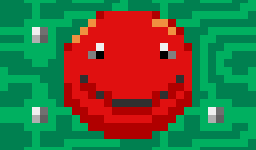
OpenSupaplex
Homebrew games
A puzzle game built around collecting infotrons and planning a route through hazardous levels.
- Store build
- 7.2.2
- Updated
- 31 Mar 2026
- SD path
sdmc:/switch/OpenSupaplex/OpenSupaplex.nro- Requires
- A homebrew-capable Switch and the complete Switch package. The game’s data files must stay with its executable.
Installation & file details
Extract the full ZIP to the SD card root. Preserve /switch/OpenSupaplex/ and all supplied game resources; copying only the NRO is insufficient.
Use the complete SD bundle. Its companion files must stay in the supplied folders.
OpenSupaplex-sd-package.zip6.9 MiBSHA-256: 3cd849233c6ddc0c2f2f6f2f12d83eaabe98c7cb617ec48fb1b43168419989a1Download file ·
Original file NRO paths inside the store ZIP:
switch/OpenSupaplex/OpenSupaplex.nro
Slide and combine numbered tiles in this Switch port of the 2048 puzzle game.
- Store build
- 1.2.0
- Updated
- 12 Mar 2026
- SD path
sdmc:/switch/2048.nro- Requires
- An existing Switch homebrew environment. The official release provides a ready NRO; no commercial game files are needed.
Installation & file details
Place 2048.nro in /switch/ and launch 2048 from hbmenu.
2048-sd-package.zip3.2 MiBSHA-256: 8082021738dd9fce8ef6604eb9967649d3da7e79324e6afeeb208ec53e952e2cOriginal file NRO paths inside the store ZIP:
Generate Sudoku puzzles with touch input, pencil marks and an optional music soundtrack.
- Store build
- 1.5
- Updated
- 10 May 2026
- SD path
sdmc:/switch/SuDokuL/SuDokuL.nro- Requires
- A homebrew-capable Switch. Use the complete Switch package and retain the provided game resources.
Installation & file details
Extract the complete ZIP to the SD card root, keeping the supplied SuDokuL folder and resources together.
Use the complete SD bundle. Its companion files must stay in the supplied folders.
SuDokuL-sd-package.zip5.2 MiBSHA-256: e6ab197e23bcb3db79947f400acc729a49d4b6ccca886be2160c1ad57bbeb245Download file ·
Original file NRO paths inside the store ZIP:
switch/SuDokuL/SuDokuL.nro
Play your Game Boy, Game Boy Color and Game Boy Advance dumps with a native Switch build of mGBA.
- Store build
- 0.10.5
- Updated
- 23 Mar 2025
- SD path
sdmc:/switch/mgba.nro- Requires
- An existing Switch homebrew setup and your own compatible ROM files. mGBA has a built-in BIOS implementation; an external BIOS is optional for supported features. No ROMs or BIOS dumps are supplied.
Installation & file details
Place mgba.nro in /switch/. Open it from hbmenu, browse to your own GB, GBC or GBA files and choose a game. Keep save files backed up before moving between emulator versions.
mGBA-sd-package.zip2.9 MiBSHA-256: 20be0f72699415c2b25036833863ae1c9221be72371511bd186b28ae11214f55Original file mGBA-0.10.5-switch.7z2.1 MiBSHA-256: ef7a7f5cea6d6639c8a12ebb282d915e444bf844b658ff5a4dd72886c8cfa016Original file NRO paths inside the store ZIP:
Run Nintendo DS software using the Switch-specific melonDS 7.2.1 recompilation.
- Store build
- 7.2.1
- Updated
- 25 Apr 2026
- SD path
sdmc:/switch/melonds/melonDS.nro- Requires
- Needs your own DS game dumps plus bios7.bin (16 KiB), bios9.bin (4 KiB) and firmware.bin (128, 256 or 512 KiB). This fork is a recompilation of 7.2 for newer HOS/Atmosphère changes; it does not claim universal game compatibility. Use application mode for memory-intensive emulation.
Installation & file details
Place melonDS.nro at /switch/melonds/melonDS.nro. Supply the required DS BIOS and firmware files at the paths configured by the emulator, then select your own DS game dump. A firmware boot needs an original DS/DS Lite firmware dump; reduced DSi/3DS DS-mode firmware is for direct game boot.
melonDS-sd-package.zip1.3 MiBSHA-256: a7a30f699d6f930800c5df9be3a150e0c0eafacfece836f1444c99134850d7c2Original file NRO paths inside the store ZIP:
switch/melonds/melonDS.nro
A standalone NES emulator based on Nestopia, with save states and the pEMU library interface.
- Store build
- 7.2
- Updated
- 19 Aug 2026
- SD path
sdmc:/switch/pnes/pnes.nro- Requires
- An existing Switch homebrew setup and your own supported NES/Famicom ROM files. This is the Switch NRO from pEMU, separate from its PC, Vita and PlayStation builds.
Installation & file details
Place pnes.nro in /switch/pnes/. Put your own ROMs in /switch/pnes/roms/, or configure another ROM path in config.cfg. Version 7.x can use gamelist.xml inside ROM folders for library media; the emulator supplies its default skin inside the NRO.
NRO paths inside the store ZIP:
A Switch Snes9x-based SNES emulator with save states, scaling and the pEMU library interface.
- Store build
- 7.2
- Updated
- 19 Aug 2026
- SD path
sdmc:/switch/psnes/psnes.nro- Requires
- An existing Switch homebrew setup and your own supported SNES ROM files. Performance and enhancement-chip support vary by game. Use the Switch build rather than pEMU assets for other platforms.
Installation & file details
Place psnes.nro in /switch/psnes/ and your own ROMs in /switch/psnes/roms/, or configure ROM directories in config.cfg. The current pEMU 7.x interface uses optional gamelist.xml files inside ROM folders; old db.xml instructions in historic store text are not the current 7.x library format.
NRO paths inside the store ZIP:
PPSSPP Standalone
Emulators
The preserved standalone PSP emulator port for Switch, with its required assets kept in one SD bundle.
- Store build
- 1.17.x (Sept 9, 2024)
- Updated
- 29 Apr 2025
- SD path
sdmc:/switch/ppsspp/PPSSPP_GL.nro- Requires
- Legacy compatibility: PPSSPP’s official page currently says this Switch port does not work on the latest Switch OS. Use only an already compatible setup; no numeric firmware range is guessed. Atmosphère title redirection is required by the port documentation. Supply your own PSP game dumps.
Installation & file details
Extract the entire store ZIP to the SD root, preserving /switch/ppsspp/ and its assets and configuration. Launch PPSSPP_GL.nro through Atmosphère title redirection. Do not use an NSP forwarder. Consult the official current-OS warning before trying this preserved build.
Use the complete SD bundle. Its companion files must stay in the supplied folders.
NRO paths inside the store ZIP:
switch/ppsspp/PPSSPP_GL.nro
Explore a randomly generated dungeon in a turn-based roguelike focused on careful decisions and survival.
- Store build
- 1.9.2-r2
- Updated
- 26 Nov 2020
- SD path
sdmc:/switch/brogue/brogue.nro- Requires
- A homebrew-capable Switch. This preserved 2020 Switch port has no documented current firmware range. It is a complete homebrew game and does not require a commercial ROM.
Installation & file details
Place brogue.nro in /switch/brogue/. Launch it through hbmenu. The release maps A to Enter and B to Escape; directional controls navigate, and optional custom key mappings use /switch/brogue/switch_keys.
BrogueCE-1.9.2-r2.zip4.2 MiBSHA-256: dc087224346dc18fcb4c83db4e518cb930f2b75be27182bcd26696bb6ff6ee24Original file NRO paths inside the store ZIP:
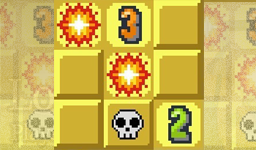
Minesweeper
Homebrew games
A touch-controlled Minesweeper game with adjustable board size, zoom and board dragging.
- Store build
- 2.0
- Updated
- 23 Jul 2018
- SD path
sdmc:/switch/Minesweeper/Minesweeper-Switch.nro- Requires
- A homebrew-capable Switch in handheld mode for touch input. The project documents touchscreen controls and Plus to exit. This older port has no documented current firmware range.
Installation & file details
Place Minesweeper-Switch.nro in /switch/Minesweeper/. Open it from hbmenu. Use touch input to reveal or flag cells, pinch to resize the board and drag to move it.
Minesweeper-Switch.nro1.6 MiBSHA-256: 7172be2da02fefdebde3745f15d9e7beb7f08472fad3a2cc86eb70811b22cc9dDownload file ·
Original file Minesweeper-sd-package.zip786 KiBSHA-256: 05e2739ef713395fa0b5ab1d2dd8661982af240e67d64bc849234345a5250490Original file NRO paths inside the store ZIP:
switch/Minesweeper/Minesweeper-Switch.nro

Space Game NX
Homebrew games
Pilot a ship through a compact arcade space shooter in this native Switch homebrew game.
- Store build
- 1.1
- Updated
- 4 Feb 2020
- SD path
sdmc:/switch/spacenx.nro- Requires
- A homebrew-capable Switch. This preserved 1.1 build is an older port; its release notes describe historical 5.x support, not a current firmware range. No commercial game files are required.
Installation & file details
Place spacenx.nro in /switch/ and launch it with hbmenu. Use the gamepad or the build’s optional touch controls. This Switch version has no music and differs from the Wii U game.
spacenx-sd-package.zip326 KiBSHA-256: 16261540d06f7d72a6c3eed34f40e2b0e19898b8bfe155840595b69750bd6238Original file NRO paths inside the store ZIP:
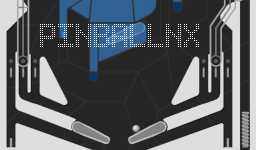
Play an original homebrew pinball table, designed for a portrait handheld screen with detached Joy-Cons.
- Store build
- 1.0
- Updated
- 19 Jun 2025
- SD path
sdmc:/switch/pinballnx/pinball.nro- Requires
- A homebrew-capable Switch and the complete runtime data folder. The 1.0 release is an older port with no documented current firmware range. Keep the table textures and other data files alongside the executable.
Installation & file details
Extract the complete store ZIP to the SD root so /switch/pinballnx/ contains pinball.nro and data_romfs/. Detach the Joy-Cons and rotate the display to portrait. L/R control the flippers, either stick down pulls the plunger, and Plus exits.
Use the complete SD bundle. Its companion files must stay in the supplied folders.
pinballnx-sd-package.zip4.3 MiBSHA-256: d7cf0fe4bee6b9859ea0141036b69946208a966b0e5a4cbbb6a3ea797d991073Download file ·
Original file pinballnx.zip4.3 MiBSHA-256: 3f59c6c263856815352f13ccc511a37a1071c32338f1831455ae220034459715Original file NRO paths inside the store ZIP:
switch/pinballnx/pinball.nro

Cpp-Snake-NX
Homebrew games
A small native Snake game for short arcade sessions on your Switch.
- Store build
- 1.1.0
- Updated
- 18 Sept 2019
- SD path
sdmc:/switch/Cpp-Snake-NX/Cpp-Snake-NX.nro- Requires
- A homebrew-capable Switch. This preserved 1.1.0 port has no documented current firmware range. No external commercial game data is needed.
Installation & file details
Place Cpp-Snake-NX.nro in /switch/Cpp-Snake-NX/ and launch it from hbmenu. Use the directional controls to steer the snake.
Cpp-Snake-NX-sd-package.zip291 KiBSHA-256: e02e63755c0a36b0dff3feacdfb5758b669041f5758a93613159fed4f1bc94c7Original file NRO paths inside the store ZIP:
switch/Cpp-Snake-NX/Cpp-Snake-NX.nro
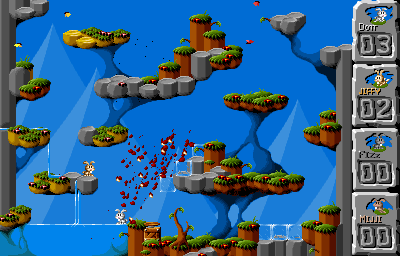
Jump n Bump
Homebrew games
A local multiplayer platform arena for up to four players, with support for split Joy-Cons.
- Store build
- 1.02
- Updated
- 12 Jun 2021
- SD path
sdmc:/switch/jumpnbump/jumpnbump.nro- Requires
- A homebrew-capable Switch and additional local players/controllers. The game is multiplayer-only. This is the Switch build, separate from the project’s Vita VPK; no current firmware range is claimed.
Installation & file details
Place jumpnbump.nro in /switch/jumpnbump/ or extract the store ZIP to the SD root. Up to four controllers are supported. Move with the stick or D-pad, jump with a face button, and press L on controller 1 to toggle split Joy-Con mode.
jumpnbump-sd-package.zip3.3 MiBSHA-256: d453f238c94eb36bceff45ed89cd3618d195ce339694ccdda90ba69022997bc6Original file jumpnbump_1.02_switch.zip3.3 MiBSHA-256: 7eb427e4fa4bed8397cba235b83a633b003d1df055126093965034422c9253eeOriginal file NRO paths inside the store ZIP:
switch/jumpnbump/jumpnbump.nro
See internal NAND user-storage and microSD free space, used space and capacity in a read-only dashboard.
- Store build
- 3.0.1
- Updated
- 18 May 2026
- SD path
sdmc:/switch/SpaceVue.nro- Requires
- A homebrew-capable Switch with the storage devices you want to inspect. SpaceVue reads storage information; it does not format storage or modify your files.
Installation & file details
Place SpaceVue.nro in /switch/ and launch it from hbmenu. Press A to refresh capacity figures, Minus to change the accent theme and Plus to exit.
SpaceVue-sd-package.zip3.4 MiBSHA-256: acd0e0fb41dc635e12a34461921649861e21bc86db4802f58649a6a3a1d2cc0fOriginal file NRO paths inside the store ZIP:
NXThemes Installer
Customization
Install compatible HOME Menu themes and Hekate boot images using the on-console NXThemes Installer.
- Store build
- nxt-3.0.2
- Updated
- 23 Sept 2026
- SD path
sdmc:/switch/Switch_themes_Installer/NXThemesInstaller.nro- Requires
- A compatible Atmosphère setup and a theme matching your HOME Menu version. The nxt-3.0.2 release documents firmware 23.0/23.0.1 support with Atmosphère 1.12.1 or newer. Match other firmware versions to the project notes; theme compatibility is separate from the NRO build version.
Installation & file details
Place NXThemesInstaller.nro at /switch/Switch_themes_Installer/NXThemesInstaller.nro, or extract the store ZIP to the SD root. Open it in hbmenu and follow its theme installation interface. Keep the console NRO separate from the PC-side NxThemeTool archive.
NXThemesInstaller.nro10.0 MiBSHA-256: 36ac0fac5477e08a176b2f155b8b3c170c1291004d943541348599bae8cf97a1Download file ·
Original file NXthemes_Installer-sd-package.zip5.2 MiBSHA-256: d45b52de0438d3176443dde162565609a7cfaec1dfaa4ec99f43ec9f99c476c9Original file NRO paths inside the store ZIP:
switch/Switch_themes_Installer/NXThemesInstaller.nro
SimpleModManager
Game mod tools
Organize and apply LayeredFS game mods using named per-game folders and presets.
- Store build
- 2.1.4
- Updated
- 24 Feb 2026
- SD path
sdmc:/switch/SimpleModManager/SimpleModManager.nro- Requires
- Atmosphère CFW and game mods matched to the exact title ID and game update. The manager does not make incompatible mods compatible. The selected store package no longer includes a Tesla overlay.
Installation & file details
Place SimpleModManager.nro in /switch/SimpleModManager/. Create /mods/<Game>/<Mod>/contents/<title-id>/romfs/ using each mod’s documented tree. Apply or disable the chosen mod in the app. Current upstream uses contents/; historic store examples using titles/ predate current Atmosphère layout.
SimpleModManager-sd-package.zip4.0 MiBSHA-256: ace860afe31286b9ff8569e040bd56d6c948ea094f889b67ab05f43144a527d6Original file NRO paths inside the store ZIP:
switch/SimpleModManager/SimpleModManager.nro
No results found matching your search.