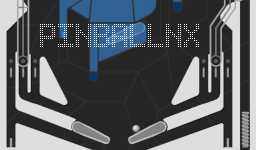
pinballnx for Nintendo Switch

Play an original homebrew pinball table, designed for a portrait handheld screen with detached Joy-Cons.

pinballnx for Nintendo Switch

Play a portrait pinball table

Play an original homebrew pinball table, designed for a portrait handheld screen with detached Joy-Cons.

Complete Switch SD bundle

pinballnx-sd-package.zip

Preserved build: 1.0 · 4.30 MiB

Extract to the microSD root and keep the supplied folders together.

Download SD bundle
Checksums, contents & source

4,507,287 bytes

SHA-256: d7cf0fe4bee6b9859ea0141036b69946208a966b0e5a4cbbb6a3ea797d991073

The ZIP paths, CRCs and embedded Switch NRO headers were checked.

Original file
Version, requirements & SD path

PlatformNintendo Switch
Preserved build1.0
Install pathsdmc:/switch/pinballnx/pinball.nro

A homebrew-capable Switch and the complete runtime data folder. The 1.0 release is an older port with no documented current firmware range. Keep the table textures and other data files alongside the executable.

These links preserve the verified version above. Check the linked release and your actual CFW/system version before installation.

Install & use pinballnx

  1. Keep all runtime filesExtract the SD ZIP to the card root so /switch/pinballnx/ contains pinball.nro and data_romfs/. Keep all table textures/data.
  2. Prepare the portrait displayDetach the Joy-Cons and rotate the handheld display to portrait as documented by the project. Open pinballnx from hbmenu.
  3. Use the flippers and plungerL/R operate the flippers. Pull either stick down to draw the plunger, then release to launch the ball.
  4. Exit with PlusPress Plus to close the game. This older 1.0 port has no documented universal current-firmware support.

Keep the complete file layout

sd:/switch/pinballnx/
├── pinball.nro
└── data_romfs/ [table data and textures]

If something does not work

A missing table needs a check that data_romfs is next to the executable. Check portrait orientation and controller arrangement before diagnosing input.

Project, images & file verification

pinballnx project icon from its Homebrew App Store listing. The original image bytes are retained with their source URL and checksum. Ready console files have matching local backup copies, with version, size and SHA-256 recorded. Original containers and older versions are preserved. No downloaded application was executed and physical-console operation was not tested.