2048 for Nintendo Switch

Slide and combine numbered tiles in this Switch port of the 2048 puzzle game.

2048 for Nintendo Switch

Play the number-merging puzzle

Slide and combine numbered tiles in this Switch port of the 2048 puzzle game.

Ready Switch NRO

2048.nro

Preserved build: 1.2.0 · 7.46 MiB

Copy the console NRO to the path shown below. This is a ready build; no compilation is required.

Download NRO
Checksums, contents & source

7,817,135 bytes

SHA-256: 51f6588000d899c58faadc4443f9550f4e4bcc93719fabb3dc0537ec11037ff5

The Switch NRO signature and section bounds were checked.

Original file

Version, requirements & SD path

PlatformNintendo Switch
Preserved build1.2.0
Install pathsdmc:/switch/2048.nro

An existing Switch homebrew environment. The official release provides a ready NRO; no commercial game files are needed.

These links preserve the verified version above. Check the linked release and your actual CFW/system version before installation.

Install & use 2048

  1. Install the ready gamePlace 2048.nro in /switch/. No build tools or separate commercial game data are needed.
  2. Open from hbmenuLaunch 2048 on your existing compatible homebrew setup.
  3. Combine matching tilesSlide the board in a direction to merge equal values. Plan moves to keep space available and build toward 2048. Use the game’s input prompts.

Keep the complete file layout

sd:/switch/2048.nro

If something does not work

Check that the file ends in .nro and is inside /switch/ if the game is missing from hbmenu. Consult the pinned release for launch issues before changing unrelated files.

Project, images & file verification

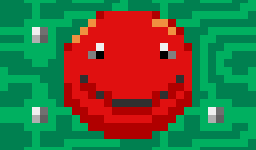
2048 project icon from its Homebrew App Store listing. The original image bytes are retained with their source URL and checksum. Ready console files have matching local backup copies, with version, size and SHA-256 recorded. Original containers and older versions are preserved. No downloaded application was executed and physical-console operation was not tested.