Nintendo 3DS Online with Pretendo & Nimbus

Set up Pretendo Network on a CFW-enabled 3DS or 2DS with the complete Nimbus package, plus NetPass, account guidance and online troubleshooting.

Nintendo 3DS Online with Pretendo & Nimbus

Get online with Pretendo

Pretendo Network provides replacement online services for supported 3DS games and features. Begin with its official 3DS guide and the complete Nimbus package below. Support varies by game, feature and public or test channel.

Which 3DS games work with Pretendo?

Source check: 2 November 2026. Public access and feature completeness are shown separately. Official announcements corroborate the linked releases; other entries are labelled as a community-maintained status listing. This is a support snapshot, not a live server test.

3DS game access and feature limitations · checked 2 November 2026
GameAccessFeatures & limitsEvidence
Mario Kart 7PublicFeature limitsRaces; rankings/ghosts incomplete.Community status listing
Animal Crossing: New LeafPublicFeature limitsCurrent Nimbus required; Dream Suite unavailable.Official Pretendo announcement/support
Feature notes
Kid Icarus: UprisingPublicListed for public play.Community status listing
Luigi’s Mansion 2 / Dark MoonPublicPublic access announced December 2025.Official Pretendo announcement/support
Super Street Fighter IV: 3D EditionPublicPublic access announced December 2025.Official Pretendo announcement/support
Monster Hunter 4 / 4G / 4 UltimatePublicFeature limitsMultiplayer; DLC is a separate service.Official Pretendo announcement/support
Feature notes
Monster Hunter Generations / XPublicFeature limitsMultiplayer; DLC support differs.Official Pretendo announcement/support
Feature notes
Monster Hunter StoriesPublicPublic access announced April 2026.Official Pretendo announcement/support
Super Smash Bros. for Nintendo 3DSPublicFeature limitsBattles; Spectate/Share incomplete.Community status listing
The Legend of Zelda: Tri Force HeroesPublicFeature limitsOnline play; friend-room limits remain.Official Pretendo announcement/support
Feature notes
Steel Diver: Sub WarsPublicListed for public play.Community status listing
IRONFALL: InvasionPublicListed for public play.Community status listing
Yo-kai Watch 2PublicFeature limitsOnline play; rankings incomplete.Official Pretendo announcement/support
Feature notes
Yo-kai Watch BlastersPublicFeature limitsRegional matchmaking restrictions apply.Community status listing
Dr. Mario: Miracle CurePublicPublic online play announced May 2025.Official Pretendo announcement/support
Super Mario Maker for Nintendo 3DSPublicFeature limits100 Mario Challenge; browsing unreliable.Community status listing
Team Kirby Clash DeluxePublicFeature limitsListed public; SpotPass unavailable.Community status listing
Pokémon Rumble WorldPublicFeature limitsListed public; SpotPass unavailable.Community status listing
Pokémon X / YTester onlyPSS trading/battles require tester access.Official Pretendo announcement/support
Feature notes
Pokémon Omega Ruby / Alpha SapphireTester onlyPSS trading/battles require tester access.Official Pretendo announcement/support
Feature notes
Monster Hunter XXTester onlyTester access; patch compatibility matters.Community status listing
F1 2011Tester onlyTester channel announced December 2025.Official Pretendo announcement/support
Feature notes
Metroid Prime: Federation Force / Blast BallTester onlyTester channel; Blast Ball scope.Official Pretendo announcement/support
Feature notes
Ice Station ZTester onlyLobbies/chat; limitations remain.Community status listing
Resident Evil: The Mercenaries 3DTester onlyListed tester-only.Community status listing
Puyo Puyo TetrisTester onlyListed tester-only; further testing needed.Community status listing
Resident Evil: RevelationsIn developmentNot a confirmed public release.Community status listing
RPG Maker FesIn developmentListed in development.Community status listing
Pokémon Sun / Moon / Ultra Sun / Ultra MoonUnconfirmedNo public support confirmed here.Community status listing

Pokémon X/Y and Omega Ruby/Alpha Sapphire PSS trading and battles are listed as tester-only. A community feature listing for a limited public feature does not make the full Pokémon online service public. No public support for Sun/Moon or Ultra Sun/Ultra Moon is confirmed in this snapshot.

Online & StreetPass downloads

Nimbus project screenshot

Nimbus

v2.2.0PretendoonlineNimbusLuma13+

Pretendo Network access through its official 3DS network switcher.

Requires: CFW-enabled 3DS / 2DS with Luma3DS 13+. Copy the complete ZIP and its support patches.

Setup & compatibility

Luma3DS 13+ and a prepared 3DS/2DS. Extract the COMPLETE combined 2.2.0 ZIP to the SD root: its IPS patches, certificate and plugin under /3ds/nimbus/update/ are required alongside the CIA or 3DSX. Follow Pretendo’s current guide to enable external FIRMs/modules and game patching. Keep the existing NNID.

Files, source versions & SHA-256
combined.2.2.0.zip
v2.2.0 · 2,229,686 bytes
SHA-256
159d34317c4c6db2dcf9224b0db471771daab42f3c0d6f7f463f3aedfdaef06a
Publisher source
Original file
Included folders and files
3ds\nimbus.3dsx, 3ds\nimbus\update\0004013000003802.ips, 3ds\nimbus\update\0004013000003202.ips, 3ds\nimbus\update\0004013000002902.ips, 3ds\nimbus\update\0004013000002E02.ips, 3ds\nimbus\update\0004013000002F02.ips, 3ds\nimbus\update\juxt-prod.pem, 3ds\nimbus\update\nimbus.3gx, 3ds\nimbus\update\update.txt, 3ds\nimbus\update\000400300000BD02.ips, 3ds\nimbus\update\000400300000BE02.ips, 3ds\nimbus\update\000400300000BC02.ips, cias\nimbus.cia
nimbus.3dsx
v2.2.0 · 1,676,316 bytes
SHA-256
1f48469c09ed94cb548f52bfb304f7347132c8760aa813d1fd7aba27087bcb22
Publisher source
Original file
nimbus.cia
v2.2.0 · 1,274,816 bytes
SHA-256
6840509d4a369f75b91b51e5642c1eb873448e2af1909709b82715672980e36c
Publisher source
Original file
NetPass artwork

NetPass

v2.1.1StreetPasssocialinternet

Exchange StreetPass encounters through the internet, independently of Pretendo’s game servers.

Requires: System software 11.15+ and current Luma3DS. Internet StreetPass encounters; separate from live game multiplayer.

Setup & compatibility

The project requires system software 11.15+ (11.17 recommended) and current Luma3DS. Install CIA on CFW or use3DSX with Homebrew Launcher. NetPass exchanges StreetPass encounters via virtual locations; it does not provide live game multiplayer or indicate Pretendo game support.

Files, source versions & SHA-256
netpass.cia
v2.1.1 · 8,274,880 bytes
SHA-256
1c5e6d353b3cdda1fcdfc92300b027574bdfdb07ba8b99c4d97a3cc5dc8b7326
Publisher source
Original file
netpass.3dsx
v2.1.1 · 8,218,356 bytes
SHA-256
2ea106c12498e9bb5caab7e9035e92ae538831e9ef3caedcfcb8c5894e6ecfab
Publisher source
Original file

Install the complete Nimbus package

  1. Prepare the console and connectionUse an already homebrewed 3DS/2DS with current Luma3DS; Pretendo’s guide requires Luma 13+. Check your SD backup and confirm the console’s Internet connection test succeeds.
  2. Copy the complete releasePower off before removing the SD card. Extract combined.2.2.0.zip at the SD root, preserving its folders. Back up existing files before applying the package. Keep the IPS patches, certificate and Nimbus plugin under /3ds/nimbus/update/ with the CIA or 3DSX.
  3. Enable the documented Luma optionsHold Select while powering on. Enable loading external FIRMs/modules and game patching, then press Start to save. These are the options in Pretendo’s 3DS guide.
  4. Launch NimbusFor HOME Menu use, install /cias/nimbus.cia with FBI. Alternatively open /3ds/nimbus.3dsx with Homebrew Launcher. Select Pretendo in Nimbus and follow its prompts. The selected network persists across restarts.
  5. Use a PNID when neededMany game services do not require a PNID, while some features do. Use the official guide to create one on the console or link an existing Pretendo account. Choose a PNID username different from the NNID already linked to this console.
  6. Check a supported titleConfirm the exact game, region, update, feature and service availability before testing. Keep the packaged Nimbus plugin available where the guide requires it. A working Nimbus installation does not establish support for every 3DS game.
SD:/
├─ cias/nimbus.cia       (HOME Menu installation)
├─ 3ds/nimbus.3dsx       (Homebrew Launcher option)
└─ 3ds/nimbus/update/
   ├─ *.ips             (service patches from the ZIP)
   ├─ juxt-prod.pem     (certificate)
   └─ nimbus.3gx        (packaged Nimbus plugin)

The separately extracted CIA/3DSX download buttons are conveniences. They do not replace the support files in the complete ZIP.

Which kind of online play?

RouteWhat it providesWhat to check
Pretendo + NimbusReplacement game and social services for supported titles/features.Current game support, public/test access, game update and service status.
CTGP-7 networkCTGP-7’s own Mario Kart 7 online modes, including CTWW.Current CTGP-7 launcher and server instructions; separate from assuming Pretendo routing.
NetPassStreetPass encounters delivered through internet-based virtual locations.The NetPass app and supported system setup. This does not provide live game matchmaking.
Local wirelessNearby multiplayer using the game’s local mode.Each game’s own region/update requirements; CTGP-7 requires the mod on every participating console.

Development progress percentages are not a guarantee that a game or feature is publicly playable. Check the project’s current notices before making account or system changes.

StreetPass over the internet with NetPass

NetPass is a separate service. Its installation guide requires system software 11.15 or later, recommends 11.17, and calls for current Luma3DS. Install the CIA or use the 3DSX, open the app and choose a virtual location. Encounters are exchanged with other visitors; this does not turn a game into real-time online multiplayer.

Connection and account checks

  1. Start with the connection testUse System Settings → Internet Settings → Connection Settings and run the connection test. If it fails before reaching the internet, check the router details, security key and wireless settings using Nintendo’s instructions before changing service files.
  2. Update the complete Nimbus installationThe 2.2.0 release says existing users must update to continue using the service and adds account-repair support. Check the release notes and official forum for your exact error code. Keep your original SD backup.
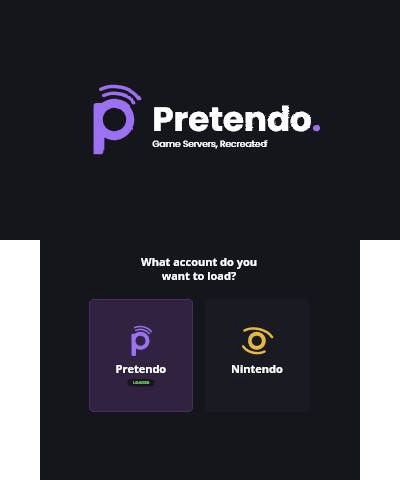
  3. Check the selected networkReopen Nimbus and confirm Pretendo is selected when testing a Pretendo-supported game. Select Nintendo to return to the original account environment; that choice does not restore discontinued Nintendo game servers.
  4. Protect existing account dataKeep the NNID linked. Use a different username for the PNID. Badge Arcade data can disappear when switching between networks because the saved data and service account differ; read Pretendo’s badge guidance before changing it.
  5. Separate support from connectivityA successful Wi-Fi test or PNID login does not mean every game, feature or test service is supported. Check the exact title, version and current service notices. Keep the error code, Nimbus version and Luma version when seeking help.

Official sources & verification