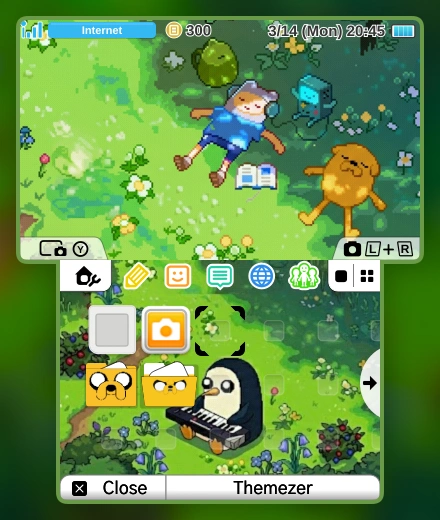
Adventure Time Home Screen
By TabaxiD
3DS / 2DS2026-10-04T10:03:11.653ZBGM included
Pair with my "Adventure Time NN3DSXL Waking Up" splash screen if you want to get a really smooth transition.
A 3DS/2DS with custom firmware and a HOME Menu supporting themes. Keep the original ZIP directly in SD:/Themes/ for Anemone3DS; Themezer-3DS uses the same folder. No New-model-only requirement is stated by the author.
Files, versions & SHA-256
- 1B6B0.zip
- 2026-10-04T10:03:11.653Z · 1,664,805 bytes · 1.59 MiB
- SHA-256
af2645f5af93ffb9d0f8576eb8dc95c3ec2804589e5808ba6e43b9b600509a32- Original source
- Publisher file
- Bundle contents
- body_LZ.bin, bgm.bcstm, preview.png, icon.png, info.smdh
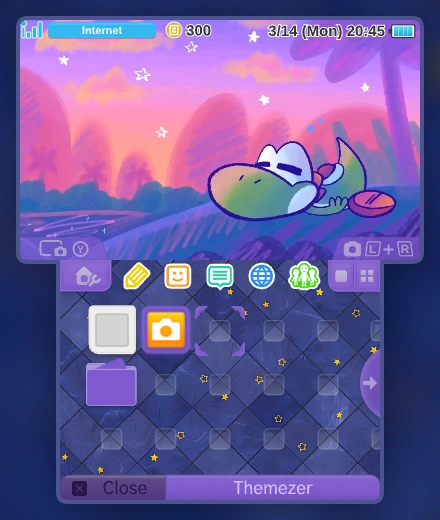
Sleepy Yoshi
By Gatto
3DS / 2DS2026-10-22T13:18:33.572ZBGM included
Inspired by my Wii U Theme
A 3DS/2DS with custom firmware and a HOME Menu supporting themes. Keep the original ZIP directly in SD:/Themes/ for Anemone3DS; Themezer-3DS uses the same folder. No New-model-only requirement is stated by the author.
Files, versions & SHA-256
- 1B453.zip
- 2026-10-22T13:18:33.572Z · 1,698,075 bytes · 1.62 MiB
- SHA-256
cdf6bd25802b3752834f14433fcedcfbae10bbd17f83390bcd13ed67139ee21e- Original source
- Publisher file
- Bundle contents
- body_LZ.bin, bgm.bcstm, preview.png, icon.png, info.smdh
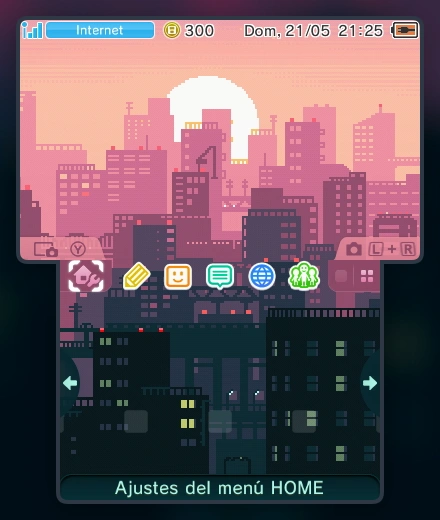
Pixel City
By Lihzahrd_Atlas
3DS / 2DS2026-06-26T18:11:00.366ZBGM included
Good Old Pixel City Theme by...well, me
A 3DS/2DS with custom firmware and a HOME Menu supporting themes. Keep the original ZIP directly in SD:/Themes/ for Anemone3DS; Themezer-3DS uses the same folder. No New-model-only requirement is stated by the author.
Files, versions & SHA-256
- 1B328.zip
- 2026-06-26T18:11:00.366Z · 3,111,788 bytes · 2.97 MiB
- SHA-256
c39375677c08d451e080f077af61865a018275a9c8765a30a3c1e1527f80bc07- Original source
- Publisher file
- Bundle contents
- body_LZ.bin, bgm.bcstm, preview.png, icon.png, info.smdh
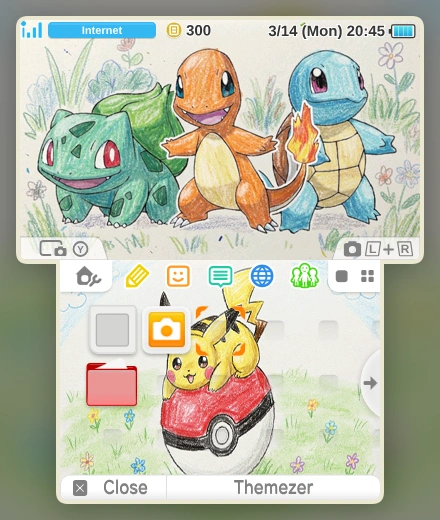
Pokemon - RGB x Y Starters
By Suzuki503
3DS / 2DS2026-10-27T18:11:14.255ZBGM included
Custom HOME Menu theme from Themezer’s 3DS / 2DS catalogue.
A 3DS/2DS with custom firmware and a HOME Menu supporting themes. Keep the original ZIP directly in SD:/Themes/ for Anemone3DS; Themezer-3DS uses the same folder. No New-model-only requirement is stated by the author.
Files, versions & SHA-256
- 1F4B6.zip
- 2026-10-27T18:11:14.255Z · 833,428 bytes · 813.9 KiB
- SHA-256
500f90721d305de13ce5f677c919a5d8a30c3ee6d3d503379283c125c87ccf51- Original source
- Publisher file
- Bundle contents
- body_LZ.bin, bgm.bcstm, preview.png, icon.png, info.smdh
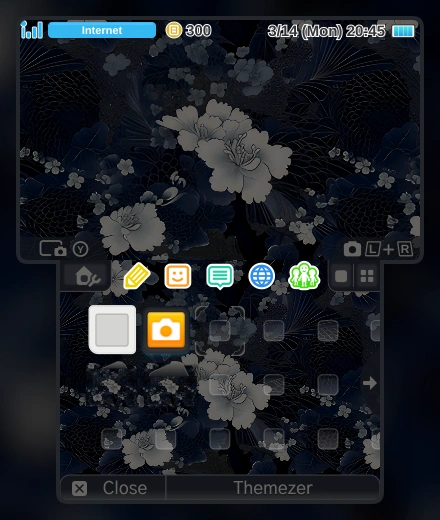
Kasumi
By morrisonion
3DS / 2DS2026-10-10T15:05:11.594ZBGM included
Theme inspired by Kasumi‘s default Theme
A 3DS/2DS with custom firmware and a HOME Menu supporting themes. Keep the original ZIP directly in SD:/Themes/ for Anemone3DS; Themezer-3DS uses the same folder. No New-model-only requirement is stated by the author.
Files, versions & SHA-256
- 1E965.zip
- 2026-10-10T15:05:11.594Z · 1,628,292 bytes · 1.55 MiB
- SHA-256
b736cd649d392c54b87016eee1b0d195e70226bf219d23bcd7cc4da9c60d613b- Original source
- Publisher file
- Bundle contents
- body_LZ.bin, bgm.bcstm, preview.png, icon.png, info.smdh
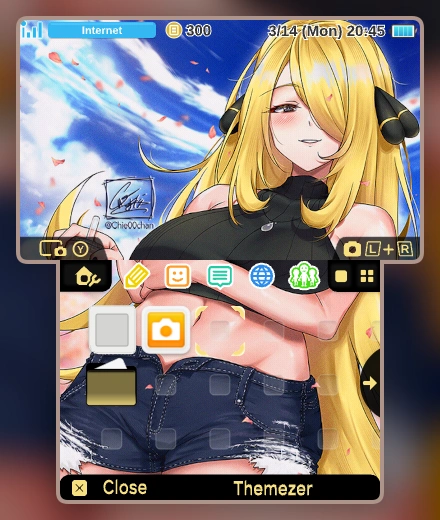
Cynthia
By yourbudpanda
3DS / 2DS2026-10-22T05:23:57.076ZBGM included
Custom HOME Menu theme from Themezer’s 3DS / 2DS catalogue.
A 3DS/2DS with custom firmware and a HOME Menu supporting themes. Keep the original ZIP directly in SD:/Themes/ for Anemone3DS; Themezer-3DS uses the same folder. No New-model-only requirement is stated by the author.
Files, versions & SHA-256
- 1F15B.zip
- 2026-10-22T05:23:57.076Z · 2,698,102 bytes · 2.57 MiB
- SHA-256
8045df8b3a25205d154561b05bb0fd2320b1430689622007c4ec66af99588780- Original source
- Publisher file
- Bundle contents
- body_LZ.bin, bgm.bcstm, preview.png, icon.png, info.smdh
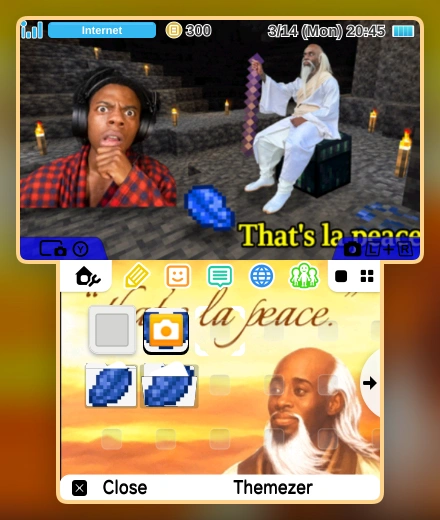
La peace
By Mason_McCrea
3DS / 2DS2026-09-12T23:46:04.546ZBGM included
La peace la peace
A 3DS/2DS with custom firmware and a HOME Menu supporting themes. Keep the original ZIP directly in SD:/Themes/ for Anemone3DS; Themezer-3DS uses the same folder. No New-model-only requirement is stated by the author.
Files, versions & SHA-256
- 1B5D9.zip
- 2026-09-12T23:46:04.546Z · 1,163,036 bytes · 1.11 MiB
- SHA-256
5fefffa377526118024256494cdd2218e8e9466ef45ee601b8834dfd2c4b306b- Original source
- Publisher file
- Bundle contents
- body_LZ.bin, bgm.bcstm, preview.png, icon.png, info.smdh
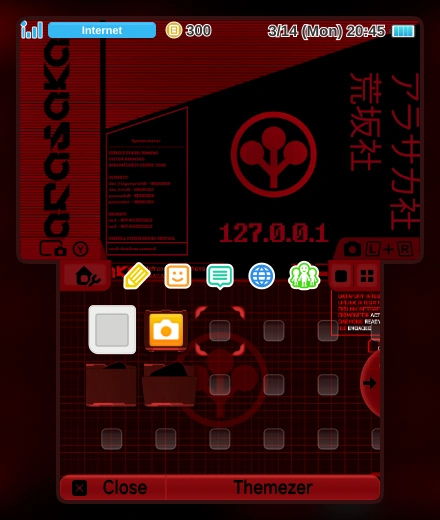
cyberpunk 2077 arasaka
By luielcherry
3DS / 2DS2026-10-08T06:05:50.636ZBGM included
Custom HOME Menu theme from Themezer’s 3DS / 2DS catalogue.
A 3DS/2DS with custom firmware and a HOME Menu supporting themes. Keep the original ZIP directly in SD:/Themes/ for Anemone3DS; Themezer-3DS uses the same folder. No New-model-only requirement is stated by the author.
Files, versions & SHA-256
- 1E944.zip
- 2026-10-08T06:05:50.636Z · 1,227,739 bytes · 1.17 MiB
- SHA-256
4e4ea2302a58b1a11c1278eebcc2ca15f0b3637cab4fc057c4656f660985897d- Original source
- Publisher file
- Bundle contents
- body_LZ.bin, bgm.bcstm, preview.png, icon.png, info.smdh
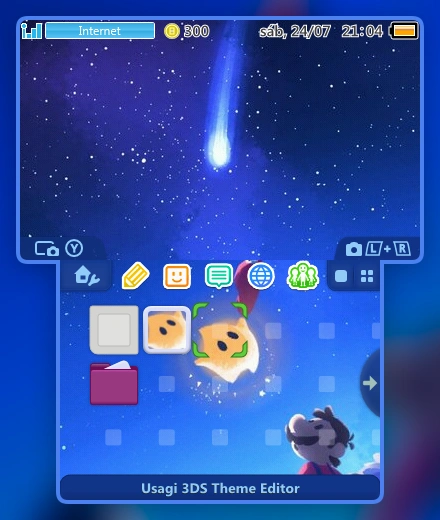
Galaxy Alpha v1
By Jaludex
3DS / 2DS2026-07-01T03:17:50.773ZBGM included
Just a Theme i did several years ago. Inspired by Super Mario Galaxy. Sadly, i don´t know the source of the background image, if someone knows it please leave it on the commets.
CFW-enabled3DS/2DS with a theme-capable HOME Menu. Keep the original ZIP in SD:/Themes/; install with Anemone3DS or Themezer-3DS.
Files, versions & SHA-256
- 1A2D6.zip
- 2026-07-01T03:17:50.773Z · 3,433,060 bytes · 3.27 MiB
- SHA-256
0fdda3ace8d4522fe048e243e33de6ef630f0e10d289bd506e08891ab4ca7c4a- Original source
- Publisher file
- Bundle contents
- body_LZ.bin, bgm.bcstm, preview.png, icon.png, info.smdh
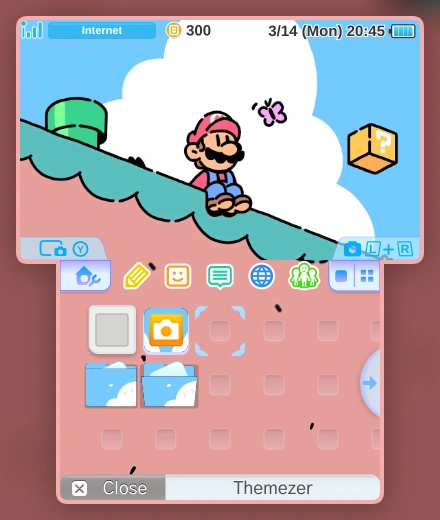
Mario
By Mazony
3DS / 2DS2026-08-20T14:43:42.970ZBGM included
This theme was made without ai i found this fan art on pintrest hope everyone likes it.
it took me so much time to make it and my favorite thing about it is the music and sound effects
CFW-enabled3DS/2DS with a theme-capable HOME Menu. Keep the original ZIP in SD:/Themes/; install with Anemone3DS or Themezer-3DS.
Files, versions & SHA-256
- 1B4AB.zip
- 2026-08-20T14:43:42.970Z · 2,892,435 bytes · 2.76 MiB
- SHA-256
0b3c7956543006408540748bc094d50006f6fa881466221a5ed18a6cdf9ed5f4- Original source
- Publisher file
- Bundle contents
- body_LZ.bin, bgm.bcstm, preview.png, icon.png, info.smdh
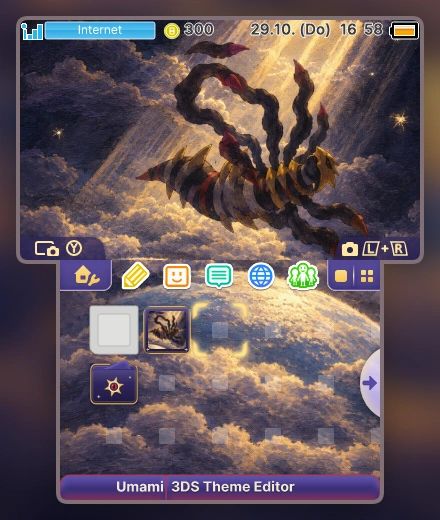
Giratina Distortion
By Alteration
3DS / 2DS2026-10-29T16:06:01.787ZBGM included
Giratina above the world, Omega Ruby / Alpha Sapphire battle theme.
CFW-enabled3DS/2DS with a theme-capable HOME Menu. Keep the original ZIP in SD:/Themes/; install with Anemone3DS or Themezer-3DS.
Files, versions & SHA-256
- 1F6DD.zip
- 2026-10-29T16:06:01.787Z · 3,831,317 bytes · 3.65 MiB
- SHA-256
bda2eaf15966b4c0845fcea47197fa7420bf5568dbeec9c8aa7c7157a91bcb10- Original source
- Publisher file
- Bundle contents
- body_LZ.bin, bgm.bcstm, preview.png, icon.png, info.smdh
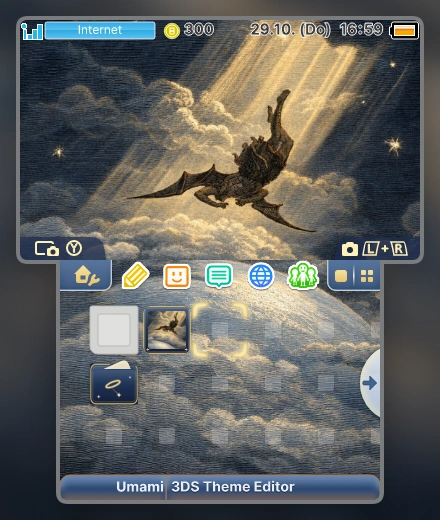
Paradise Lost
By Alteration
3DS / 2DS2026-10-29T16:04:22.710ZBGM included
The fall of the rebel angel, with Mahler's Resurrection finale.
CFW-enabled3DS/2DS with a theme-capable HOME Menu. Keep the original ZIP in SD:/Themes/; install with Anemone3DS or Themezer-3DS.
Files, versions & SHA-256
- 1F6DC.zip
- 2026-10-29T16:04:22.710Z · 3,727,130 bytes · 3.55 MiB
- SHA-256
acc58818bc743319e168c2368ab24778c64de02d594d1b81ac76ae0f7ae8e920- Original source
- Publisher file
- Bundle contents
- body_LZ.bin, bgm.bcstm, preview.png, icon.png, info.smdh
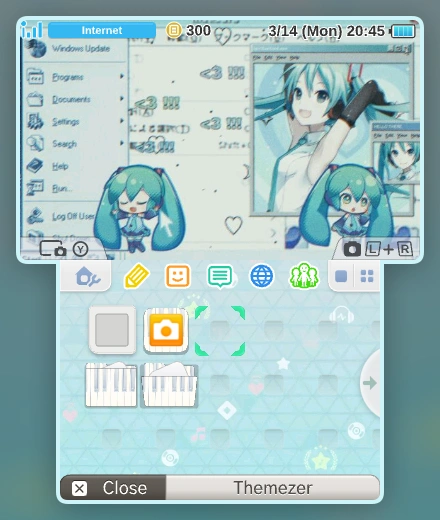
Hatsune miku!
By Bunbunz_
3DS / 2DS2026-10-27T06:11:56.174ZNo bundled BGM
Custom HOME Menu theme from Themezer’s 3DS / 2DS catalogue.
CFW-enabled3DS/2DS with a theme-capable HOME Menu. Keep the original ZIP in SD:/Themes/; install with Anemone3DS or Themezer-3DS.
Files, versions & SHA-256
- 1F43D.zip
- 2026-10-27T06:11:56.174Z · 355,638 bytes · 347.3 KiB
- SHA-256
f21df8a2a464ec15d19a273899f158b0f1dbfb0749b0336bc8aafd98c8b183eb- Original source
- Publisher file
- Bundle contents
- body_LZ.bin, preview.png, icon.png, info.smdh
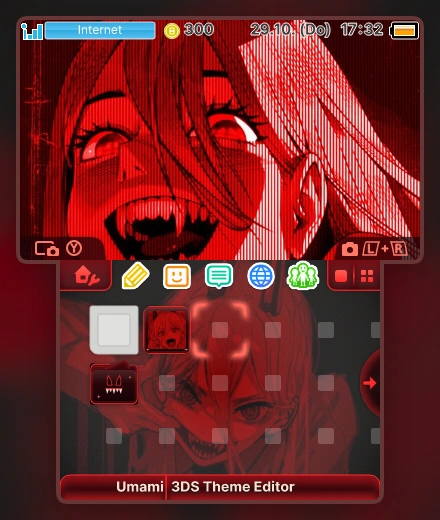
Power Blood Fiend
By Alteration
3DS / 2DS2026-10-29T16:35:09.483ZBGM included
Blood-red Power with a custom chainsaw sound set and music loop.
CFW-enabled3DS/2DS with a theme-capable HOME Menu. Keep the original ZIP in SD:/Themes/; install with Anemone3DS or Themezer-3DS.
Files, versions & SHA-256
- 1F6E5.zip
- 2026-10-29T16:35:09.483Z · 1,316,101 bytes · 1.26 MiB
- SHA-256
9ffad480ca481b587b9e0889ede1b9f052bf97e110399c656b20473d3d7898ac- Original source
- Publisher file
- Bundle contents
- body_LZ.bin, bgm.bcstm, preview.png, icon.png, info.smdh