FreeMcBoot 1.966
Memory cardSoftmodFMCBBoot menu
Memory-card boot menu for launching PS2 homebrew. Use a compatible console and card; late SCPH-900xx units with boot ROM 2.30 or newer and PS2 TV cannot start FMCB directly.
 whatwhatboy
PS2 homebrew setup with FreeMcBoot and OpenTuna, native ELF apps, NES and Sega emulators, SuperTux, Quake ports and OPL themes with exact downloads and storage requirements.
Memory-card boot tools, file managers, loaders and save utilities for real PlayStation 2 hardware.
Memory-card boot menu for launching PS2 homebrew. Use a compatible console and card; late SCPH-900xx units with boot ROM 2.30 or newer and PS2 TV cannot start FMCB directly.
Memory-card browser exploit for supported Fat and Slim PS2 systems, including later Slims that cannot autoboot FMCB. The project lists SCPH-18000 through SCPH-90010 and PS2 TV. Back up the card: installation deletes existing APPS, FORTUNA and OPENTUNA folders.
Choose the console build and read its requirements before copying files to your storage.

Game and ELF application loader with USB, network and internal-HDD options, virtual memory cards and controller features. Storage support depends on your hardware and build; this download is the stable 1.1.0 release.
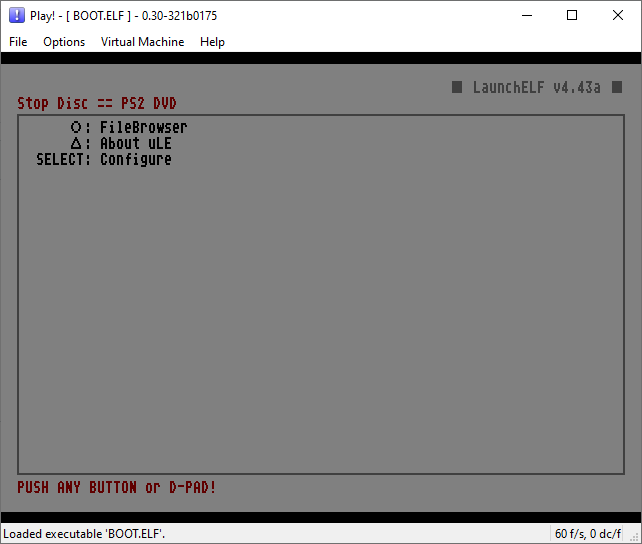
File browser and ELF launcher for memory cards, USB and other supported PS2 storage. Includes a text editor, hard-drive management and FTP support. The linked BOOT.ELF is an upstream development build.
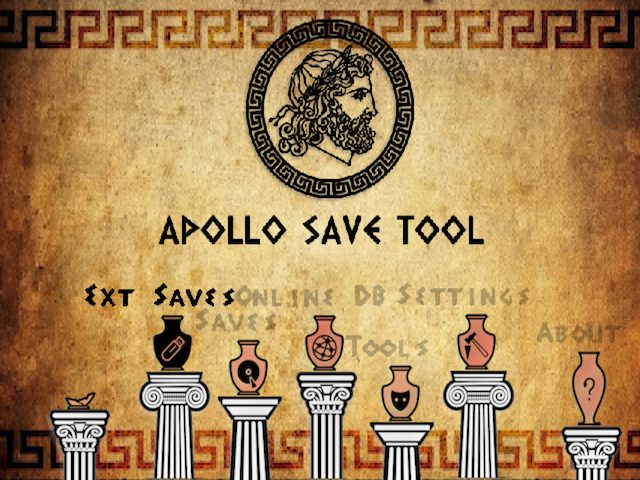
Manage PS2 and PS1 saves, import or export supported save formats, work with virtual memory cards and apply supported save patches. Keep original saves before editing or restoring them.
Inspect console identifiers, ROM versions and hardware information. The retail-console build also supports creating dumps from your own system for research; the separate PS2TOOL and desktop database builds are different downloads.
14 additional resources: six tools, three emulators, three games and two OPL themes.
14 resources
No resources match. Try another search or clear the filters.
Native console builds, with the exact package and hardware requirements.
Tools · 2.2.0
Create or restore full memory-card images and format cards on the PS2. The package separates normal retail cards from arcade, developer and prototype cards.
Keep the package as a backup, then copy the mca_new folder and its language files to USB. Launch its ELF. Dump the original card first. Restore, format and unformat operations change the selected card, so check its slot and keep a second backup.
USB:/APPS/MCA/ (copy contents of mca_new, including language files)SHA-256 86c2302454fbedd6168f02fc6992e4b93a8cf9f375122b01f12a0bc611558fb0Original release file SHA-256 def84b075f9352c2c66aa49de51d7257d878306d9bc838638d35eb8d9fd0fc72Extracted unchanged from MemoryCardAnihilator_v2.2.0.zip: mca_new/mca-packed.elf. The original package is also preserved.
mca_legacy/lang_de.lngmca_legacy/lang_en.lngmca_legacy/lang_es.lngmca_legacy/lang_fr.lngmca_legacy/lang_it.lngmca_legacy/lang_jp.lngmca_legacy/lang_pl.lngmca_legacy/lang_pt.lngmca_legacy/lang_pt_alt.lngmca_legacy/lang_ru.lngmca_legacy/lang_tr.lngmca_legacy/mca-packed.elfmca_legacy/mca.elfmca_new/lang_de.lngmca_new/lang_en.lngmca_new/lang_es.lngmca_new/lang_fr.lngmca_new/lang_it.lngmca_new/lang_jp.lngmca_new/lang_pl.lngmca_new/lang_pt.lngmca_new/lang_pt_alt.lngmca_new/lang_ru.lngmca_new/lang_tr.lngmca_new/mca-packed.elfmca_new/mca.elfmca_Arcade/lang_de.lngmca_Arcade/lang_en.lngmca_Arcade/lang_es.lngmca_Arcade/lang_fr.lngmca_Arcade/lang_it.lngmca_Arcade/lang_jp.lngmca_Arcade/lang_pl.lngmca_Arcade/lang_pt.lngmca_Arcade/lang_pt_alt.lngmca_Arcade/lang_ru.lngmca_Arcade/lang_tr.lngmca_Arcade/mca-packed_ARCADE.elfmca_Arcade/mca_ARCADE.elfmca_Prototype/lang_de.lngmca_Prototype/lang_en.lngmca_Prototype/lang_es.lngmca_Prototype/lang_fr.lngmca_Prototype/lang_it.lngmca_Prototype/lang_jp.lngmca_Prototype/lang_pl.lngmca_Prototype/lang_pt.lngmca_Prototype/lang_pt_alt.lngmca_Prototype/lang_ru.lngmca_Prototype/lang_tr.lngmca_Prototype/mca-packed_PROTOTYPE.elfmca_Prototype/mca_PROTOTYPE.elfmca_Developer/lang_de.lngmca_Developer/lang_en.lngmca_Developer/lang_es.lngmca_Developer/lang_fr.lngmca_Developer/lang_it.lngmca_Developer/lang_jp.lngmca_Developer/lang_pl.lngmca_Developer/lang_pt.lngmca_Developer/lang_pt_alt.lngmca_Developer/lang_ru.lngmca_Developer/lang_tr.lngmca_Developer/mca-packed_DEVELOPER.elfmca_Developer/mca_DEVELOPER.elfmca-new-retail-v2.2.0.elf
Tools · 0.964 · build c7679407
Inspect internal HDD identity and S.M.A.R.T. status, scan surfaces and check APA/PFS structures. This is an internal-drive diagnostic tool.
Extract the complete release and launch its ELF from your homebrew launcher. Begin with drive information. Back up saves and files before repairs: remapping writes to bad sectors, and zero-fill erases the disk. Keep generated scan logs with your backup.
Keep HDDChecker ELF and accompanying resources togetherSHA-256 7773ecbb9a443e7ad00b33ec2963ebecda8d191cd37f31457c7f277ad61fc724Original release file SHA-256 001033b8729c4be38e19fadcc3ed154caadc4e8ef4a84a490c66f57ce56c4655Extracted unchanged from HDDChecker-c7679407.zip: HDDChecker.elf. The original package is also preserved.
HDDChecker.elfHDDChecker-c7679407.elf
Tools · 1.1
Compare sequential and random internal-HDD read performance, inspect sector size and see supported UDMA modes. The tests measure different transfer paths through the IOP and EE.
Copy the ELF to your app folder and launch it with wLaunchELF or your boot menu. Select the read benchmark you need; compare like-for-like block sizes and transfer paths. Record the drive and adapter used.
USB:/APPS/HDDTEST/hddtester_compressed_v1.1.elfSHA-256 fae9a01c7339a5410cfe9fe2402268d3b767a92ac400e2b0753572ff86f20367Original release file hddtester_compressed_v1.1.elf
Tools · tests/pad release
Test controller buttons and analog input with the PS2 build of PCSX2’s pad test utility. This is a console ELF, separate from the desktop emulator.
Copy padtest_ps2.elf into an app folder and launch it through wLaunchELF. Work through the buttons and stick range while watching the displayed input. No game data or external BIOS file is needed.
USB:/APPS/PADTEST/padtest_ps2.elfSHA-256 0d0733034a3d0ad8b59f7daaea139c631caf466e3ade77405af495e1c441a41bOriginal release file padtest_ps2.elf
Tools · build 06a31aae · default
A native Ethernet loader for homebrew development. Send your own PS2 programs from a development computer after starting PS2Link on the console.
Extract the complete TAR.GZ. This checked bundle contains PS2LINK.ELF and IPCONFIG.DAT; the modules are embedded in the ELF. Keep the supplied files together. Set IPCONFIG.DAT to PS2 IP, netmask and gateway separated by spaces. Use addresses on your LAN, then start the ELF and connect your development client.
PS2LINK/PS2LINK.ELF + IPCONFIG.DAT (modules embedded)SHA-256 50ae3a67164cb0c82d429a470eaf82498b15b2887e26acee21f567238b24e522Original release file ps2link/PS2LINK.ELFps2link/IPCONFIG.DAT
Tools · 1.2.0 Beta 2271 · b3a2199
A separately labelled development build for users who want the OPL 1.2 line, including the themes below. The existing stable 1.1.0 entry stays available above.
Keep your existing stable OPL ELF and configuration backup. Put this ELF in its own folder and add a distinct boot-menu shortcut. Test it separately before changing your regular setup. Theme authors target OPL 1.2+, but these themes have not been tested on a physical console here.
USB:/APPS/OPL-1.2-Beta-2271/OPNPS2LD.ELFSHA-256 4b6d36eff917bbeb3d860fea7ca0b3dd38502c4f5b008803a1edf3f0edf12290Original release file OPNPS2LD.ELFThese downloads run on a physical PS2. Add your own compatible ROMs, MIDlets or required BIOS files.
Emulators · 0.3.3 · USB ELF
A native NES/Famicom emulator with a controller-friendly browser, save states, turbo buttons and multitap support. This is the standard USB-oriented ELF, not the separate CD/DVD build.
Copy the ELF and a separate ROM folder to FAT32 USB, launch it and choose a ROM in its browser. Configure a writable save path. Cross is A, Square is B and L1 opens the menu. ROMs and external BIOS files are not included. If upgrading from an old FCEUmm setup, back up the old FCEUltra.cnf and reset that configuration for this release’s controller mapping.
USB:/APPS/FCEU/fceu-packed.v0.3.3.elf + USB:/ROMS/NES/SHA-256 a41a3c5dfc0b9283046b905a131a1044625acd67c48d9d1d18af65e12ec51f4aOriginal release file fceu-packed.v0.3.3.elf
Emulators · 2.05 · 19d4108
The upstream PS2 build of PicoDrive for Sega Mega Drive/Genesis and related systems. Keep its skin and configuration files with the executable.
Extract the full PicoDrive folder to FAT32 USB and launch PicoDrive.elf. Select opens its menu. For CD games, keep BIN files with their CUE and load the CUE so track layout is preserved. BIOS files go beside the emulator as described in readme.txt. This standalone release does not use RetroArch BIOS filenames.
USB:/PicoDrive/{PicoDrive.elf,readme.txt,game_def.cfg,skin/}SHA-256 22f2abdf5a2f8a5f02c130c4722b7b08ddddd705a161c757c1e3917b0daf70e8Original release file PicoDrive/PicoDrive.elfPicoDrive/game_def.cfg
Emulators · 1.4.0
Run compatible Java ME MIDlets through a native PS2 launcher and the phoneME virtual machine. It supplies the runtime; add your own JAR applications.
Extract the release, put its ELF in mass:/PS2ME/ and add your own MIDlets to mass:/PS2ME/games/. bgm.adpcm is optional menu audio. Launch the ELF; Cross launches the selected game, Circle goes back and Select opens per-game options.
mass:/PS2ME/{PS2ME-v1.4.0.elf,bgm.adpcm,games/*.jar}SHA-256 973d62fa632d92cf275c677bdbfd8c6ad0b9e6274a64e6d8a43c7dafc5bd0c54Original release file SHA-256 53cacfc3360efeb8bcf9233289874ca402474076771c1528420aaa74d2f8e0c4Extracted unchanged from PS2ME-v1.4.0.zip: PS2ME/PS2ME-v1.4.0.elf. The original package is also preserved.
PS2ME/bgm.adpcmPS2ME/PS2ME-v1.4.0.elfPS2ME-v1.4.0.elfSuperTux is complete. The Quake ports require game data from a separate copy.
Games · PS2 port 0.1.1a · USB bundle
An open-source platform game starring Tux. This USB release includes the game’s levels and assets, so it is a complete homebrew game rather than an engine-only port.
Extract the USB ZIP to the root of your USB device, retaining both APPS/ and supertux.elf. Launch supertux.elf. Use Cross to jump and Square to run. The similarly named CD release has a different launch layout and is not this download.
mass:/supertux.elf + mass:/APPS/SUPERTUX/ (complete supplied tree)SHA-256 822b041bbd85bced2ed99e494cd4184bfc5badf9e6be9344f5615de49d6fe70cOriginal release file supertux.elf
Games · 1.1.0
A native Quake engine port with controller support and USB/HDD loading. The release provides the engine and folder layout; game data is separate.
Extract the release and keep the executable next to id1/. Add your PAK files without renaming them. Start the ELF from the same storage. Optional music goes in id1/music/ as documented WAV/ADP tracks; saves and settings use the memory card in slot 1 in this release.
Quake/{quake.elf,id1/pak0.pak,id1/pak1.pak (retail)}SHA-256 16e85c15b84a861a39b9b1ecf52f5401c91c654f325650b19849f3529f7fa29fOriginal release file q1ps2_release_1.1.0/id1/config.cfgq1ps2_release_1.1.0/quake.elf
Games · 3.22
A native Quake II engine port for PS2, supplied as a release bundle without the commercial game data. The desktop host-tools archive is a separate project download.
Extract the release, keeping quake2.elf next to baseq2/. Add your retail pak0.pak there. Optional video, music and player files remain in their documented subfolders under baseq2. Launch quake2.elf; do not substitute the separate Windows host tools for the console build.
Quake2/{quake2.elf,baseq2/pak0.pak}SHA-256 d9b3c6ded7c87edf212b6bd114f8f6dc36b8e9beda7147857bae543d44995b78Original release file q2ps2_release_3.22/quake2.elfq2ps2_release_3.22/baseq2/config.cfgTwo real UI themes from PixeliGer, with official previews and complete release packages.
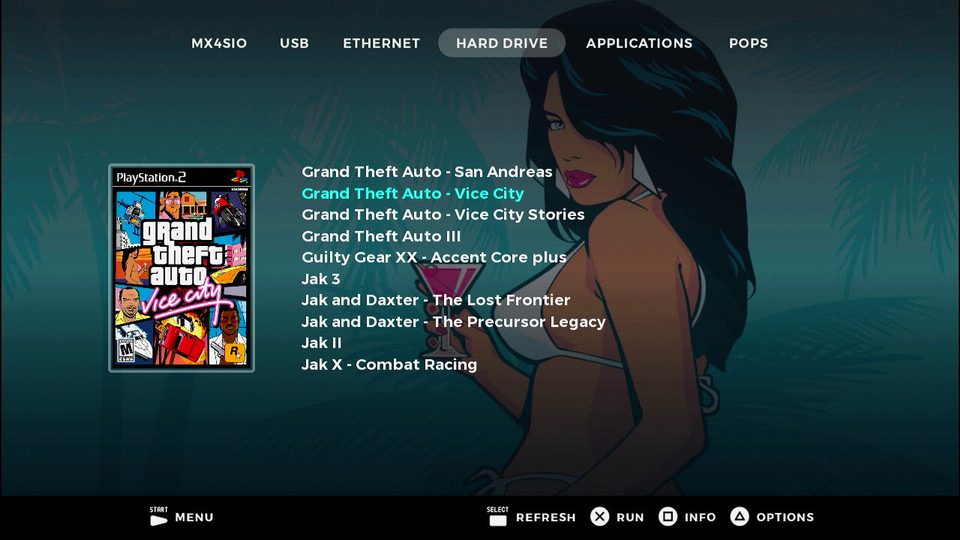
Themes · 1.0 · default
A handheld-style OPL interface with game artwork, designed by PixeliGer. The default package includes the actual theme configuration and assets.
Extract the complete thm_DeckyOS folder into THM/ on an enabled OPL device. Restart OPL, then choose Start > Display Settings > Theme. Retain conf_theme.cfg, images and fonts. The author advises against installing this theme on a memory card.
mass:/THM/thm_DeckyOS/conf_theme.cfg + all theme assetsSHA-256 23d3a957ae88b4af66e9c893bdcc05cca10278c5d69da72fad52bf36b88a723eOriginal release file thm_DeckyOS/conf_theme.cfg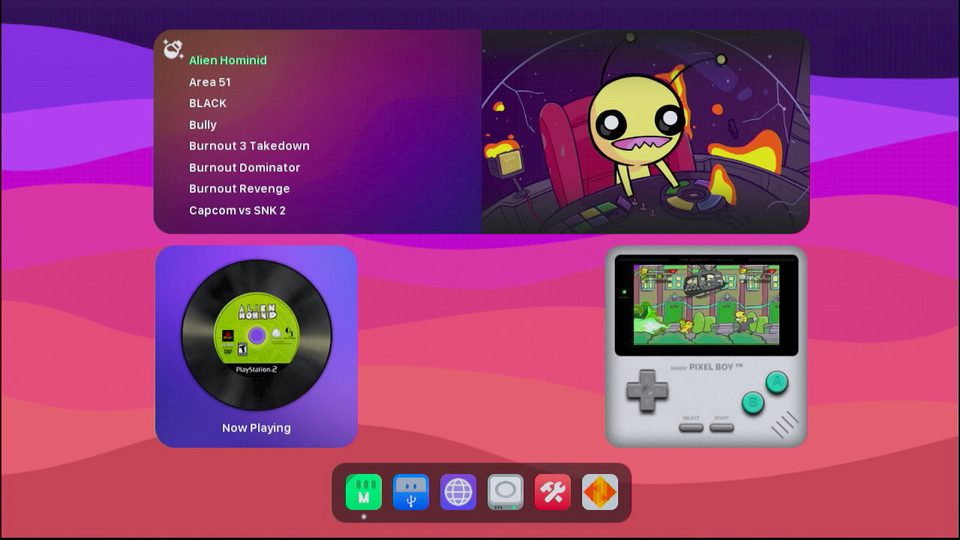
Themes · 1.0 · normal 4:3
PixeliGer’s tablet-inspired OPL interface. This is the normal 4:3 theme package, with its own fonts, images and configuration.
Extract the whole thm_PadOS folder into THM/ on your enabled OPL device. Restart OPL, then select it in Start > Display Settings > Theme. Keep every supplied file. Do not put this theme on the memory card; game ART and optional CFG information are separate.
mass:/THM/thm_PadOS/conf_theme.cfg + all theme assetsSHA-256 255d205cdd2348e530a38c8d419fcb2fec61f1b01e6796147ab0722ab8b630c4Original release file thm_PadOS/conf_theme.cfgUse storage supported by the app you are launching. Extract archives first; an ELF launcher starts the executable, while some apps also need their data folders in the documented location.
Back up original physical-card saves before importing or applying patches. Apollo supports physical memory cards and supported VMC images; follow its documented save-format rules.
Tool, emulator and game illustrations are original SVG artwork made for this catalogue; they are not gameplay captures. Theme previews are the maintainers’ screenshots.
Download versions and hashes were checked on 2 November 2026. Follow the linked release and setup documentation for known issues. Existing project artwork and credits remain in the original resources above.
Images use project logos, official app artwork and example interface screenshots. PS2Ident background artwork credits: pikiuperstar / Freepik, as included by the project.