Check model and firmwareRead Settings → System Settings → System Information. ARK-4’s live install route uses official 6.60 or 6.61 on retail 1000, 2000, 3000, Go and E1000/Street. Follow the project’s separate migration instructions if PRO, ME or another CFW is already installed.
Prepare the correct storageBack up the existing card and saves. Connect by USB or use a reader. Keep the Memory Stick/Go storage’s existing layout. The table below distinguishes the drive’s root from folders inside PSP.
Install ARK-4 live accessIn the final ARK4.zip, copy ARK_01234 into PSP/SAVEDATA/ and ARK_Loader into PSP/GAME/. On Go, put both on the same storage. Eject safely and launch ARK Loader from Game. It must be relaunched after a full reboot unless you separately install cIPL.
Add a native appExtract the selected binary archive. Put its complete app folder, including EBOOT.PBP and bundled resources, under PSP/GAME/. Launch it from Game → Memory Stick or System Storage. Do not copy the unextracted ZIP there.
Paths on the console
Content
Memory Stick (all models, Go M2)
PSP Go internal storage
Homebrew
ms0:/PSP/GAME/App/EBOOT.PBP
ef0:/PSP/GAME/App/EBOOT.PBP
ARK savedata
ms0:/PSP/SAVEDATA/ARK_01234/
ef0:/PSP/SAVEDATA/ARK_01234/
Themes
ms0:/PSP/THEME/
ef0:/PSP/THEME/
CXMB
ms0:/seplugins/cxmb/cxmb.prx
ef0:/seplugins/cxmb/cxmb.prx
On a computer, X:/ means the USB drive letter: X:/PSP/GAME/ maps to that device’s ms0:/PSP/GAME/ or ef0:/PSP/GAME/. An app may still use a hard-coded ms0 path; check its requirements. Street has no WLAN, so network features need another model. PC assistants and Vita VPKs are separate from these native PSP files.
PSP download catalogue
Search the exact files below. Open installation notes before copying a package.
18 downloads shown
No matching downloads. Clear filters to return to the catalogue.
ARK Team · ICON0 embedded in official PSP build
SetupEBOOT.PBP bundle
ARK-4 · final release
Pinned final ARK-4 custom firmware bundle. Upstream development has moved to ARK-5.
Requires: Retail PSP-1000, 2000, 3000, Go and E1000 (Street); official 6.60/6.61 for the live-loader route. Existing CFW needs the separate official migration instructions.
Installation & storage path
Copy ARK_01234 to PSP/SAVEDATA and ARK_Loader to PSP/GAME on the same storage device. Launch ARK Loader from Game. Follow the official cIPL guide separately for permanent installation.
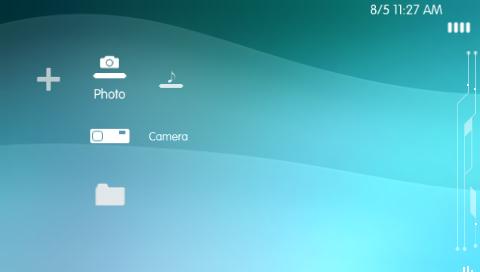
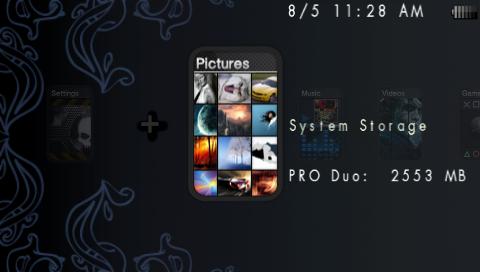
CXMB example: Jumbled theme · screenshot hosted by pspunk
PluginsPRX
CXMB · custom theme plugin
Theme plugin with relative-path loading fixes. Required for CTF themes; PTF files use the built-in theme menu.
Requires: CXMB 3.71–6.61 Classic / Infinity lineage. Use a CTF made for the exact firmware; the collection below is pinned to the distributor’s stated versions.
Installation & storage path
Save as ms0:/seplugins/cxmb/cxmb.prx (Memory Stick) or ef0:/seplugins/cxmb/cxmb.prx (Go internal). On ARK-4 enable only VSH/XMB through Custom Launcher plugin installation, then restart VSH.
Original author unlisted by distributor; hosted by pspunk · preview hosted by pspunk
ThemesCTF
Jumbled · CTF 6.60
A full XMB layout theme. Keep this 6.60-labelled original separate from PTF themes and converted CTF builds.
Requires: File is explicitly jumbled660.ctf. Distributor lists its collection for 6.60/6.61; use on 6.60 CFW + CXMB. No independent 6.61/ARK-5 compatibility claim.
Installation & storage path
Copy to ms0:/PSP/THEME/ or ef0:/PSP/THEME/. Enable CXMB in VSH/XMB, restart VSH, then choose it in Theme Settings.
Damián Parrino (bucanero) · ICON0 embedded in official PSP build
AppsEBOOT.PBP bundle
Apollo Save Tool
Manage PSP and PS1 saves, export/import and apply source-provided save patches.
Requires: Homebrew-enabled PSP. Save decryption requires game-specific keys; author documents SGKeyDumper / SGDeemer. Back up original saves before editing.
Installation & storage path
Extract APOLLO into PSP/GAME. Author scans Memory Stick saves in ms0:/PSP/SAVEDATA/ and PSP Go internal memory. Launch from Game.
File management, text editing, image/audio playback, archive extraction and FTP.
Requires: Custom firmware. Standard build covers regular PSP and PSP Go without external M2. Use GO-M2 build if the PSP Go has an external memory card.
Installation & storage path
Merge the archive’s PSP folder into the storage root, producing PSP/GAME/CMFileManager/EBOOT.PBP. Keep every file together. Select the GO-M2 ZIP for PSP Go with external M2; standard ZIP for other setups. FTP: START → FTP connection, anonymous login, port 1337. Street has no WLAN.
Requires: Homebrew-enabled PSP. The project lists PSP-1000 PHAT and PSP-2000+ SLIM. This download is pinned to the recorded nightly build and checksum.
Installation & storage path
Author: extract the folder inside the PSP ZIP into PSP/GAME. Preserve all included maps and data.
Notaz and irixxxx contributors · ICON0 embedded in official PSP build
EmulatorsEBOOT.PBP bundle
PicoDrive
Sega emulator; this asset is the native PSP build.
Requires: Homebrew-enabled PSP. Supply your own ROMs. Sega/Mega CD requires a suitable user-supplied BIOS. Feature availability and speed depend on PSP build and game.
Installation & storage path
Extract and retain the complete PSP package under PSP/GAME/PicoDrive. Consult included README for supported ROM and BIOS names.
WagicProject contributors · PIC1 embedded in official PSP build
GamesEBOOT.PBP bundle
Wagic, the Homebrew
Customizable card game engine with computer opponents.
Requires: Homebrew-enabled PSP. This PSP package already contains WTH/Res game resources. The separate core archive is also preserved as an optional resource package; it is not a second required installation.
Installation & storage path
Copy the complete WTH folder to PSP/GAME/WTH/. Keep WTH/Res beside EBOOT.PBP. The optional matching core ZIP contains the resource folders at its root; these correspond to WTH/Res/, not PSP/GAME/ itself.
Nathan Bourgeois (IridescentRose), MotoLegacy / CrossCraft · PIC1 embedded in official PSP build
GamesEBOOT.PBP bundle
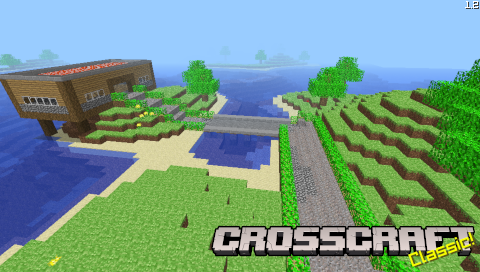
CrossCraft Classic
Independent implementation of Minecraft Classic creative building.
Requires: Homebrew-enabled PSP; project is archived (May 2024). Official project describes Classic v0.30 creative mode, saves and multiplayer; not a Minecraft Java/Bedrock binary.
Installation & storage path
Create PSP/GAME/CrossCraft/ and extract all six files from the PSP ZIP into it: EBOOT.PBP, CrossCraft-Classic.prx, default.zip, config.cfg, LICENSE and README.md. Preserve default.zip as the bundled data archive. Multiplayer needs a WLAN-equipped model.
Sort XMB apps, alphabetize categories and manage PSP Go storage.
Requires: Custom firmware. On PSP Go run from Memory Stick to access Memory Stick storage. Categories can use author's bundled plugin or an existing category_lite.prx.
Installation & storage path
Author: copy PSP/GAME/Homebrew Sorter Ultimate to the matching PSP/GAME directory. No Animations edition omits animation frames and XMB song. Use Storage Device selector for Memory Stick/System Storage.
On-device downloader with a homebrew database and ZIP installation support.
Requires: Custom firmware and a WLAN-equipped PSP for downloads. This homebrew-db package contains a homebrew catalogue. Content requiring a license also requires your own valid console activation and license.
Installation & storage path
Copy the full PKGI folder to PSP/GAME/. The homebrew-db asset includes the homebrew list. Config and pkgi.txt live with the app. PSP Go defaults to internal ef0 storage; set storage ms0 in its config to choose Memory Stick. Network use requires WLAN.
ScummVM team · PIC1 embedded in official PSP build
EmulatorsEBOOT.PBP bundle
ScummVM
Adventure game interpreter with a current native PSP package.
Requires: Homebrew-enabled PSP and supported game data you own or official freeware data. All plugins must match exact ScummVM version. 81 MiB official PSP package; updated 18 October 2026.
Installation & storage path
Copy the full scummvm folder to PSP/GAME/. Keep its exact-version plugin folder and kbd.zip with EBOOT.PBP. Add supported game data through the launcher. Source paths: ms0:/scummvm_savegames/ and ms0:/scummvm.ini; check ARK Go redirection before assuming an ef0 path.
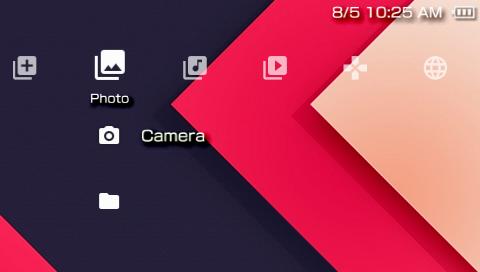
PTF: use the PSP theme menuCopy a .ptf to PSP/THEME/ on the selected device and apply it in Settings → Theme Settings → Theme. The distributor lists the included PTF files for 6.60/6.61 on official or custom firmware.
CTF: match firmware and install CXMBThe included originals are 6.60-labelled CTF files. Use compatible 6.60 CFW with CXMB; a theme’s file extension alone does not prove support for another firmware. Copy the CTF to PSP/THEME/.
Enable CXMB in ARK-4Copy cxmb.prx into seplugins/cxmb/. In ARK Custom Launcher’s file browser, select the PRX, install it for VSH (XMB), and enable it. Restart VSH, then open Theme Settings. Do not register this XMB plugin as always or Game.
Classic PRO/ME configurationFor those CFWs, the CXMB readme specifies ms0:/seplugins/cxmb/cxmb.prx 1 (or ef0:/seplugins/cxmb/cxmb.prx 1) as the first line of seplugins/VSH.txt. Restart VSH after changing it. ARK-4 has its own plugin manager and configuration format.
Reviewed 2 November 2026. Downloads were inspected as data: ZIP CRCs, native PBP headers and section offsets, PRX signature and theme container headers. File sizes and SHA-256 values identify the archived originals. Project artwork is extracted from each official build or credited to the theme distributor. Physical PSP installation and performance have not been tested here.