
PS5 UMTX2 Jailbreak · 1.00–5.50
Use idlesauce’s UMTX2 browser route on its listed PS5 firmware versions, then check the payload menu and ELF loader.
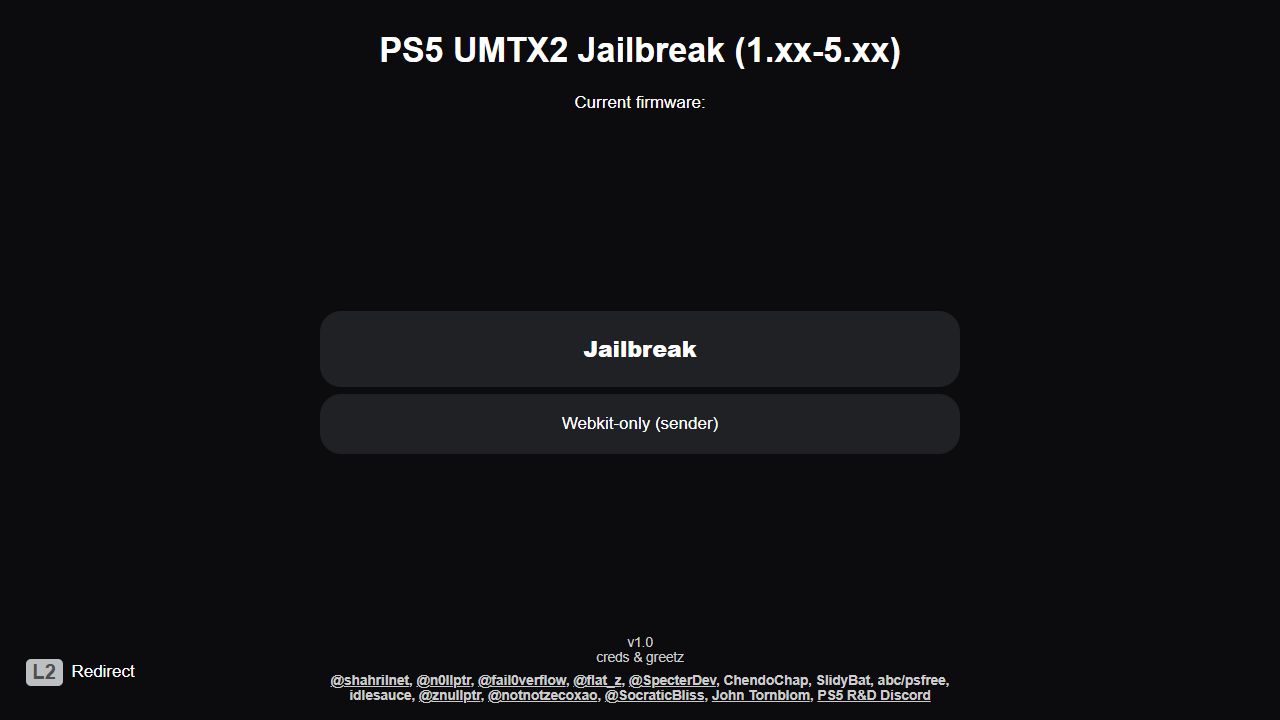
Check your exact firmware
- 1.xx
- 1.00, 1.01, 1.02, 1.05, 1.10, 1.11, 1.12, 1.13, 1.14
- 2.xx
- 2.00, 2.20, 2.25, 2.26, 2.30, 2.50, 2.70
- 3.xx
- 3.00, 3.10, 3.20, 3.21
- 4.xx
- 4.00, 4.02, 4.03, 4.50, 4.51
- 5.xx
- 5.00, 5.02, 5.10, 5.50
Open the host in the PS5 browser
Open this address on the console:
Use your existing compatible browser entry or User’s Guide redirect. A browser shortcut package requires package-installation access first. The UMTX2 project also includes a self-host option; its inherited setup redirects manuals.playstation.net to the computer hosting the page, with that computer’s LAN address as DNS.
Run UMTX2 · step by step
- Check the host’s firmware displayThe page checks the console firmware against its allowlist. Stop if it reports an unsupported version.
- Choose JailbreakUse the normal Jailbreak button for initial kernel access. The Webkit-only (sender) option expects a loader that is already running; it does not start the kernel chain.
- Follow the on-screen progressThe host can reload and retry after an error. Wait for its payload screen and listening address before sending anything. An error or console restart does not confirm success.
- Check the loader resultThe build attempts to start John Tornblom’s ELF loader on TCP port 9021 and also exposes its older port 9020 loader. Read the displayed IP address, ports and any loader errors.
- Choose one compatible payloadUse the payload menu or your matching sender. Check that the payload supports your exact firmware and the loader being used, then confirm its result before adding another.
After the loader is working
A successful browser exploit does not establish compatibility for every PS5 app or payload. Use each project’s firmware requirements when choosing homebrew. Y2JB installation is a later setup step that needs its own supported firmware and working homebrew access.