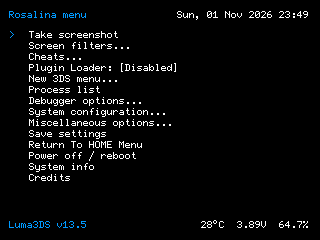
Luma3DS CFW
Custom firmware for the 2DS / 3DS family, including New models. It runs through a persistent exploit such as boot9strap; an archive alone does not install CFW on a stock console.
 whatwhatboy
Core homebrew utilities, Checkpoint, PKSM, Anemone3DS, 3DShell and the other native apps with their correct formats.
13 resources shown
No resources match. Clear the filters to browse everything.
The six established resources and their pinned releases are preserved.
Custom firmware for the 2DS / 3DS family, including New models. It runs through a persistent exploit such as boot9strap; an archive alone does not install CFW on a stock console.

A full-access file browser for NAND backups, cartridge dumping and system maintenance. Follow its usage guide before making writes to system storage.

Find, install and update homebrew from Universal-DB and other Unistores directly on the console. Includes app search, screenshots and a download queue.

Back up and restore supported game saves and extdata. Use the 3DS CIA on a prepared 2DS / 3DS, and keep an original backup before restoring or editing saves.
Access SD-card files from an FTP client on your local network. This CIA is the 2DS / 3DS build, separate from the Nintendo DS binary.
Launch DS-mode homebrew on a CFW-enabled 2DS / 3DS. Follow the 3DS-specific installation steps; its package differs from the DS flashcard and DSi builds.
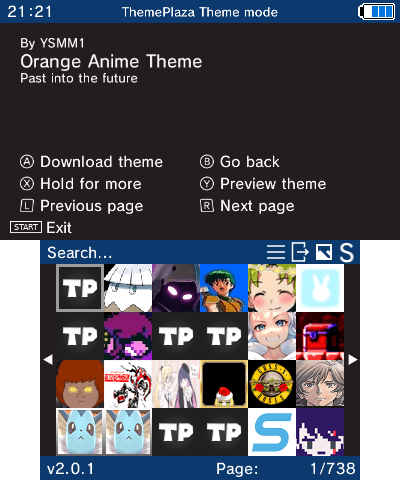
Manage HOME Menu themes, boot splashes and badges.
Setup: Luma3DS custom firmware; CIA installs to HOME Menu, 3DSX runs through Homebrew Launcher. Theme folders or ZIPs belong in /Themes; splash folders in /Splashes. Open HOME Menu theme settings once first. Region-changed systems must use a functioning HOME Menu/theme extdata for their installed region.
a9ef85b8993c18c98fa07218d56fb1788c853e020757cf6643ca929bbfc265f0937d611274652254d4d4945c14fda21ff698bb8a11149623d233f6560beacdea
On-console Pokémon save manager and editor with storage banks.
Setup: Supported Pokémon save files; back up each save in Checkpoint before editing. It manages saves, it does not supply the games. Internet is used to obtain verified additional assets. See project wiki for exact generation/title/save support.
0a35e15d78d9e70ac390d20147b84c95678771e512ff129787fb6940b5b62b2a8882cdf5040807dc7dd34587b3443638e47d821f136d07da3b749c2e415ed485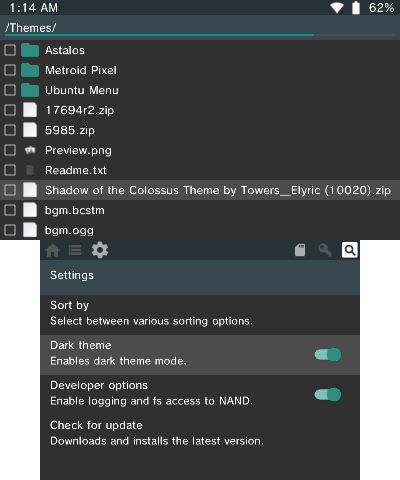
File manager for browsing and organizing files on the console SD card.
Setup: Use stable v5.1.0 rather than the separately published next-v1.00 prerelease. CIA needs custom firmware; 3DSX needs Homebrew Launcher. Keep a PC backup before moving/deleting files, especially Nintendo 3DS and save data.
4aad463feb869bf58dce06bb9cfcf76f364a93439d954029bf46bdbb9ebc07f2a48987744844e97f112c2ea0efe9920ba90397814027d20317d9faa51682b657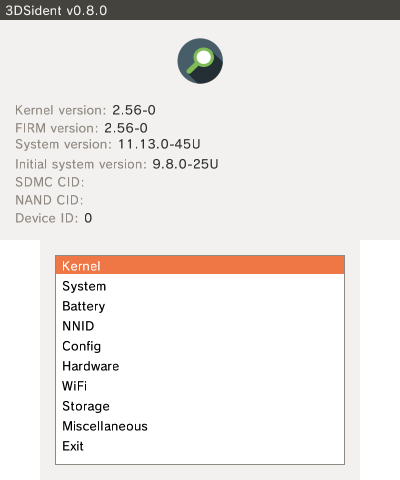
Read hardware, firmware, battery and system information directly on the handheld.
Setup: Runs as CIA on a custom-firmware system or 3DSX in Homebrew Launcher. Useful for identifying the actual Old/New model before choosing model-limited software. No BIOS or game data needed.
ae5e7a8bab4ab9b57122a03449a476a3576d6a88d506b701ee6bdb6b99267f2a6c1ba22d75ed4d529af2d1711fb2d9042976b35d5d42af4858f47f74e5db3ad0Nintendo Homebrew archive of the original FBI title manager release.
Setup: Archived FBI 2.6.1 release, not a new fork version. Use on a system already running custom firmware. CIA files are installers; install only software you trust and keep homebrew 3DSX separate from installed titles. Follow 3ds.hacks.guide finalizing setup for initial FBI installation.
634f0bfdca5506e14b1dd706541eefff30d9d083ab1a7bfe2bf40ae73004e3fa09b535826caa9b04a682ec07e0df605b5d8774af35b4dd77955e6c913df1a48bDump the handheld DSP firmware needed by homebrew audio applications.
Setup: Creates /3ds/dspfirm.cdc from your own console. Use the DSP1 CIA or 3DSX; DSP2 is an alternative CIA with automatic self-removal and is intentionally not selected here. No downloaded DSP firmware is supplied.
ce95f0db8fe4a6025be4de7e4ccdf5ea5974b87b316abf9363becec4f3bd01a7ecd90662e563e5efd0171a8afbe8e3860f6c26ae9b2ccfc003baf45dfb12118cBrowse and install actual 3DS/2DS themes, boot splashes and badges from Themezer on the handheld.
Setup: Luma3DS custom firmware and a working HOME Menu with Change Theme support. Install the CIA using FBI, or copy the 3DSX to /3ds/ for Homebrew Launcher. Themes use /Themes, splash packages /Splashes and badges /Badges; cache/settings use /3ds/themezer-3ds/. This is the 3DS app, not the Switch NXThemes installer. Region support depends on the installed HOME Menu; do not region-change a console solely to install themes.
2df771ee942fd418b2808b3de02a1ac71873d119214f004e7ff53c41f9b70acd188952d96b517813082ab6acc9772e69d70a1da0a1a3df7e7677ac4c12c8de54