PS4 archive downloads

Choose a complete console file pack, preserve its directory layout and follow the exact game update and title ID. Downloading an archive does not install a mod.

PS4 archive downloads

Ready files and complete support packs

Use a direct PRX only to replace a matching installed build whose support files are already present. A fresh installation still needs the complete directory layout, configuration and license.

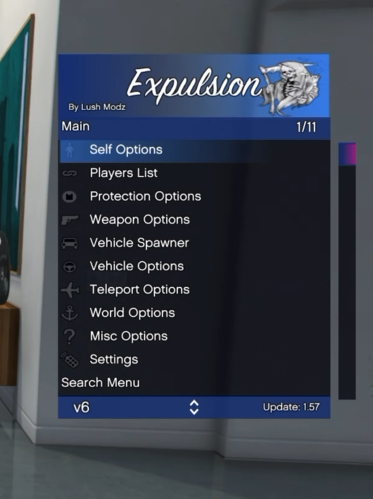
Expulsion V5.0 · direct files

Merge the complete data and user support trees into /data and /user. Keep the maps directory and existing saves. Merge the exact PRX entry under CUSA00419 in your existing plugins.ini. Direct PRX download alone is appropriate only for a matching installation with its support files already present.

Individual files and documented console paths

Expulsion V7.0 · direct replacement files

Use the full ZIP for a new installation: merge PS4/data and PS4/user, preserve existing custom files and match the title ID. The direct PRX is a replacement option for a matching installed support tree. The Lua scripts need this Expulsion build and its documented API; desktop Python background tools remain in the original archive and are not console payloads.

Individual files and documented console paths

A ZIP option for Expulsion V5.0

ZIP SHA-256: 633093c6b25571db7782495488268aa21f8603c0613ba5f2c5e16b1b97fa0447

Extract first, then place the files

  1. Save the complete packChoose an existing folder on internal storage or a writable USB file drive. Keep the archive until you have verified the extracted copy.
  2. Extract the archiveUse an archive tool that supports its format. The pinned ezRemote client supports ZIP, RAR and 7z through libarchive. Use Folders & extraction in the console downloader for a reviewed archive, or its native file manager for other files. The stock browser itself does not extract archives. Renaming .rar to .zip does not convert it.
  3. Preserve the supplied layoutFor this Expulsion build, merge its data folder into /data and its user folder into /user using your file manager. The downloader deliberately saves to a file-storage folder; it does not install into system paths. Keep existing saved maps.
  4. Configure the matching gameThe supplied installation text places LushModz-Expulsion-1.57.prx in /data/GoldHEN/plugins/. Merge its entry under [CUSA00419] in your existing configuration rather than replacing unrelated plugins. Fully close and restart GTA V. The included scripts directory does not currently inject scripts.

What the other inspected RARs contain

  • Sheriff RDR2: contains Sheriff-132v106.prx, an example plugins.ini and readme. It targets the listed RDR2 1.32 build. Keep the full original; do not blindly replace an existing plugin configuration.
  • BO1 / BO2 GSC injector pack: contains a menu directory tree with multiple GSC files. A single loose script is not an equivalent replacement for the complete directory pack. Preserve its layout and use the exact injector guide.
  • Only the Expulsion pack was converted because its embedded license explicitly permits redistribution with the notice. Other archives retain their original download format.