1.03.1190 all-inclusiveMario Kart WiiZIP · mod data + Wii launcher
Custom tracks, time-trial features and Wiimmfi racing through CTGP Revolution.
Wiimmfi · built into CTGP
Requires: A working Mario Kart Wii retail disc, Wii or Wii U vWii, Homebrew Channel and an SD card. The official download page specifies at least 768 MB; this newer all-inclusive package is larger, so allow the unpacked size below plus update space.
Compatibility. PAL / NTSC-U / NTSC-J discs. Korean discs are excluded by the project. Wii Mini and Dolphin are not offered for this package.
Storage and launch. Extract the complete package to the SD root and launch its CTGP app through Homebrew Channel with the disc inserted. Preserve the supplied ctgpr, apps and riivolution structure. Use the CTGP updater before online play; back up existing CTGP settings and My Stuff first.
Packaged launch files
/apps/ctgpr/boot.dol · native header verified
Keep these top-level paths:apps, boot.elf, ctgpr, licenses.txt, readme.txt, riivolution
Disc selectors from the supplied XML (unmodified attributes):
riivolution/mkwiiriivoslottest.xml
Disc selector: game RMC, disc 0, version 0. Regions: PAL (P).
riivolution/mkwiiriivoslottestnstcj.xml
Disc selector: game RMC, disc 0, version 0. Regions: Japan (J).
riivolution/mkwiiriivoslottestnstcu.xml
Disc selector: game RMC, disc 0, version 0. Regions: North America (E).
Unpacked size: 963.10 MiB. Leave additional room for saves and updates.
CTGP-R v1.03.1190 All Inclusive.zip · 1,003,926,952 bytes
Original package preserved and hash-verified in the local archive. Large packages open the original distribution host; save them on a PC or phone and extract them to SD.
A large custom-track distribution with its own launcher, updater and Retro WFC online service.
Retro WFC · separate from Wiimmfi
Requires: A working Mario Kart Wii disc, SD storage with space for the full unpacked distribution, and homebrew access on Wii or vWii. This is the full installation, not the one-version update archive.
Compatibility. PAL / NTSC-U / NTSC-J. Keep the supplied region payloads together. This console package is distinct from the Dolphin Wheel Wizard launcher and Wii U Menu forwarder.
Storage and launch. Extract the full ZIP to SD root, keeping RetroRewind6, riivolution and apps together. Launch /apps/RetroRewind/boot.dol in Homebrew Channel. The bundled RetroRewind.wad and RetroRewindVWii.wad are optional model-specific shortcuts, not required for this HBC route; do not interchange them. Preserve custom assets and saves before updating.
Original package preserved and hash-verified in the local archive. Large packages open the original distribution host; save them on a PC or phone and extract them to SD.
Mario Kart Wii Service Pack adds practice, ghost, HUD and quality-of-life features.
Practice / local features · do not assume CTGP or Wiimmfi parity
Requires: Your Mario Kart Wii game disc and a homebrew-enabled console. Preserve your existing saves and My Stuff separately before installing this distinct mod.
Compatibility. Wii and vWii. The project supports the four retail region versions, including NTSC-K; select the appropriate disc. Most Gecko codes are incompatible with its altered memory map.
Storage and launch. Extract the complete ZIP to the storage root. Launch /apps/mkw-sp/boot.dol through Homebrew Channel and retain any mkw-sp data directory created by the app. This build is a standalone app rather than a Riivolution XML pack.
Packaged launch files
/apps/mkw-sp/boot.dol · native header verified
Keep these top-level paths:apps
Unpacked size: 4.23 MiB. Leave additional room for saves and updates.
Compatibility. Use only the disc region and revision accepted by the included XML. The package’s exact game/region selectors appear below. Newer is a Wii disc mod, separate from the DS and Wii U games.
Storage and launch. Copy NewerSMBW and riivolution to the SD root; put the Riivolution app in apps/riivolution. Launch Riivolution from Homebrew Channel, insert your disc, enable Newer and disable competing game patches. Follow the project’s vWii exit note.
Keep these top-level paths:Install instructions.url, NewerSMBW, riivolution
Disc selectors from the supplied XML (unmodified attributes):
riivolution/NewerSMBW.xml
Disc selector: game SMN. Regions: PAL (P) · North America (E) · Japan (J) · Korea (K) · Region W as listed in the XML.
The XML selector does not pin a disc revision here; follow the mod’s own compatibility checks.
Unpacked size: 559.11 MiB. Leave additional room for saves and updates.
Original package preserved and hash-verified in the local archive. Large packages open the original distribution host; save them on a PC or phone and extract them to SD.
1.12New Super Mario Bros. WiiZIP · Riivolution mod data
An autumn-themed Newer special featuring eight new levels.
Local game mod
Requires: New Super Mario Bros. Wii retail disc, SD card, and a compatible Riivolution setup. Keep this special separate from the full Newer installation.
Compatibility. Wii / vWii SD route. Region and revision restrictions come from the included Riivolution XML; no Mini compatibility is inferred.
Storage and launch. Extract the supplied mod-data folder and riivolution directory to the SD root. Enable this special’s option in Riivolution with the correct disc inserted. Disable other NSMBW overhaul patches.
Keep these top-level paths:NewerFL, riivolution
Disc selectors from the supplied XML (unmodified attributes):
riivolution/NewerFALLING.xml
Disc selector: game SMN. Regions: PAL (P) · North America (E) · Japan (J) · Korea (K) · Region W as listed in the XML.
The XML selector does not pin a disc revision here; follow the mod’s own compatibility checks.
Unpacked size: 163.39 MiB. Leave additional room for saves and updates.
Original package preserved and hash-verified in the local archive. Large packages open the original distribution host; save them on a PC or phone and extract them to SD.
Newer Team
Newer Summer Sun
1.12New Super Mario Bros. WiiZIP · Riivolution mod data
A Newer summer adventure with 23 levels and its own music.
Local game mod
Requires: New Super Mario Bros. Wii retail disc, SD card and Riivolution. This download is the mod package, not the separate soundtrack.
Compatibility. Wii / vWii SD route; use the region selectors from this package’s XML. Do not reuse another special’s XML or data folder.
Storage and launch. Copy the supplied data and riivolution folders to the SD root. Launch Riivolution, enable Summer Sun for your disc and disable other competing NSMBW patches.
Keep these top-level paths:Readme.txt, SumSun, riivolution
Disc selectors from the supplied XML (unmodified attributes):
riivolution/SumSun.xml
Disc selector: game SMN. Regions: PAL (P) · North America (E) · Japan (J) · Korea (K) · Region W as listed in the XML.
The XML selector does not pin a disc revision here; follow the mod’s own compatibility checks.
Unpacked size: 140.63 MiB. Leave additional room for saves and updates.
Original package preserved and hash-verified in the local archive. Large packages open the original distribution host; save them on a PC or phone and extract them to SD.
Newer Team
Newer Holiday Special
1.12New Super Mario Bros. WiiZIP · Riivolution mod data
A winter Newer special with eight levels and seasonal textures and music.
Local game mod
Requires: New Super Mario Bros. Wii retail disc, SD card and Riivolution. Use the game download rather than its separate soundtrack.
Compatibility. Wii / vWii SD route, subject to the included XML’s disc-region and revision selectors. Mini support is not claimed.
Storage and launch. Extract the full mod package to SD, keeping its data and riivolution folders. Enable Holiday Special and turn off other NSMBW overhaul patches before launch.
Keep these top-level paths:Info.txt, XmasNewer, riivolution
Disc selectors from the supplied XML (unmodified attributes):
riivolution/XmasNewer.xml
Disc selector: game SMN. Regions: PAL (P) · North America (E) · Japan (J) · Korea (K) · Region W as listed in the XML.
The XML selector does not pin a disc revision here; follow the mod’s own compatibility checks.
Unpacked size: 69.59 MiB. Leave additional room for saves and updates.
Original package preserved and hash-verified in the local archive. Large packages open the original distribution host; save them on a PC or phone and extract them to SD.
Newer Team
Another Super Mario Bros. Wii
3.2New Super Mario Bros. WiiZIP · Riivolution mod data
Skawo’s alternate set of levels using the original game’s world themes.
Local game mod
Requires: New Super Mario Bros. Wii retail disc, SD card and Riivolution. This is Another Super Mario Bros. Wii, not the full Newer campaign.
Compatibility. Wii / vWii SD route; exact disc matching is governed by its own XML. No Wii Mini compatibility is assumed.
Storage and launch. Copy the archive’s complete data and riivolution folders to SD root. Select its option in Riivolution, insert the matching disc, and disable other NSMBW level packs.
Keep these top-level paths:Another, riivolution
Disc selectors from the supplied XML (unmodified attributes):
riivolution/Another.xml
Disc selector: game SMN. Regions: PAL (P) · North America (E) · Japan (J) · Korea (K) · Region W as listed in the XML.
The XML selector does not pin a disc revision here; follow the mod’s own compatibility checks.
Unpacked size: 45.99 MiB. Leave additional room for saves and updates.
Apply custom levels, textures, music and other patches to retail Wii discs at launch.
Depends on the selected mod
Requires: Homebrew Channel on Wii or vWii, your retail disc, and matching mod XML/data. The project documents an updated IOS37 on original Wii; use model-specific instructions for vWii rather than a stock-Wii IOS installer.
Compatibility. Standard v1.06 is for Wii and vWii. The Wii Mini build is listed separately.
Storage and launch. Copy apps/riivolution to the storage root. Mod XML files normally go in /riivolution; keep mod data at the paths specified inside that XML. Start Riivolution, select the intended patch and launch the disc. Installing a System Menu shortcut is optional.
Compatibility. Wii Mini only for this listed package. A Mini-capable loader does not make Newer or CTGP SD-only packages compatible.
Storage and launch. Copy apps/riivolution-mini to the USB root and keep the supplied boot.elf and metadata together. Follow the chosen mod’s USB/XML paths. OSC flags NAND-writing capability; do not install a shortcut simply to test a patch.
Compatibility. OSC lists Wii / vWii / Mini. A stock Mini has no normal network interface; the label alone does not provide connectivity.
Storage and launch. Extract apps/wiimmfipatcher to SD or compatible USB, then launch the app in Homebrew Channel with your disc inserted. Let it patch and boot the game. This differs from the no-homebrew DNS route described above.
Compatibility. This specific OSC package lists Wii only. Do not infer vWii or Mini support from a different service guide.
Storage and launch. Copy apps/WiiLink-WFC-Patcher to SD or compatible USB. Launch it in Homebrew Channel with the disc inserted. WiiLink WFC and Wiimmfi are different servers, so friends need the same service.
Compatibility. GUI v1.5.3; console model, region and language must be selected in the patcher. Native Wii, vWii and Dolphin setup paths are distinct.
Storage and launch. Save the EXE on the PC. In the patcher select the correct model, channel region/language and output folder, then follow the WiiLink guide for installation. Do not install stock Wii channel/IOS files on vWii.
Compatibility. CLI v3.0.0 from the original patcher repository. The newer GUI is a separate project with its own version numbering.
Storage and launch. Save the helper on your PC and follow its own release instructions. Select the actual console model, region, language and output device. Keep generated channel files separate from the helper executable.
Compatibility. OSC lists Wii / vWii / Mini. Service availability and actual networking still depend on console setup.
Storage and launch. Copy apps/wiilink-account-linker to SD or compatible USB. Use it when the WiiLink guide asks you to link your console; follow its displayed account instructions.
Compatibility. OSC lists Wii / vWii / Mini, but each model has different channel/service requirements. This tool changes console configuration.
Storage and launch. Copy apps/Mail-Patcher to SD or compatible USB and retain meta.xml. Follow the WiiLink installation guide for your model before running it; keep a console backup as documented there.
3.2.1Super Smash Bros. BrawlZIP · mod data + Wii launcher
A competitive Brawl overhaul with revised mechanics, fighters, stages and balance. This is the Wii Lite console package, with compressed music and the same gameplay as the standard Wii build.
Console build · Dolphin netplay is a separate PC package
Requires: Original NTSC-U Brawl (RSBE01), compatible SD and the chosen console launch method. Homebrew Channel for the guide on this page.
Compatibility. Targets the NTSC-U game. Do not assume PAL or Japanese game support. The official FAQ distinguishes console region from game region and has separate disc, hackless and USB requirements.
Storage and launch. Open the outer Project+ v3.2.1 (Wii Lite) folder after extracting. Copy its apps, Project+ and private folders directly to a dedicated SD root. Launch Project+ from /apps/project+/boot.dol in Homebrew Channel with the matching Brawl disc. Keep older Project+ and other Brawl mods on separate backed-up SD setups. Use the official FAQ for hackless/USB alternatives.
Original package preserved and hash-verified in the local archive. Large packages open the original distribution host; save them on a PC or phone and extract them to SD.
5.1.5Super Smash Bros. BrawlZIP · mod data + Wii launcher
An intentionally high-powered Brawl overhaul with expanded fighter options and custom stages. The selected file is the console distribution, not one of the platform-specific Dolphin builds.
Console build · publisher’s Dolphin netplay downloads are separate
Requires: Original NTSC-U Super Smash Bros. Brawl, a dedicated SD setup and Homebrew Channel for the supplied console launcher.
Compatibility. Use the console package’s RSBE game files and its packaged instructions. Do not mix it with Project+ files. The 5.1.5 release must be downloaded afresh; the publisher says the 5.1 auto-update path cannot install it.
Storage and launch. Open the ZIP’s outer Brawl Minus v5.1.5 Console folder, then copy its contents to a separate SD root. Keep its app and Minusery data directories together. Launch the included console app in Homebrew Channel with the matching disc inserted. Preserve the previous SD files and original Brawl save before changing versions.
Packaged launch files
/Brawl Minus v5.1.5 Console/apps/MinusLauncher/boot.dol · native header verified
/Brawl Minus v5.1.5 Console/boot.elf · packed/other header; CRC verified only
Keep these top-level paths:Brawl Minus v5.1.5 Console
Unpacked size: 1.23 GiB. Leave additional room for saves and updates.
Original package preserved and hash-verified in the local archive. Large packages open the original distribution host; save them on a PC or phone and extract them to SD.
Compatibility. The supplied XMLs select RMG with E (North America) or P (PAL). No J/K selector is supplied in this package. These files are for Galaxy 1.
Storage and launch. Copy /smg1daredevil and /riivolution to SD root. Start Riivolution with the matching disc, enable SMG1D Core and choose With SD save for a redirected mod save or With Wii save to use the console save. Back up the original first.
Keep these top-level paths:riivolution, smg1daredevil
Disc selectors from the supplied XML (unmodified attributes):
riivolution/smg1daredevil_E.xml
Disc selector: game RMG. Regions: North America (E).
The XML selector does not pin a disc revision here; follow the mod’s own compatibility checks.
riivolution/smg1daredevil_P.xml
Disc selector: game RMG. Regions: PAL (P).
The XML selector does not pin a disc revision here; follow the mod’s own compatibility checks.
Unpacked size: 1.07 MiB. Leave additional room for saves and updates.
Compatibility. The supplied XML selects SB4 with E, J or P. It does not list K/W. This is the Galaxy 2 package, separate from the original Galaxy mod.
Storage and launch. Copy /smg2daredevil and /riivolution to SD root. Launch Riivolution, enable SMG2D Core and select With SD save to redirect mod progress or With Wii save to use the console save. Keep a backup before launch.
Keep these top-level paths:riivolution, smg2daredevil
Disc selectors from the supplied XML (unmodified attributes):
riivolution/smg2daredevil.xml
Disc selector: game SB4. Regions: North America (E) · Japan (J) · PAL (P).
The XML selector does not pin a disc revision here; follow the mod’s own compatibility checks.
Unpacked size: 0.82 MiB. Leave additional room for saves and updates.
Original package preserved and hash-verified in the local archive. The download above uses the verified site copy.
Camyoshi · creator screenshot
Super Lillie Galaxy
4.4.0Super Mario Galaxy7z · Riivolution mod data
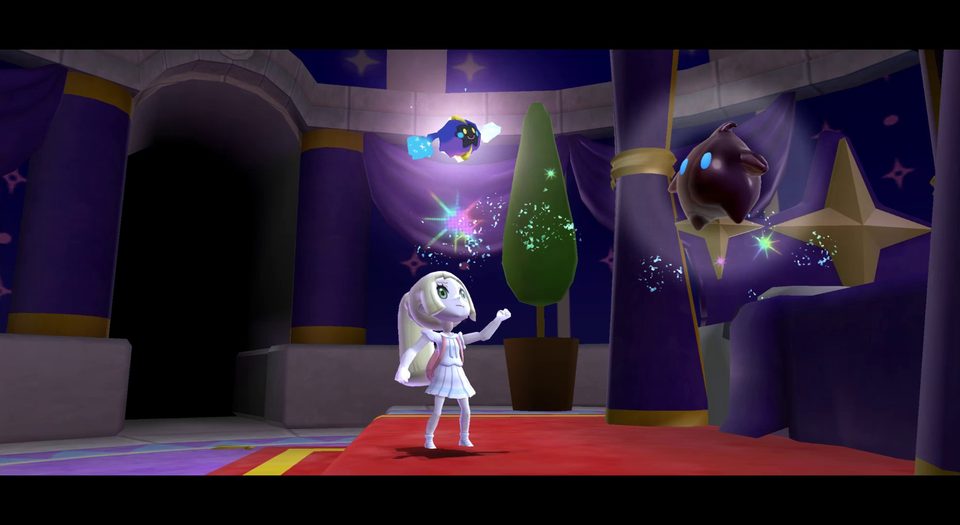
A character and presentation overhaul starring Lillie, with other Pokémon characters, dialogue, audio and texture changes. Optional cutscene files are separate and are not required or linked here.
Offline mod · creator recommends Dolphin for performance
Requires: Original Super Mario Galaxy; Riivolution on a homebrew Wii for disc setup, SD and a 7z extraction tool on PC/phone.
Compatibility. Creator builds for USA with Japanese/Korean compatibility; PAL support is incomplete, with missing text and a possible Toy Time Galaxy crash despite P appearing in the XML. USA was console-tested by the creator; other regions were Dolphin-tested. Significant Toy Time lag is reported on Wii.
Storage and launch. Extract the 7z. Copy /Lillie1 to SD root and Super Lillie Galaxy.xml into /riivolution, then enable it in Riivolution with the matching disc. Keep the supplied XML and current 4.4.0 data together; optional cutscenes are a separate archive. Keep an original save backup; this patch has no save-redirection option.
Keep these top-level paths:Lillie1, README.txt, riivolution
Disc selectors from the supplied XML (unmodified attributes):
riivolution/Super Lillie Galaxy.xml
Disc selector: game RMG. Regions: North America (E) · Japan (J) · PAL (P) · Korea (K).
The XML selector does not pin a disc revision here; follow the mod’s own compatibility checks.
Unpacked size: 54.10 MiB. Leave additional room for saves and updates.
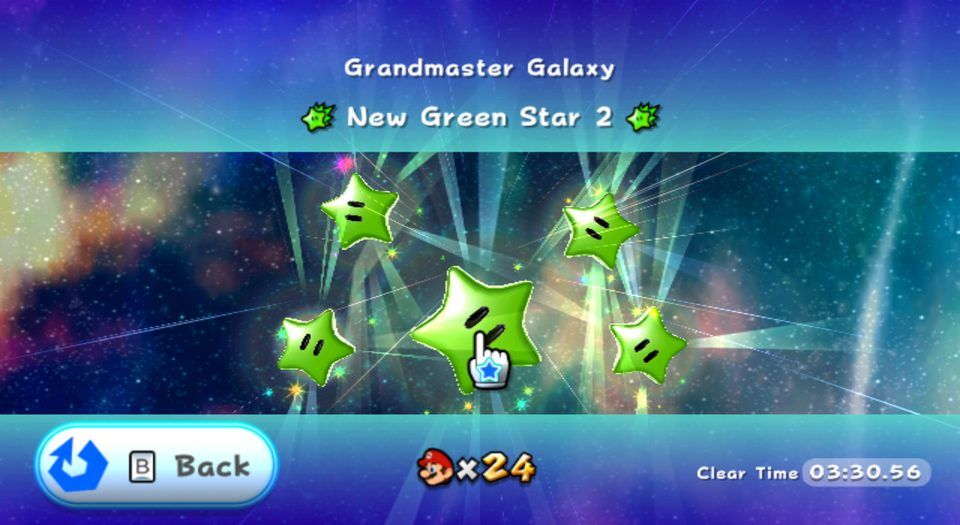
More than 140 new or relocated green stars, including extra challenges in galaxies that originally had fewer. Version 1.2 adds Luigi support and fixes the final star.
Offline mod · no network multiplayer added
Requires: Original Super Mario Galaxy 2, Riivolution, homebrew Wii/vWii and SD. Preserve existing saves before using the supplied modified progress.
Compatibility. Creator says all regions; archived XML actually lists SB4 P/E/J/W, so K is not claimed here. The patch redirects saves with clone=false and supplies a 120-star starting save: it is not a continuation of your normal progress.
Storage and launch. Open the ZIP’s outer SMG2 The New Green Stars folder. Copy its two INNER directories, riivolution and SMG2 The New Green Stars, directly to SD root. Keep the supplied SaveGame data with the mod and back up any existing mod SaveGame folder separately. In Riivolution set Play :) to Enabled, then Launch.
Keep these top-level paths:SMG2 The New Green Stars
Disc selectors from the supplied XML (unmodified attributes):
SMG2 The New Green Stars/riivolution/SMG2 The New Green Stars.xml
Disc selector: game SB4. Regions: PAL (P) · North America (E) · Japan (J) · Region W as listed in the XML.
The XML selector does not pin a disc revision here; follow the mod’s own compatibility checks.
Unpacked size: 15.97 MiB. Leave additional room for saves and updates.
Original package preserved and hash-verified in the local archive. The download above uses the verified site copy.
Aurum · Neo Mario Galaxy
Neo Mario Galaxy
1.6.0Super Mario Galaxy 2ZIP · Riivolution mod data
An eight-galaxy adventure with 42 stars, custom music, Ice Flower and Red Star powers, and Normal or Daredevil difficulty.
Offline mod · no network multiplayer added
Requires: Original Super Mario Galaxy 2 disc, Wii or Wii U vWii homebrew, Riivolution 1.06, FAT-formatted SD with at least 96 MB free and a PC/phone to extract the ZIP.
Compatibility. Creator lists SB4P, SB4E, SB4J, SB4W and SB4K. Use the current 1.6.0 mod ZIP from the official folder; the optional Dolphin HD texture archive is separate.
Storage and launch. Extract nmg_v1.6.0.zip and copy /nmg and /riivolution to SD root. Insert the Galaxy 2 disc, start Riivolution, enable Neo Mario Galaxy and disable other mods. Set a supported language override if needed, then Launch; choose Normal or Daredevil within the adventure. The XML redirects progress to /nmg/save/SB4<region> with clone=false, so preserve any existing mod save before updating.
Keep these top-level paths:nmg, riivolution
Disc selectors from the supplied XML (unmodified attributes):
riivolution/nmg-SB4E.xml
Disc selector: game SB4. Regions: North America (E).
The XML selector does not pin a disc revision here; follow the mod’s own compatibility checks.
riivolution/nmg-SB4J.xml
Disc selector: game SB4. Regions: Japan (J).
The XML selector does not pin a disc revision here; follow the mod’s own compatibility checks.
riivolution/nmg-SB4K.xml
Disc selector: game SB4. Regions: Korea (K).
The XML selector does not pin a disc revision here; follow the mod’s own compatibility checks.
riivolution/nmg-SB4P.xml
Disc selector: game SB4. Regions: PAL (P).
The XML selector does not pin a disc revision here; follow the mod’s own compatibility checks.
riivolution/nmg-SB4W.xml
Disc selector: game SB4. Regions: Region W as listed in the XML.
The XML selector does not pin a disc revision here; follow the mod’s own compatibility checks.
Unpacked size: 78.29 MiB. Leave additional room for saves and updates.
Original package preserved and hash-verified in the local archive. Large packages open the original distribution host; save them on a PC or phone and extract them to SD.
No matching resources. Clear the filters to see all entries.