
Wordle DS
A native dual-screen word puzzle with daily words, statistics, mods and shareable results.
Hardware: DS / DS Lite flashcart · DSi / XL · 3DS DS mode
Setup & prerequisites
- Copy WordleDS.nds to /roms/nds/homebrew/ (a suggested library folder), then open it in your homebrew launcher.
- The game stores a completed result at /_nds/WordleDS/Wordle DS/share.txt; its statistics screen can show a QR result.
Use the NDS asset on flashcarts. The upstream .dsi asset carries a title ID for NTM; the CIA asset belongs to a separate 3DS install route. Neither is needed for the NDS download here.
Files, sizes & SHA-256
- WordleDS.nds
- v3.2.3 · 978,880 bytes · NDS
- SHA-256
cdbf18af105abfb00c699cff1b95de48d781468a3b52aeb3bb5a431e603b7075- Original ready file
- Publisher download
- Native executables checked
- WordleDS.nds
Wordle DS authors · original packaged Nintendo DS banner icon

Aperture Science DS · portalDS
A native Portal-inspired puzzle adaptation by smea, with graphics by Lobo. This is the original r1 release.
Hardware: DS / DS Lite flashcart · DSi via compatible DS-mode launcher
Setup & prerequisites
- Extract the ready ZIP. Keep asds/ beside portalDS.nds; custom .map files go in asds/maps/ and controls are configured in asds/config.ini.
- Use a NitroFS-capable launcher, such as hbmenu if the flashcart menu lacks support. This is a standalone adaptation, not the full PC game.
The author describes this legacy final version as buggy and incomplete. Modern launcher compatibility has not been hardware-tested here.
Files, sizes & SHA-256
- ASDS_r1.zip
- r1 · 1,397,420 bytes · ZIP → NDS
- SHA-256
91db9b5c1b1932fd454571de3da73fe56c369ce0423d515dd81a882cc63da4e9- Original ready file
- Publisher download
- Native executables checked
- portalDS.nds
Aperture Science DS · portalDS authors · original packaged Nintendo DS banner icon
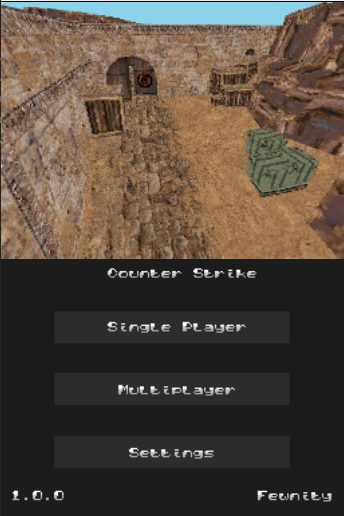
Counter Strike DS
A native Counter-Strike demake. Single-player remains usable; the original multiplayer server is closed.
Hardware: DS / DS Lite flashcart · DSi / XL · DS mode · 3DS · DS mode
Setup & prerequisites
- Extract the hardware ZIP. Put its .nds on your card and soundbank.bin plus counter_strike_music.raw at the storage root.
- On a DSi/3DS SD setup, highlight the game in TWiLight Menu++, press Y, then set Run in to DS mode.
Download the hardware archive, rather than the separate emulator package. Ad-hoc Ni-Fi multiplayer is unsupported; the publisher reports that the online server is closed.
Files, sizes & SHA-256
- Counter.Strike.DS.1.0.0.zip
- 1.0.0 · 3,133,189 bytes · ZIP → NDS
- SHA-256
fcd8cc7930b30ca72d05e94def573a4cf0d94f68646f79d8bc578bc40f0b3837- Original ready file
- Publisher download
- Native executables checked
- counter_strike.nds
Counter Strike DS screenshot published by Fewnity
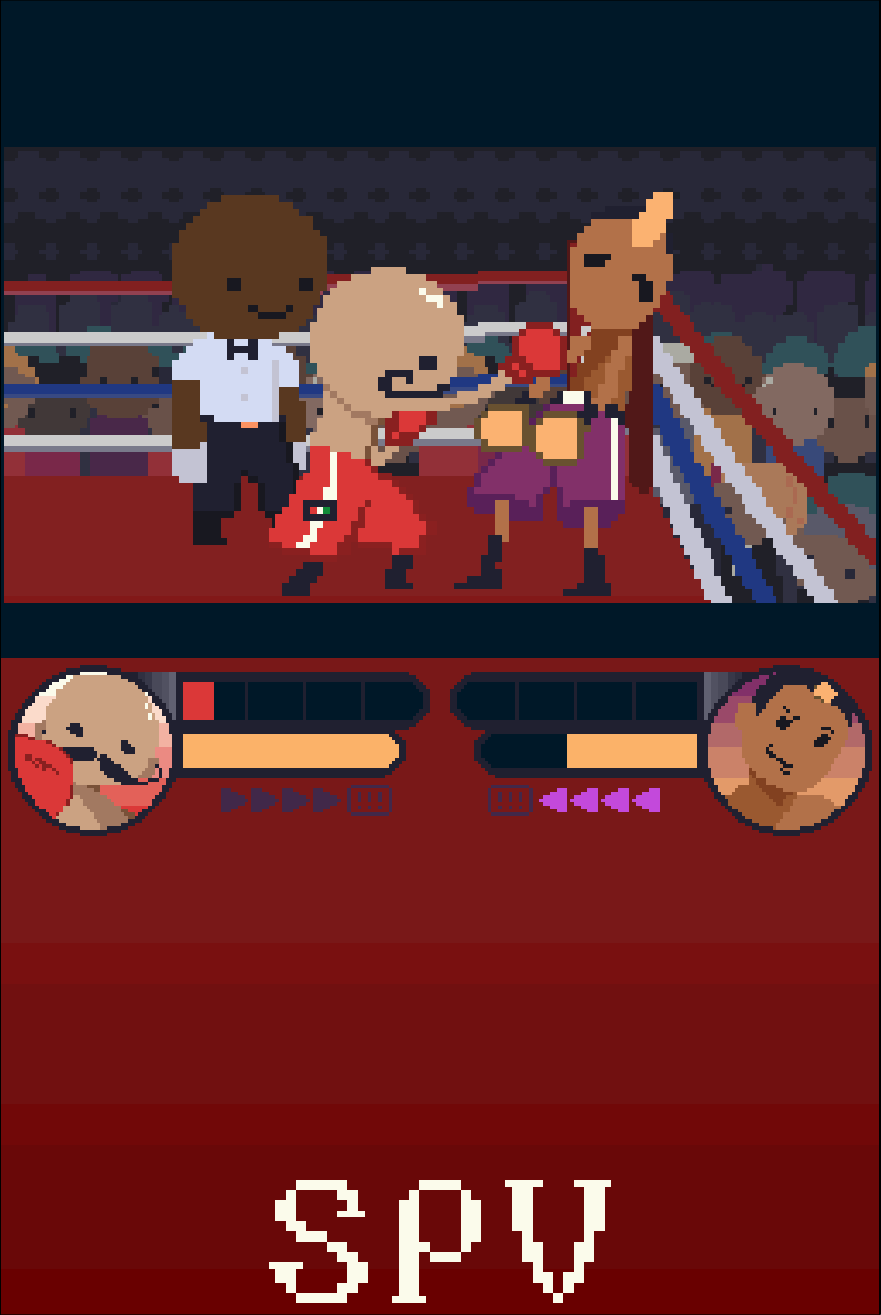
PUNCH-A-ROONEY!
A native homebrew boxing game with a single-player championship and local multiplayer.
Hardware: DS / DS Lite flashcart · DSi / XL via TWiLight · 3DS DS mode via TWiLight
Setup & prerequisites
- Copy Punch-A-Rooney.nds onto your flashcart microSD or prepared console SD, for example /roms/nds/homebrew/.
- Launch it from the flashcart menu or TWiLight Menu++. Open Guide in the game for its controls.
Local multiplayer needs two compatible consoles running the game. The author notes that unexpected latency can occur.
Files, sizes & SHA-256
- Punch-A-Rooney.nds
- 1.0.1 · 13,714,432 bytes · NDS
- SHA-256
7ea804a7ee2097089046fefa47aad65d466dc79df8aaa33bfe76840251d9a3b7- Original ready file
- Publisher download
- Native executables checked
- Punch-A-Rooney.nds
Sean David / Punch-A-Rooney · CC BY-NC-SA 4.0

SpelunkyDS
A native Spelunky remake focused on the cave levels, with generated layouts, traps and equipment.
Hardware: DS / DS Lite flashcart · DSi via compatible DS-mode launcher · 3DS via DS-mode launcher
Setup & prerequisites
- Copy spelunkyds.nds to your homebrew storage, for example /roms/nds/homebrew/, then open it in a compatible homebrew launcher. This folder is a library suggestion, not a fixed app requirement.
- Use the publisher’s 1.13DSi++ ready executable. The older README calls the launcher DSiMenu++; its successor is TWiLight Menu++.
This is an incomplete remake rather than the full commercial game. The project documents collision, item and crash issues; the release notes report stability improvements without guaranteeing crash-free play.
Files, sizes & SHA-256
- spelunkyds.nds
- 1.13DSi++ · 3,170,816 bytes · NDS
- SHA-256
1020d008765fbd7e21bc1122a8fd01187b2090f220e885c1869fa3f37fd9c430- Original ready file
- Publisher download
- Native executables checked
- spelunkyds.nds
SpelunkyDS authors · original packaged Nintendo DS banner icon
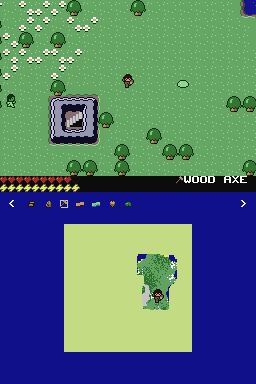
Minicraft DS Edition
A fan port of Minicraft with a lower-screen map, touchscreen inventory management and NBT saves.
Hardware: DS / DS Lite flashcart · DSi via compatible DS-mode launcher
Setup & prerequisites
- Copy Minicraft-DS-Edition.nds to your homebrew storage, for example /roms/nds/homebrew/, then open it in a compatible homebrew launcher. This folder is a library suggestion, not a fixed app requirement.
- Use writable SD storage for the game’s saves, and keep existing save files when replacing the executable.
This exact v1.0.0-beta.3 build is a beta. The original project lists unfinished features and interface work. No additional commercial Minecraft files are required.
Files, sizes & SHA-256
- Minicraft-DS-Edition.nds
- v1.0.0-beta.3 · 1,214,976 bytes · NDS
- SHA-256
d47b57e1dcb1bbac3a6e11d44afd9e444a0aff2fb306e67159a950d485731819- Original ready file
- Publisher download
- Native executables checked
- Minicraft-DS-Edition.nds
ArthurCose · official Minicraft DS Edition overworld screenshot

2048 NDS
A native 2048 number puzzle with a Professor Layton-inspired presentation.
Hardware: DS / DS Lite flashcart · DSi via compatible DS-mode launcher
Setup & prerequisites
- Copy 2048-nds.nds to your homebrew storage, for example /roms/nds/homebrew/, then open it in a compatible homebrew launcher. This folder is a library suggestion, not a fixed app requirement.
- Open the game to merge tiles and work toward 2048; no separate data archive is supplied with this release.
The author credits the presentation to Professor Layton assets. This is an independent homebrew puzzle; use the NDS release rather than a PC build.
Files, sizes & SHA-256
- 2048-nds.nds
- v1.0.2 · 923,648 bytes · NDS
- SHA-256
dc81c7cfc8919328ef5d5b5a7c1d61bd6b1f4b9d6ef988f2440999c3ff8d2314- Original ready file
- Publisher download
- Native executables checked
- 2048-nds.nds
2048 NDS authors · original packaged Nintendo DS banner icon

RaptorDS · Call of the Shadows
A native DS port of the classic vertical shooter. The publisher’s ready package includes the DOS v1.2 shareware data.
Hardware: DS / DS Lite flashcart · DSi / XL via homebrew launcher
Setup & prerequisites
- Extract RAPTOR-NDS-V1.1.0.nds and copy it to your homebrew library, for example /roms/nds/homebrew/. Open that NDS file with a compatible launcher.
- This exact NDS build embeds FILE0000.GLB, FILE0001.GLB and SETUP.INI in NitroFS: no external game-data folder is needed for the included shareware. Full-game data uses the publisher’s separate DOS v1.2 asset procedure.
The game build is RaptorDS v1.1.0 within the publisher’s MultiSys-V1.0.4 release. Other DOS revisions are incompatible; 3DS, Switch and Xbox packages are separate and excluded here.
Files, sizes & SHA-256
- RAPTOR-NDS-V1.1.0.zip
- MultiSys-V1.0.4 · 1,866,951 bytes · ZIP → NDS
- SHA-256
e0dcc3910e998d90f1c03db2f1363bcd5748ac246b1148ec483a99b52053fefd- Original ready file
- Publisher download
- Native executables checked
- RAPTOR-NDS-V1.1.0.nds
RaptorDS · Call of the Shadows authors · original packaged Nintendo DS banner icon

3D Maze · Windows 9x port
A DS port of the Windows 9x maze screensaver with a playable exploration mode.
Hardware: DS / DS Lite flashcart · DSi via compatible DS-mode launcher
Setup & prerequisites
- Extract the FAT release and copy its data/ folder to the SD root. Place its NDS executable in your homebrew library.
- Press START in the program to switch between automatic movement and player control.
The selected FAT build needs SD storage and keeps textures in external data files. The publisher also supplies a separate NitroFS package; this catalogue pins the FAT variant for customizable textures.
Files, sizes & SHA-256
- 3dmaze-nds-fat.zip
- v1.0.0 · 562,521 bytes · ZIP → NDS
- SHA-256
f489f877e45213e24065c6a5ef42e386f2ad5c93dca6dcc3c8ab6682dfe5487f- Original ready file
- Publisher download
- Native executables checked
- 3dmaze.nds
3D Maze · Windows 9x port authors · original packaged Nintendo DS banner icon

3D Pinball · Space Cadet DS
A native Space Cadet Pinball engine port with standard and rotated screen modes. Bring your own game data.
Hardware: DS / DS Lite flashcart · DSi via compatible DS-mode launcher
Setup & prerequisites
- Copy 3dpinball-nds.nds to your homebrew library. Put your own Windows 95 Plus / Windows XP Space Cadet game data in /data/SpaceCadetPinball/.
- The v0.5 release adds Inverted rotation, using ABXY for the flippers. Keep the external data folder intact when updating the executable.
Full Tilt! Pinball’s CADET.DAT is not compatible with this port. Some table lights are incorrect in DS mode because images are downscaled; the author says this issue is absent in DSi mode. The download contains the engine, not the commercial data.
Files, sizes & SHA-256
- 3dpinball-nds.nds
- v0.5 · 1,266,176 bytes · NDS
- SHA-256
9effee17c9024d9dbd4f3510c888c9e6a035e0232b3385d94f386b9b13edaca2- Original ready file
- Publisher download
- Native executables checked
- 3dpinball-nds.nds
3D Pinball · Space Cadet DS authors · original packaged Nintendo DS banner icon
TerrariaDS
A work-in-progress Terraria-inspired remake with generated worlds, crafting and touchscreen interaction.
Hardware: DSi / XL via TWiLight Menu++ · 3DS family via TWiLight Menu++ · DS / DS Lite flashcarts · publisher untested
Setup & prerequisites
- Copy TerrariaDS.nds to a folder such as /roms/nds/homebrew/ on your homebrew storage and open it in a compatible launcher. This is a suggested library folder, not an app-specific fixed path.
- Use TWiLight Menu++ with the launcher set to Default as the publisher directs. Use writable SD storage and keep the generated world and character saves.
This v0.2 fan remake has a limited content set; it is not the complete Terraria game. The author reports DSi and 3DS TWiLight testing, while flashcart support remains untested and may need DLDI patching.
Files, sizes & SHA-256
- TerrariaDS.nds
- 0.2 · 16,017,408 bytes · NDS
- SHA-256
81f07f546c2e6f1822c5214a0142258babbb6ae78bc18459e79b6931f39c03e8- Original ready file
- Publisher download
- Native executables checked
- TerrariaDS.nds
AzizBgBoss · official TerrariaDS project logo

Derailed!
An Unrailed-inspired train-building game with an optional robot assistant.
Hardware: DS / DS Lite flashcart · DSi via compatible DS-mode launcher
Setup & prerequisites
- Copy derailed.nds to a folder such as /roms/nds/homebrew/ on your homebrew storage and open it in a compatible launcher. This is a suggested library folder, not an app-specific fixed path.
- Start with single-player and the game’s tutorial. The included local multiplayer implementation is experimental.
The selected release is explicitly 1.1alpha. The author lists multiplayer bugs and further UI work; online multiplayer is a planned feature, not a supported feature of this build.
Files, sizes & SHA-256
- derailed.nds
- 1.1alpha · 697,344 bytes · NDS
- SHA-256
2d694c497524df4ba06cf777c5480686ca8714b4729d5945ceb922f52b6e2879- Original ready file
- Publisher download
- Native executables checked
- derailed.nds
Derailed! authors · original packaged Nintendo DS banner icon

MicroCityNDS
A miniature city-building game ported from jhhoward’s Arduboy MicroCity, with an enlarged DS display.
Hardware: DS / DS Lite flashcart · DSi via compatible DS-mode launcher
Setup & prerequisites
- Copy MicroCityNDS.nds to a folder such as /roms/nds/homebrew/ on your homebrew storage and open it in a compatible launcher. This is a suggested library folder, not an app-specific fixed path.
- The DS port swaps the original A/B button mapping. Follow the game’s interface to build and manage your city.
The publisher’s v1.0 notes say this port has no audio. No external commercial game data is listed for the ready NDS release.
Files, sizes & SHA-256
- MicroCityNDS.nds
- v1.0 · 224,256 bytes · NDS
- SHA-256
c3a7910ae2d2200a7a47f9b40aa32d8d4b34e844abcd003dbc1a168bb4d377af- Original ready file
- Publisher download
- Native executables checked
- MicroCityNDS.nds
MicroCityNDS authors · original packaged Nintendo DS banner icon

Monty Hall DS
A probability puzzle with an interactive door-choice game and a 2,000-game simulation mode.
Hardware: DS / DS Lite flashcart · DSi via compatible DS-mode launcher
Setup & prerequisites
- Extract MontyHallDS.nds and Readme.txt from the ready ZIP. Put MontyHallDS.nds in your homebrew library; this exact release has no external data folder.
- Launch the NDS file from your homebrew menu; choose normal play or the simulation to compare the outcomes of staying and switching.
Version 2.0 fixes the simulation and adds sound effects. The bundled Readme.txt explains its controls and game modes.
Files, sizes & SHA-256
- Monty.Hall.DS.v2.0.zip
- v2.0 · 480,680 bytes · ZIP → NDS
- SHA-256
6161db175ba98fd62be5d10cdaff3ad4138378acc729d63eb6fadd07e9409291- Original ready file
- Publisher download
- Native executables checked
- MontyHallDS.nds
Monty Hall DS authors · original packaged Nintendo DS banner icon

Spirited DS
A Top Trumps-style card game with characters from the television series Spirited.
Hardware: DS flashcart · DSi via compatible launcher · 3DS DS-mode homebrew
Setup & prerequisites
- Copy spirited_ds.nds to a folder such as /roms/nds/homebrew/ on your homebrew storage and open it in a compatible launcher. This is a suggested library folder, not an app-specific fixed path.
- Choose one of the five qualities on your card. Winning a comparison takes both cards; play continues until one side has none.
The author describes a minimal independent fan game and explicitly notes that this release has no sound.
Files, sizes & SHA-256
- spirited_ds.nds
- Version1.0 · 1,821,696 bytes · NDS
- SHA-256
973d12bd1942888cce975e5e450fa483cca8bf43e379640c45a9f8bbc80ced6f- Original ready file
- Publisher download
- Native executables checked
- spirited_ds.nds
Spirited DS authors · original packaged Nintendo DS banner icon

Ikachan DS
A Nintendo DS adaptation of Pixel’s underwater adventure, following a squid exploring a cave.
Hardware: DS / DS Lite flashcart · DSi / XL homebrew
Setup & prerequisites
- Use IkachanDS.nds for a DS flashcart or compatible NDS launcher. Place it in your homebrew library, such as /roms/nds/homebrew/.
- IkachanDS.dsi is the separate title-identified DSi variant for a compatible direct-boot or hiyaCFW/NTM route; use the installation method documented for that setup.
The release tag is 0.2.1; the README’s “Ikachan 1.5.2” refers to the underlying game, not this DS port release. The original NDS and DSi files are kept separately.
Files, sizes & SHA-256
- IkachanDS.nds
- 0.2.1 · 1,117,696 bytes · NDS
- SHA-256
fcc9333f5fd018cc31461f65de7e4e43c5995d74883991af29bf3d1a230ad152- Original ready file
- Publisher download
- Native executables checked
- IkachanDS.nds
- IkachanDS.dsi
- 0.2.1 · 1,117,696 bytes · DSi
- SHA-256
af43aa7a8930b1eca4c90378b5654dfe8d0c154cb12829a3df3399424054fb59- Original ready file
- Publisher download
- Native executables checked
- IkachanDS.dsi
Ikachan DS authors · original packaged Nintendo DS banner icon
