Nintendo DS / DS Lite · flashcart
Use a supported flashcart and its microSD card. The TWiLight Menu++ Flashcard package is separate from the DSi and 3DS SD-card builds.
 whatwhatboy
Keep DS, DS Lite and DSi launch routes separate and prepare the matching launcher, storage and app folders.
Use a supported flashcart and its microSD card. The TWiLight Menu++ Flashcard package is separate from the DSi and 3DS SD-card builds.
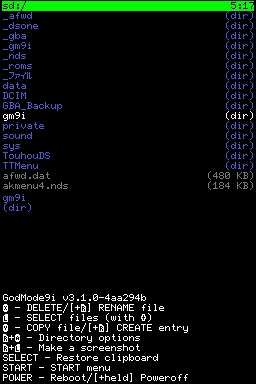
Use the maintained DSi guide for an SD-card entry point, homebrew setup and a NAND backup. It also explains the optional Unlaunch bootcode installation and its risks.
For Nintendo 2DS, 3DS and New models, use the separate 2DS / 3DS page . Those systems have their own CFW setup and TWiLight Menu++ package.
| Console | Ready setup | Storage & launch path |
|---|---|---|
| DS / DS Lite | A supported flashcart and its matching kernel. Use the Flashcard TWiLight package. | The flashcart’s microSD root gets _nds/, roms/ and BOOT.NDS. CycloDSi/DSpico use the documented BOOT_ALT.NDS route. Keep the card-specific boot files. |
| DSi / DSi XL | Follow DSi Guide’s entry-point selector for your firmware and region. The guide covers all DSi firmware versions; an individual app may need DSi mode. | The console SD root gets _nds/, roms/ and BOOT.NDS from the DSi package. With Unlaunch already installed: hold A+B → OPTIONS → set a button / NO BUTTON to TWiLight’s BOOT.NDS. |
| 2DS / 3DS family | Requires the separate 3DS CFW and TWiLight setup. The NDS apps below run through DS-mode homebrew, subject to each app’s requirements. | Use the 3DS guide and 3DS-specific TWiLight package. A CIA is a 3DS installation component; it is not a native DS app file. |
_nds folder, roms folder and documented boot NDS file go at the flashcart microSD root.