Hekate & Nyx for Nintendo Switch

Download the Hekate boot payload and complete Nyx SD bundle, with bootloader paths, configuration and update instructions.

Hekate & Nyx for Nintendo Switch

Ready Switch downloads

Use the complete ZIP for Nyx and bootloader resources. The standard BIN is for your supported payload boot method; the BIN alone does not supply the SD-side Nyx files.

Standard Hekate payload

hekate_ctcaer_6.5.4.bin

Version 6.5.4 + Nyx 1.9.4 · 0.11 MiB

Download payload
File verification & source

110,144 bytes

SHA-256: 95f6e933e32e028f3ae90f0b0857ff47800e834bdace38a0ab019d8ed35a8c24

Matches the publisher’s release SHA-256.

Original console file
Complete SD bundle

hekate_ctcaer_6.5.4_Nyx_1.9.4.zip

Version 6.5.4 + Nyx 1.9.4 · 0.85 MiB

Download bundle
File verification & source

895,887 bytes

SHA-256: a5ee4faa956f1ffe49fdd31d795be3fd556c8dffd9cbed69cec7cff92b8b43f6

Matches the publisher’s release SHA-256.

Original console file

Version & compatibility

Pinned Hekate 6.5.4 and Nyx 1.9.4 list HOS 23.0.1 support. The official ZIP was updated on 28 September 2026 to fix sleep behaviour; the stored hash matches that updated asset. The standard payload is offered here; modified 8 GB RAM builds and desktop helpers are separate variants.

Set up Hekate + Nyx

  1. Start with the correct hardware guideHekate is a bootloader, not a universal stock-console exploit. Use your model’s supported setup route and keep a backup of your working microSD configuration.
  2. Copy the full bootloader folderExtract the ZIP to the microSD root. Merge the supplied bootloader/ folder while preserving your existing configuration and payloads. Do not remove the entire folder first.
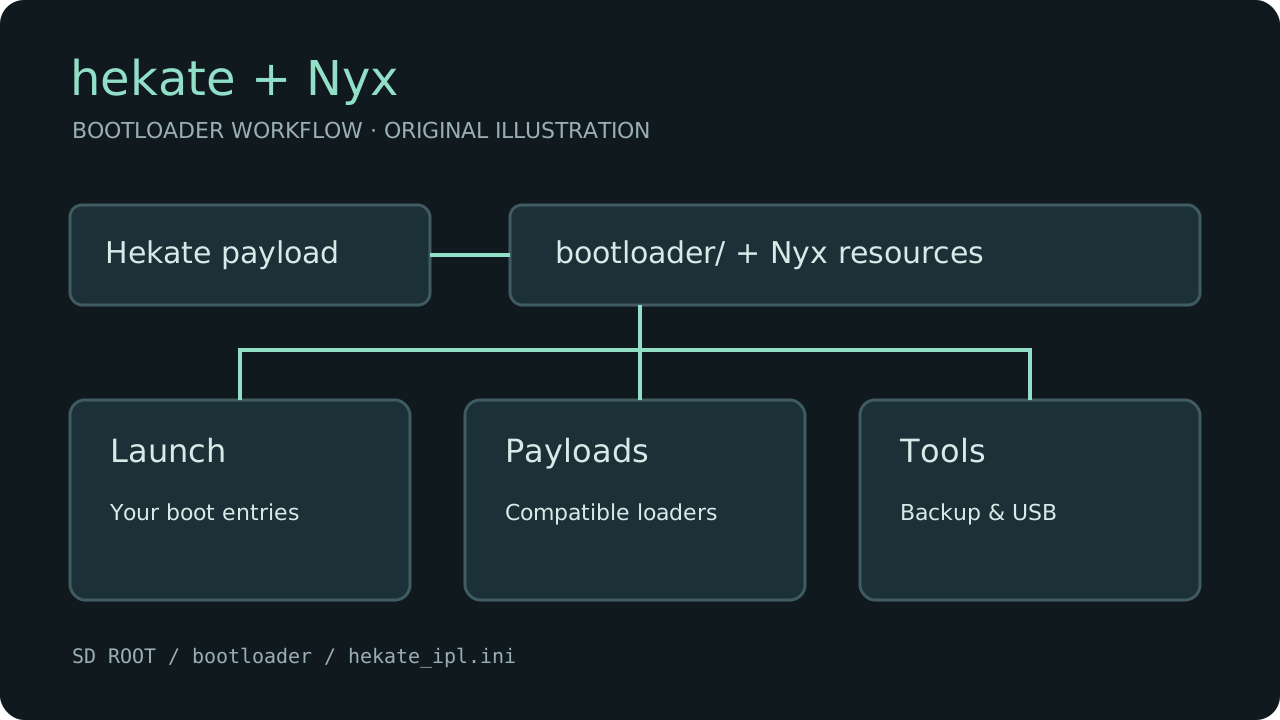
  3. Keep your boot entriesbootloader/hekate_ipl.ini defines Launch entries. Separate configurations can live under bootloader/ini/. Retain the entries appropriate to your actual sysMMC/emuMMC setup rather than substituting an unrelated configuration.
  4. Use the standard payloadFor a supported injection/boot method, select hekate_ctcaer_6.5.4.bin. On applicable existing setups Hekate also checks bootloader/update.bin for a newer version. A desktop injector is separate from this console build.
  5. Open Nyx and confirm the setupBoot with the supplied SD resources and verify the version. Select your established Launch entry. Tools includes backup and USB functions; follow the documentation for the exact operation before changing partitions or restoring storage.

microSD layout

microSD root/
└── bootloader/
    ├── hekate_ipl.ini [your existing configuration]
    ├── update.bin
    ├── sys/ [Nyx and runtime resources]
    ├── ini/ [optional separate entries]
    └── payloads/ [your configured payloads]

If it does not start

Confirm the complete bootloader folder is on the card and that your Launch entry points to files actually present. A missing Nyx resource or an incorrect boot entry needs a configuration/file check. Restore your backed-up configuration if an update breaks a previously working setup, then follow the linked project documentation.

Sources & verification

Console files are preserved locally with source URLs, versions, sizes and SHA-256 checksums. ZIP layouts and RetroArch’s 7z integrity and Switch NRO header were inspected. No console payload or application was executed, and physical-console installation has not been tested. The bootloader workflow artwork is an original illustration based on the documented file layout, not a console screenshot.