PS Vita · Games & source ports

Free native Vita games and engine ports, with the required data files and installation paths identified.

Games & source ports

Free native Vita games and engine ports, with the required data files and installation paths identified.

4 projects

Author releases · checked 2 November 2026

SuperTux Classic · official artwork
Homebrew game

SuperTux Classic

1.04
  • Native Vita
  • VPK
  • Games

A complete, free platform adventure: guide Tux through the classic Milestone 1 levels.

Compatibility
Native Vita; exact firmware range and PS TV support not specified by author.
Before installing
Homebrew access and VitaShell. Game assets are bundled.
Game data
Standalone free game
Setup & storage paths
  1. Copy SuperTux-PSVITA.vpk to ux0:downloads/ and install with VitaShell.
  2. Open the SuperTux bubble from LiveArea. Saves and settings use ux0:data/supertux/.
ux0:data/supertux/
File details & SHA-256 · 1 file
SuperTux-PSVITA.vpk
1.04 · 10,481,119 bytes
5edea0830269795b4531ef8e3903a08a84e260ffad72a986a80d20328c418510Official source file

Icon: theheroGAC / DeltaResero / SuperTux team · original package icon

Jump ’n’ Bump · official artwork
Homebrew game

Jump ’n’ Bump

Vita 1.00 (release tag 1.02)
  • Native Vita
  • VPK
  • Games
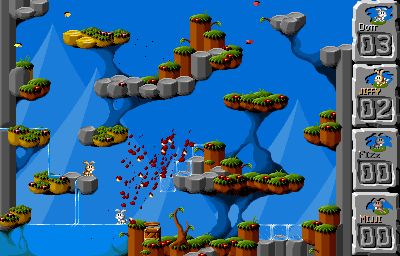
Jump ’n’ Bump · official project screenshot

A fast multiplayer rabbit arena with local controller and Bluetooth keyboard support.

Compatibility
Native Vita; no exact firmware minimum published. Multiplayer only.
Before installing
Homebrew access, VitaShell and another player. Up to four players are supported by the port.
Game data
Standalone free game
Setup & storage paths
  1. Install jumpnbump_1.00.vpk with VitaShell; all required game data is included.
  2. Prepare multiplayer input, then open its LiveArea bubble. Move with the D-pad or stick and jump with an action button.
  3. The Vita build is 1.00. Release tag 1.02 contains later Switch changes; it is not Vita version 1.02.
File details & SHA-256 · 1 file
jumpnbump_1.00.vpk
Vita 1.00 (release tag 1.02) · 1,286,536 bytes
e58de95513d797f3d8c7a9cf27b2d0efa4c416506fca1d3b1b7a31f74f2112d7Official source file

Icon: rsn8887 / Brainchild Design / Jump ’n’ Bump contributors · original package icon
Screenshot: rsn8887 / Brainchild Design · official port screenshot

Enigma · official artwork
Homebrew game

Enigma

Vita 1.11 (release tag 1.16)
  • Native Vita
  • VPK
  • ZIP
  • Games
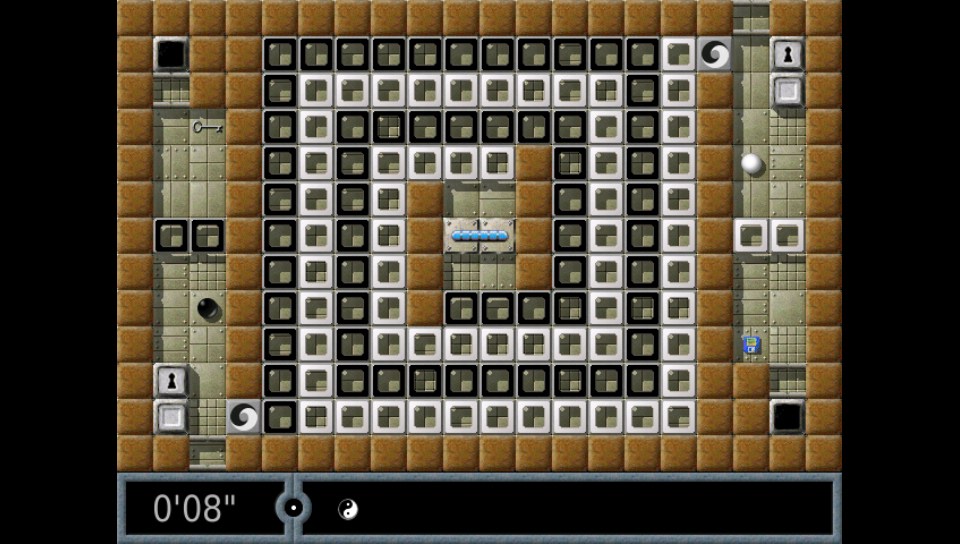
Enigma · official project screenshot

Marble puzzles built around matching hidden Oxyd stones, with mazes, traps and touch controls.

Compatibility
Native Vita; no exact firmware minimum or model restriction published.
Before installing
Homebrew access, VitaShell and the matching free data ZIP.
Game data
Free data pack required
Setup & storage paths
  1. Install enigma_1.11.vpk with VitaShell.
  2. Extract this project's data.zip into ux0:data/, retaining the enigma folder. Do not use Chocolate Doom's different data.zip.
  3. The author recommends FTP when transferring the many small data files. Vita remains 1.11; release 1.16 updates Switch only.
ux0:data/enigma/
File details & SHA-256 · 2 files
enigma_1.11.vpk
Vita 1.11 (release tag 1.16) · 5,209,786 bytes
13041d9edb54c45ae83c7289905315b9eccd616d81164bdd87d0eb78910fd7a7Official source file
data.zip
Vita 1.11 (release tag 1.16) · 70,226,743 bytes
e997b169d3639f3759f840f4f3a7afcfb3129382ec9fe761511f99f6cf041becOfficial source file

Icon: rsn8887 / Enigma team · original package icon
Screenshot: rsn8887 / Enigma team · official Vita screenshot

Chocolate Doom · official artwork
Source port · pre-release

Chocolate Doom

Vita r3.1
  • Native Vita
  • VPK
  • ZIP
  • Ports

One native launcher for classic Doom, Heretic, Hexen and Strife engines, with shareware data available.

Compatibility
Native Vita; no exact firmware range or model restriction published.
Before installing
Homebrew access, VitaShell and release data.zip. Full games need your own IWADs.
Game data
Shareware included; full-game data supplied by you
Setup & storage paths
  1. Install ChocolateDoom_r3_1.vpk. The author marks Vita Release 3.1 as a pre-release.
  2. Extract its data.zip at ux0: so the data/chocolate folder lands at ux0:data/chocolate/. This includes Doom and Heretic shareware.
  3. Copy your own full-game IWADs to ux0:data/chocolate/iwads/. Put PWADs in the appropriate doom, heretic, hexen or strife subfolder under pwads/.
ux0:data/chocolate/iwads/ux0:data/chocolate/pwads/
File details & SHA-256 · 2 files
ChocolateDoom_r3_1.vpk
Vita r3.1 · 7,221,728 bytes
373915d5225d7f8cce9f52126a62f82e35a7324b666eed2456dd27a80fb6e74fOfficial source file
data.zip
Vita r3.1 · 3,916,646 bytes
58fe4548dfa74748260044214b3fae76ef09d492d84d3768107867b3b6dbc6cfOfficial source file

Icon: fgsfds / Chocolate Doom contributors · original package icon

Install & storage paths

  1. Prepare your model and firmwareUse the existing Vita jailbreak and CFW guides first. Do not change firmware just to match a download. Numeric support is listed only where the author provides it. Vita 1000 needs usable memory-card storage; Vita 2000 and PS TV have internal storage.
  2. Move a VPK using VitaShellUse VitaShell USB or FTP from your computer. ux0: is the active user-storage mount, whether it is an official card, internal storage or correctly configured SD2Vita. A folder such as ux0:downloads/ is a suggested transfer location.
  3. Install the package, then add its dataOpen the VPK in VitaShell and complete the installation prompts. Data ZIPs are not installable VPKs: extract each one at the specific destination on its card, preserving folder names.
  4. Add plugins to the active tai configurationBack up the active config before editing. Kernel SKPRX entries use *KERNEL; shell/user SUPRX entries use their author-specified section. ur0:tai/config.txt is the normal location on this site’s Ensō setup. If ux0:tai/config.txt is active, use its folder and paths consistently. Restart after a plugin change.